

fclones-gui
Install latest/stable of fclones-gui
Ubuntu 16.04 or later?
Make sure snap support is enabled in your Desktop store.
Install using the command line
sudo snap install fclones-guiDon't have snapd? Get set up for snaps.
Details for fclones-gui
Package name
- fclones-gui
License
- MIT
Last updated
- 27 June 2023 - latest/stable
Websites
Contact
External link warning
You are about to open
Do you wish to proceed?
Report a Snap Store violation
Report fclones-gui for a Snap Store violation
Snap Store Violation Report submitted successfully
Thank you for your report. Information you provided will help us investigate further.
Error submitting report
There was an error while sending your report. Please try again later.
Share this snap
Generate an embeddable card to be shared on external websites.
Interactive duplicate file finder and remover
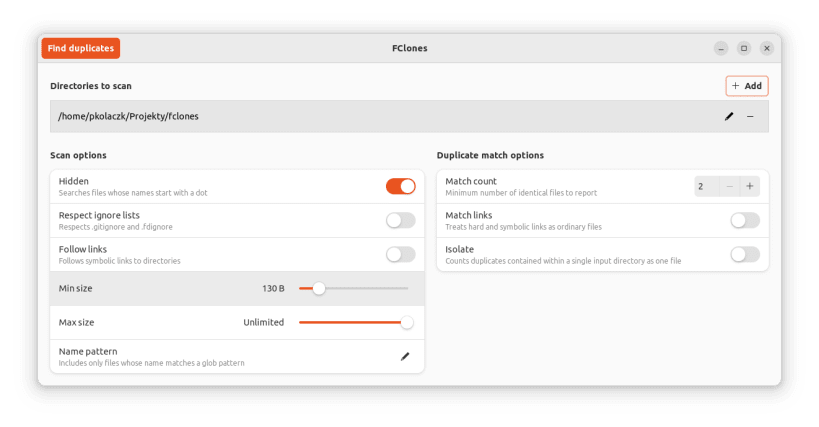
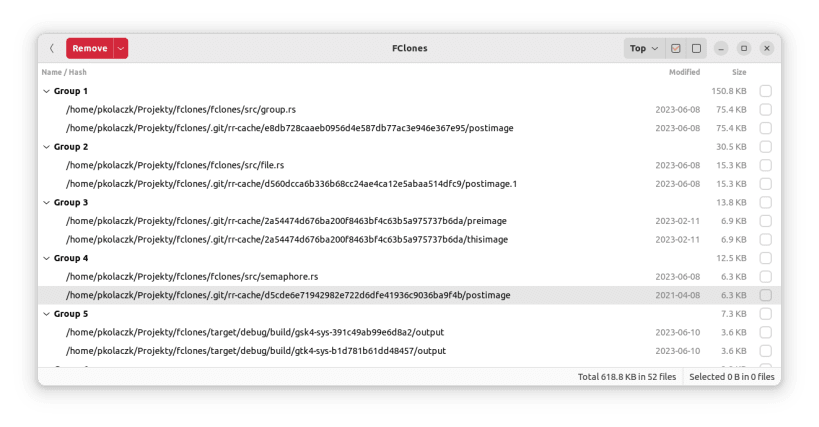
Finds duplicate files and offers many ways to get rid of them. Likely the fastest duplicate file finder you can get for Linux.
Features:
Identifying groups of identical files
- finding duplicate files
- finding files with more than N replicas
- scanning multiple directory roots
- filtering names and paths by extended UNIX globs
- filtering by min/max file size
- proper handling of symlinks and hardlinks
- optional ignoring of files specified in .gitignore
Removing redundant data
- removing, moving or replacing selected files with soft or hard links
- removing redundant file data using native copy-on-write (reflink) support on some file systems
- bulk selection of files to remove
- prioritizing files to remove by creation, modification, last access time or nesting level
High performance
- parallel processing capability in all I/O and CPU heavy stages
- automatic tuning of parallelism and access strategy based on device type (SSD vs HDD)
- low memory footprint thanks to heavily optimized path representation
- accurate progress reporting
- uses modern GTK4 list controls that can display hundreds thousands items
| Revision | Channel | Version | Build | Commit | Download SBOM |
|---|
The build and commit information is derived from build infrastructure records.
Install fclones-gui on your Linux distribution
Choose your Linux distribution to get detailed installation instructions. If yours is not shown, get more details on the installing snapd documentation.











