

FeatherShot
Install latest/stable of FeatherShot
Ubuntu 16.04 or later?
Make sure snap support is enabled in your Desktop store.
Install using the command line
sudo snap install feathershotDon't have snapd? Get set up for snaps.


Details for FeatherShot
Package name
- feathershot
License
- MIT
Last updated
- Yesterday - latest/stable
Websites
Contact
Source code
Report a bug
External link warning
You are about to open
Do you wish to proceed?
Report a Snap Store violation
Report FeatherShot for a Snap Store violation
Snap Store Violation Report submitted successfully
Thank you for your report. Information you provided will help us investigate further.
Error submitting report
There was an error while sending your report. Please try again later.
Share this snap
Generate an embeddable card to be shared on external websites.
Capture, annotate and share screenshots in seconds
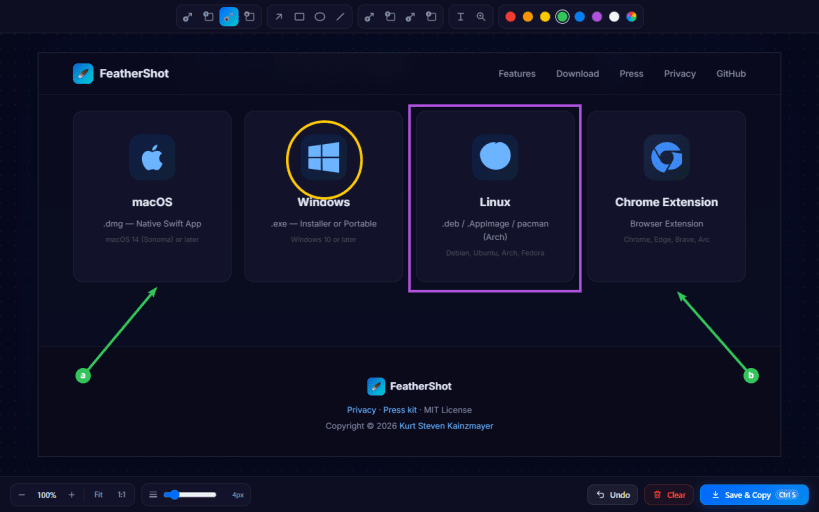
FeatherShot is a free, open-source screenshot annotation tool. Select an area of your screen, mark it up with arrows, numbered steps and rectangles, then save and copy it in one click.
It lives in your system tray and stays out of the way: no bloat, no account, no subscription.
Annotation tools
- Step arrows and step rectangles with auto-incrementing numbers (1, 2, 3...), perfect for step-by-step guides
- Letter arrows and rectangles (a, b, c...)
- Question-mark and exclamation callouts to flag unclear or important areas
- Arrows, lines, rectangles and circles
- Free-floating text labels you can edit and drag
- Magnifier lenses that zoom into small details (1.5x to 5x)
- Any color from a full color wheel, and line widths from 2 to 15 px
Fast workflow
- Every screen is captured before you select, so the area you pick is exactly what you get
- Save & Copy saves the image and puts it on the clipboard at the same time
- Undo, zoom, Fit and 1:1 view in the editor
FeatherShot is also available for Windows, macOS and as a Chrome extension. Source code and release notes: https://github.com/KurtStevenK/FeatherShot
| Revision | Channel | Version | Build | Commit | Download SBOM |
|---|
The build and commit information is derived from build infrastructure records.
Install FeatherShot on your Linux distribution
Choose your Linux distribution to get detailed installation instructions. If yours is not shown, get more details on the installing snapd documentation.


