

Install latest/stable of File Encrypter
Ubuntu 16.04 or later?
Make sure snap support is enabled in your Desktop store.
Install using the command line
sudo snap install file-encrypterDon't have snapd? Get set up for snaps.
Details for File Encrypter
Package name
- file-encrypter
License
- Proprietary
Last updated
- 4 October 2026 - latest/stable
- 4 October 2026 - latest/beta
Websites
External link warning
You are about to open
Do you wish to proceed?
Report a Snap Store violation
Report File Encrypter for a Snap Store violation
Snap Store Violation Report submitted successfully
Thank you for your report. Information you provided will help us investigate further.
Error submitting report
There was an error while sending your report. Please try again later.
Share this snap
Generate an embeddable card to be shared on external websites.
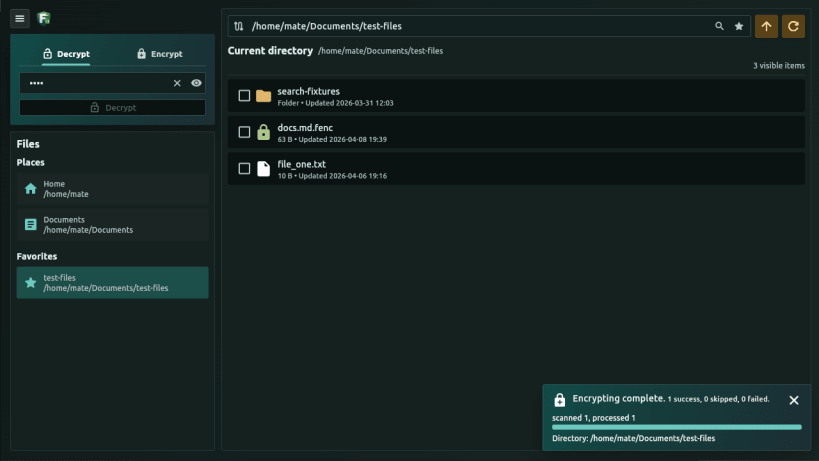
Encrypt and decrypt files with AES-256-GCM
In the era of AI agents, it is becoming increasingly important to protect important files from accidental access.
A Linux app for password-based AES-256-GCM file encryption and decryption.
It replaces the original files with encrypted ones. Back up original files first, for instance in a password-protected archive or an external location.
The app doesn't use internet at all - works completely offline.
The app can encrypt/decrypt files in folders recursively using the same password.
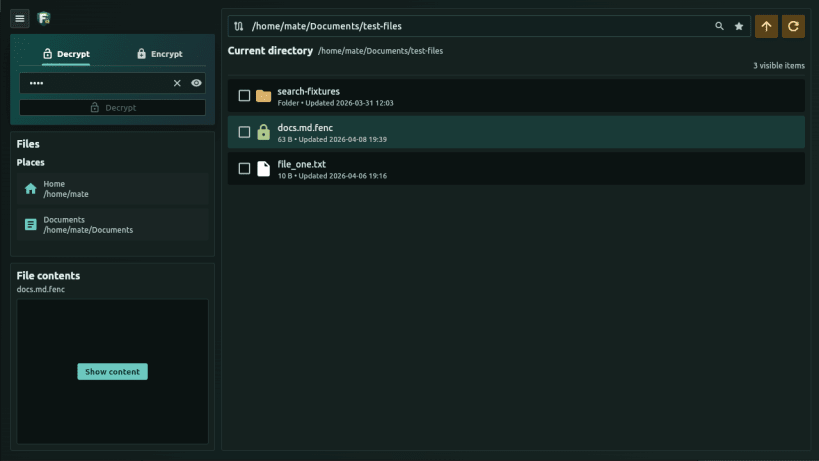
It can search text in file names or encrypted file contents if password is provided.
It can preview supported text contents of encrypted files in memory, without writing plain-text files.
This snap uses strict confinement. It has access to regular files in the
user's home directory by default, and it can optionally access removable media
after the removable-media interface is connected manually - enable it with:
sudo snap connect file-encrypter:removable-media
| Revision | Channel | Version | Build | Commit | Download SBOM |
|---|
The build and commit information is derived from build infrastructure records.
Install File Encrypter on your Linux distribution
Choose your Linux distribution to get detailed installation instructions. If yours is not shown, get more details on the installing snapd documentation.











