

FloatBoard
Install latest/stable of FloatBoard
Ubuntu 16.04 or later?
Make sure snap support is enabled in your Desktop store.

Details for FloatBoard
Package name
- floatboard
License
- unset
Last updated
- 17 October 2026 - latest/stable
- 19 September 2026 - latest/candidate
Websites
External link warning
You are about to open
Do you wish to proceed?
Report a Snap Store violation
Report FloatBoard for a Snap Store violation
Snap Store Violation Report submitted successfully
Thank you for your report. Information you provided will help us investigate further.
Error submitting report
There was an error while sending your report. Please try again later.
Share this snap
Generate an embeddable card to be shared on external websites.
A floating, always-on-top clipboard manager to supercharge your productivity.
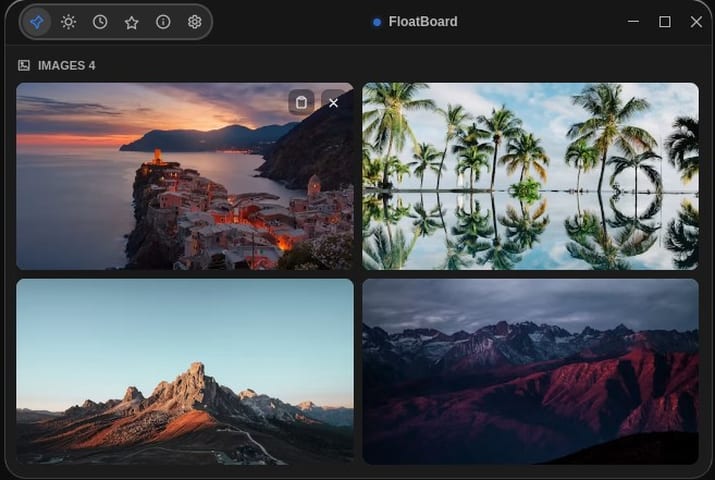
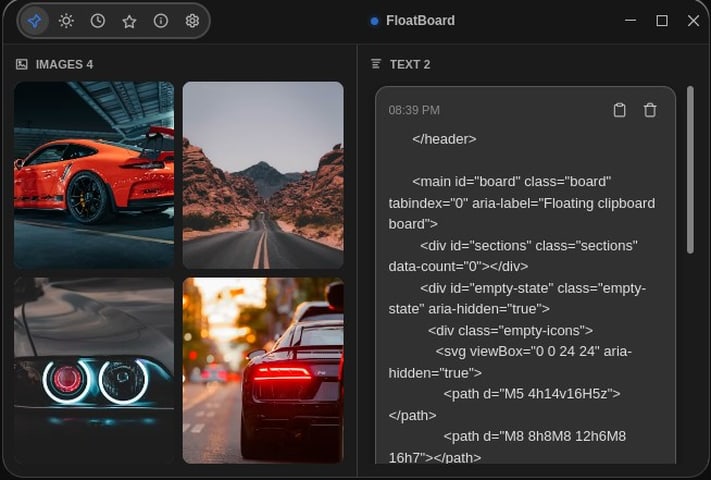
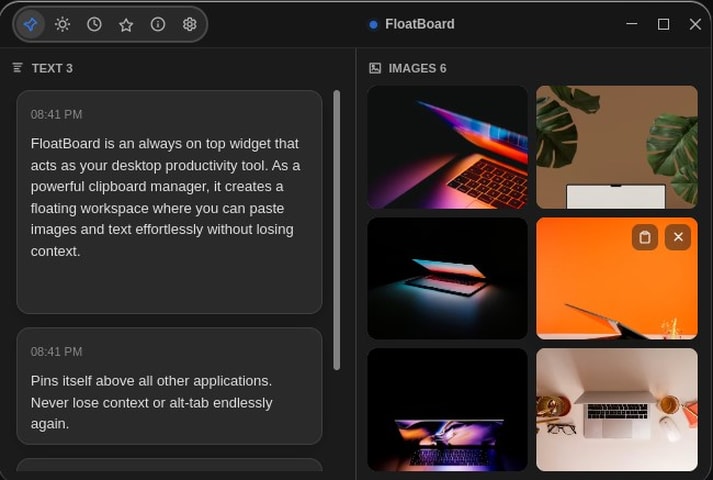
FloatBoard is a minimalist, always-on-top clipboard manager designed to supercharge your multitasking and productivity. Built to seamlessly integrate into your workflow, it continuously monitors your system's clipboard and keeps your copied items easily accessible in a floating, unobtrusive overlay.
Whether you are coding, designing, or researching, FloatBoard ensures you never lose track of your copied content.
Key Features: • Always-On-Top Overlay: Access your clipboard history instantly without losing focus on your current active window. • Text & Image Support: Effortlessly keep track of both copied text snippets and images. • Seamless Interaction: A transparent, lightweight UI that stays out of your way until you need it. • Global Accessibility: Monitors clipboard events globally across your entire desktop environment.
Stop wasting time switching back and forth between windows to find what you copied. Keep your history floating right where you need it with FloatBoard!
| Revision | Channel | Version | Build | Commit | Download SBOM |
|---|
The build and commit information is derived from build infrastructure records.
Install FloatBoard on your Linux distribution
Choose your Linux distribution to get detailed installation instructions. If yours is not shown, get more details on the installing snapd documentation.











