

Folder Freeze Guard
Install latest/stable of Folder Freeze Guard
Ubuntu 16.04 or later?
Make sure snap support is enabled in your Desktop store.
Install using the command line
sudo snap install folder-freeze-guardDon't have snapd? Get set up for snaps.
Details for Folder Freeze Guard
Package name
- folder-freeze-guard
License
- MIT
Last updated
- Today - latest/stable
Websites
Contact
External link warning
You are about to open
Do you wish to proceed?
Report a Snap Store violation
Report Folder Freeze Guard for a Snap Store violation
Snap Store Violation Report submitted successfully
Thank you for your report. Information you provided will help us investigate further.
Error submitting report
There was an error while sending your report. Please try again later.
Share this snap
Generate an embeddable card to be shared on external websites.
Freeze folders, detect every change and roll back to the frozen state
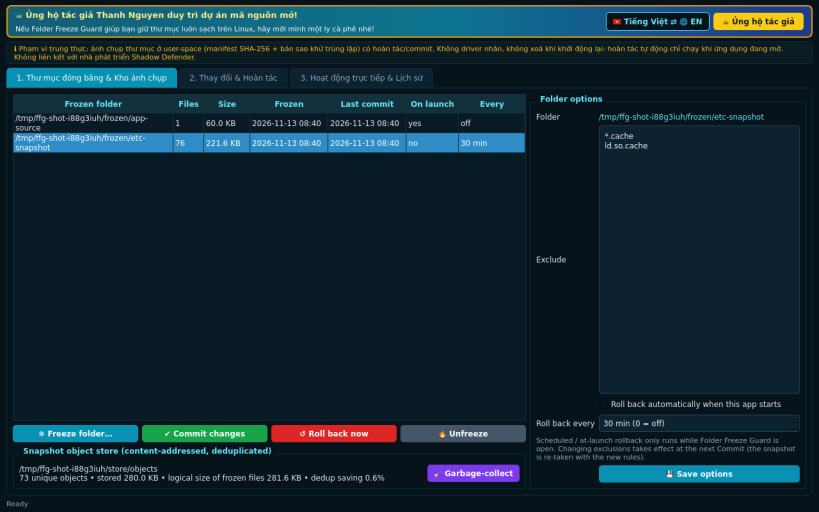
Folder Freeze Guard is a Linux alternative to Shadow Defender for keeping chosen folders in a known-good state, implemented honestly in user space.
What it really does:
- "Freeze" any folder you choose: a full content snapshot made of a SHA-256 manifest plus stored copies in a content-addressed object store (identical files stored once)
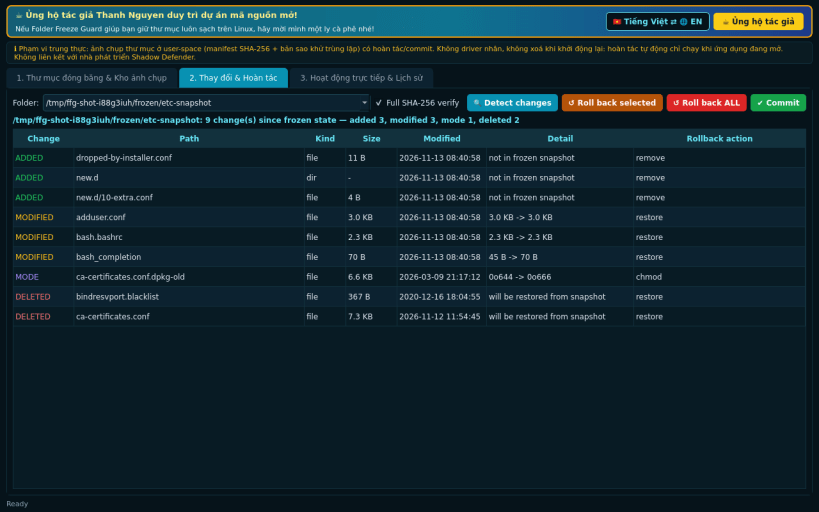
- Detect all changes since the freeze: added, modified, deleted, type and permission changes (quick size/mtime mode or full SHA-256 verification)
- One-click rollback (whole folder or selected items) with a dry-run preview; files are restored atomically (temp file + rename) with their original mode and mtime
- Exclusion list (glob patterns such as *.log, cache/, node_modules/)
- "Commit" the current contents as the new frozen state, with garbage collection of snapshot objects that are no longer referenced
- Optional rollback when the app starts and periodic rollback while it is running
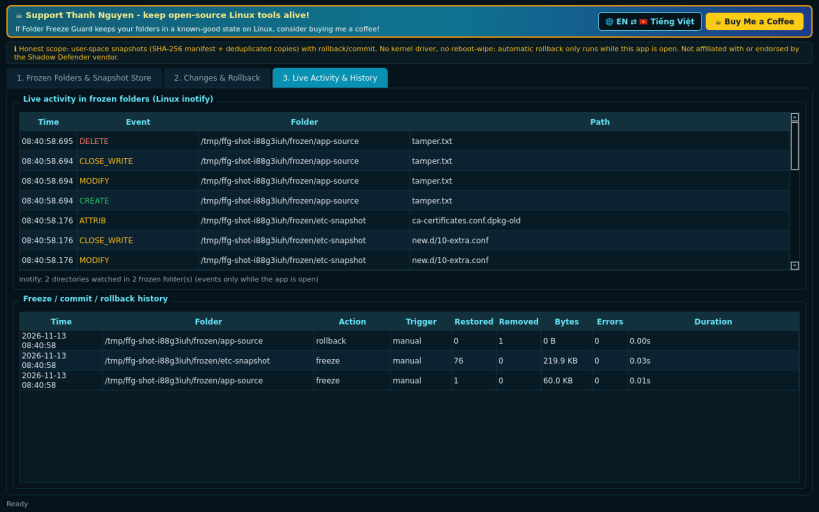
- Live activity monitor of the frozen folders using Linux inotify
- History of every freeze, commit and rollback
Honest limitations: there is no kernel driver and no "wipe on reboot" mode. Nothing is protected or rolled back while the app is closed; changes are undone only when you (or the at-launch / scheduled option) run a rollback. Snapshots use disk space in the app's data folder. As a strict snap it can freeze folders in your home (non-hidden) and on removable media.
Disclaimer: This project is an independent open-source tool and is not affiliated with, sponsored by, or endorsed by Shadow Defender or its vendor.
Support development: https://buymeacoffee.com/thanhnv128b
| Revision | Channel | Version | Build | Commit | Download SBOM |
|---|
The build and commit information is derived from build infrastructure records.
Install Folder Freeze Guard on your Linux distribution
Choose your Linux distribution to get detailed installation instructions. If yours is not shown, get more details on the installing snapd documentation.


