

Folder Timestamp Synchronizer (folder-timestamp-sync)
Install latest/stable of Folder Timestamp Synchronizer
Ubuntu 16.04 or later?
Make sure snap support is enabled in your Desktop store.
Install using the command line
sudo snap install folder-timestamp-syncDon't have snapd? Get set up for snaps.
Details for Folder Timestamp Synchronizer
Package name
- folder-timestamp-sync
License
- MIT
Last updated
- Today - latest/stable
Report a Snap Store violation
Report Folder Timestamp Synchronizer for a Snap Store violation
Snap Store Violation Report submitted successfully
Thank you for your report. Information you provided will help us investigate further.
Error submitting report
There was an error while sending your report. Please try again later.
Share this snap
Generate an embeddable card to be shared on external websites.
Synchronize directory modified timestamps to newest or oldest child files
Folder Timestamp Synchronizer scans directory trees on Linux and updates each folder's last-modified timestamp (mtime) to match the newest or oldest file inside it. A lightweight Linux alternative to FolderTimeUpdate for restoring accurate folder dates after backups, file migrations, archive extractions, or version-control operations.
Key features:
- Flexible Timestamp Target Modes: Synchronize folders to the newest recursive child file, newest immediate child file, or oldest recursive child file with configurable glob exclusions.
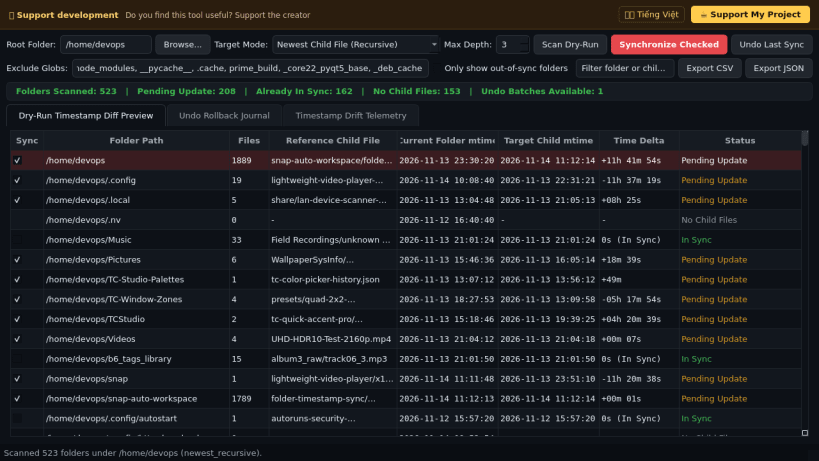
- Dry-Run Diff Preview Table: Inspect scanned file counts, reference child file paths, current folder mtime, target child mtime, and exact time delta before modifying any directory.
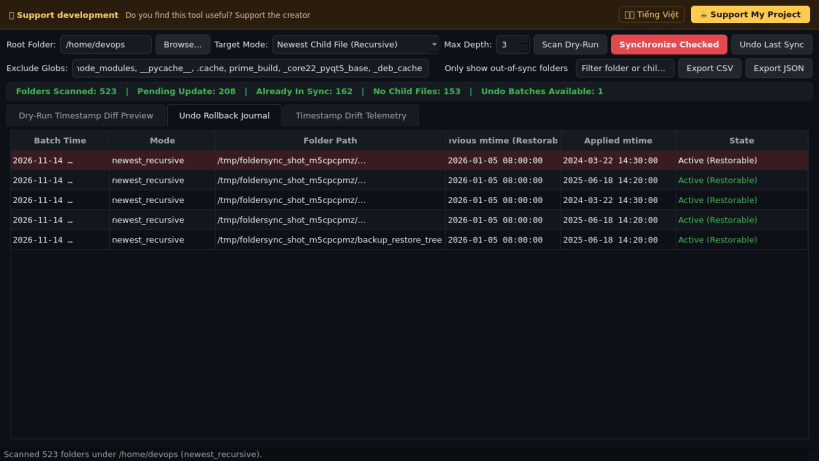
- Atomic Bottom-Up Updates & Undo Rollback Journal: Applies nanosecond-accurate os.utime() updates bottom-up from deepest subdirectories first and records a 1-click Undo Rollback Journal.
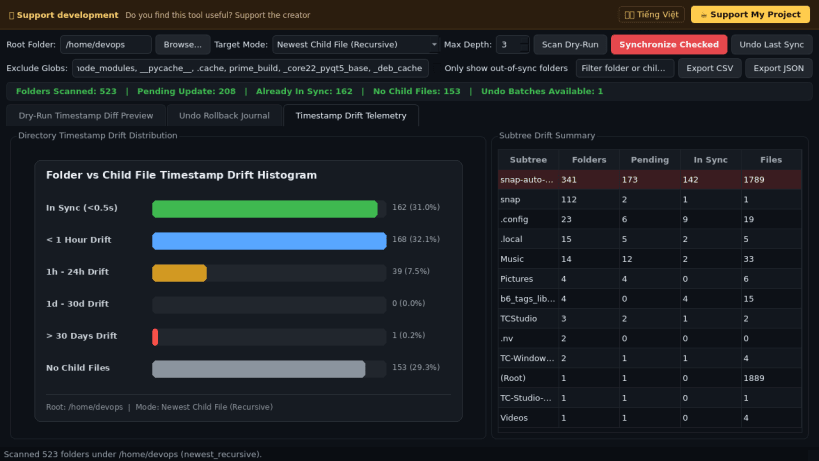
- Drift Telemetry & Reports: Visualizes directory timestamp drift distributions across trees and exports full audit reports to CSV and JSON formats.
Disclaimer: This project is an independent open-source tool and is not affiliated with, sponsored by, or endorsed by NirSoft.
| Revision | Channel | Version | Build | Commit | Download SBOM |
|---|
The build and commit information is derived from build infrastructure records.
Install Folder Timestamp Synchronizer on your Linux distribution
Choose your Linux distribution to get detailed installation instructions. If yours is not shown, get more details on the installing snapd documentation.


