

ForgeWave
Install latest/stable of ForgeWave
Ubuntu 16.04 or later?
Make sure snap support is enabled in your Desktop store.
Details for ForgeWave
Package name
- forgewave
License
- Proprietary
Last updated
- Yesterday - latest/stable
- 6 November 2026 - latest/edge
Websites
Contact
Donations
Report a bug
External link warning
You are about to open
Do you wish to proceed?
Report a Snap Store violation
Report ForgeWave for a Snap Store violation
Snap Store Violation Report submitted successfully
Thank you for your report. Information you provided will help us investigate further.
Error submitting report
There was an error while sending your report. Please try again later.
Share this snap
Generate an embeddable card to be shared on external websites.
Non-destructive audio editor: mastering, restoration, spectral editing, AI
ForgeWave is a professional, non-destructive audio editor. It opens hour-long files instantly, never touches the original, and every edit can be undone.
Instant editing
- Cut, copy, paste, markers and regions, even while recording (M key)
- Unlimited undo and redo, projects you can pick up whenever you like
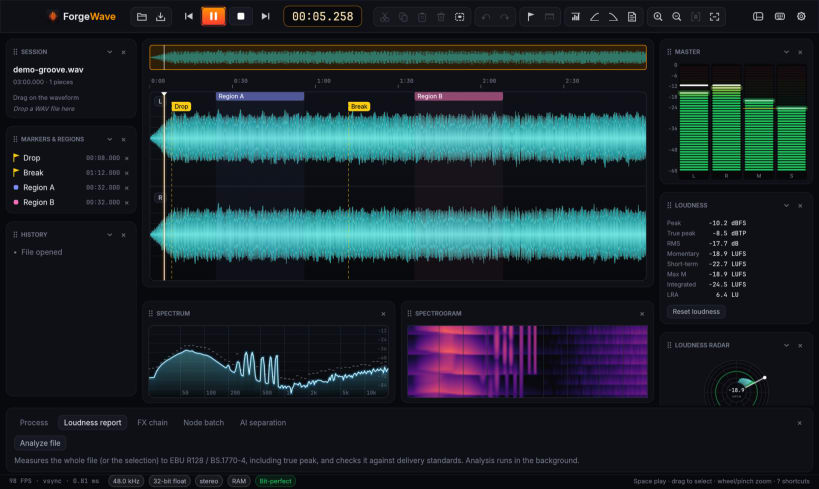
- Bit-perfect playback, scrubbing, meters, EBU R128 loudness with reports for streaming, broadcast and podcasts
Mastering
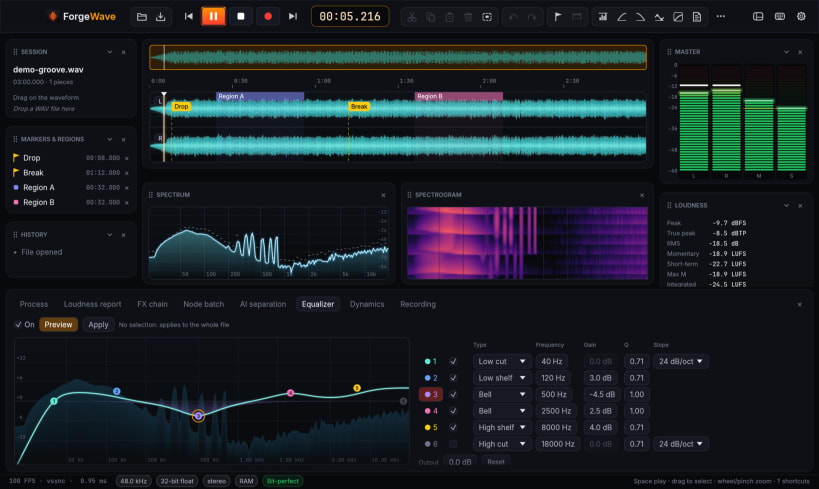
- 6-band EQ, compressor, true-peak limiter, multiband compressor, also on Mid or Side only
- A/B comparison with a loudness-matched reference track
- Album assembly with pauses, crossfades, common loudness and CUE sheet
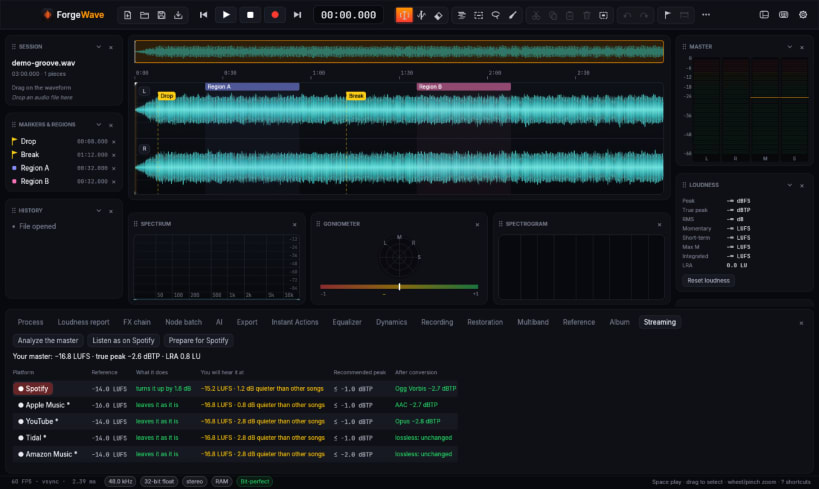
- Streaming destination: what Spotify, Apple Music, YouTube, Tidal, Amazon Music and Deezer will do to your master, the peak after their conversion, and "listen as on Spotify"
Restoration and spectrum
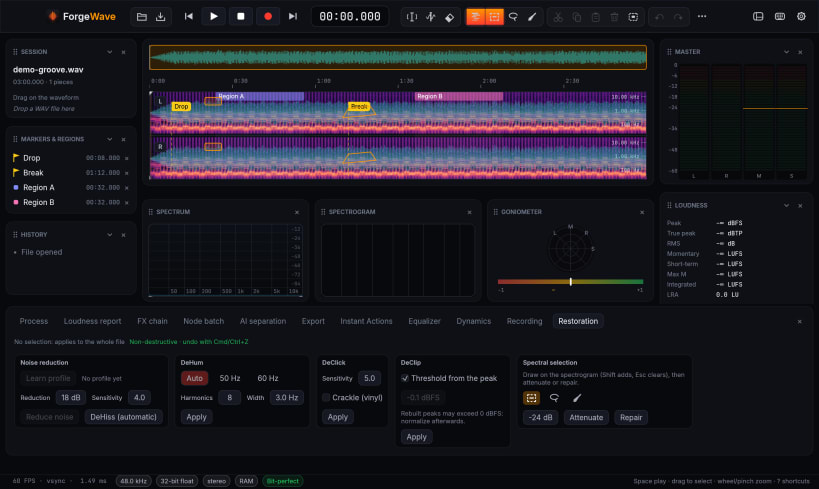
- Spectral editing with time × frequency selection, Attenuate and Repair
- Noise reduction, DeHiss, DeHum, DeClick, DeClip and one-click restoration
Local AI, no cloud
- Stem separation (vocals, drums, bass, other)
- Transcription with text-based editing: delete words and the audio is cut
And also
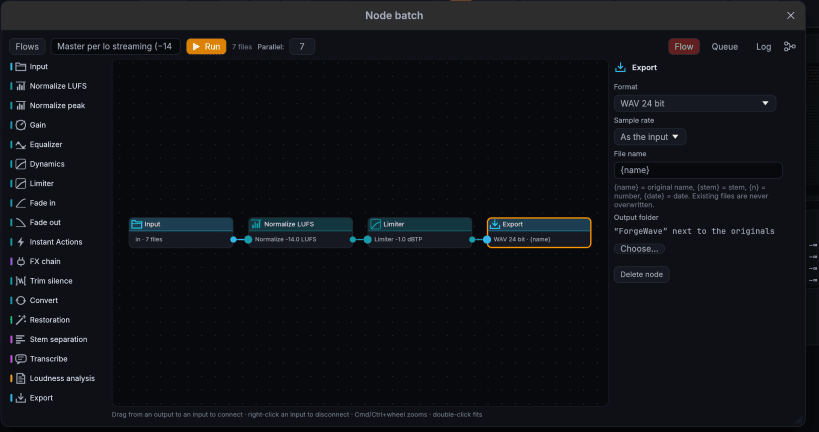
- Node batch processing on whole folders, in parallel on every core
- Multichannel recording
- Export to WAV/BWF/RF64, AIFF, FLAC, MP3, OGG, Opus, AAC
- English, Italiano, Français, Deutsch, Español, with a complete built-in user guide
Free, including for professional use. No account, no ads: your audio stays on your computer.
Using the snap
- Audio goes through the desktop sound server (PipeWire or PulseAudio).
- To record from the microphone or sound card: snap connect forgewave:audio-record
- For direct access to the sound card: snap connect forgewave:alsa
- System audio is recorded by choosing the sound server's "Monitor" input.
- Audio plugins (CLAP, VST3, LV2) are not available in the snap yet: to use them, install the .deb, AppImage or tar.gz from GitHub.
| Revision | Channel | Version | Build | Commit | Download SBOM |
|---|
The build and commit information is derived from build infrastructure records.
Install ForgeWave on your Linux distribution
Choose your Linux distribution to get detailed installation instructions. If yours is not shown, get more details on the installing snapd documentation.


