

Gallery - Offline Photos (gallery-lsb)
Install latest/stable of Gallery - Offline Photos
Ubuntu 16.04 or later?
Make sure snap support is enabled in your Desktop store.
Install using the command line
sudo snap install gallery-lsbDon't have snapd? Get set up for snaps.


Details for Gallery - Offline Photos
Package name
- gallery-lsb
License
- Proprietary
Last updated
- Today - latest/stable
- Today - latest/edge
Donations
External link warning
You are about to open
Do you wish to proceed?
Report a Snap Store violation
Report Gallery - Offline Photos for a Snap Store violation
Snap Store Violation Report submitted successfully
Thank you for your report. Information you provided will help us investigate further.
Error submitting report
There was an error while sending your report. Please try again later.
Share this snap
Generate an embeddable card to be shared on external websites.
Private, offline photo library for Linux
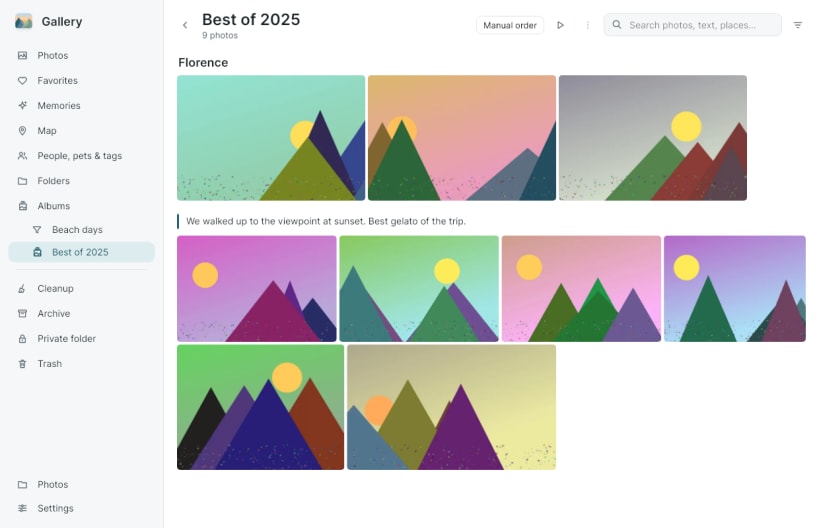
Gallery organizes the photos you already have. Pick a folder: Gallery creates its photo database there and keeps it up to date. It works completely offline and needs no account.
Features:
- Timeline, real folders, albums without copies and smart albums with rules
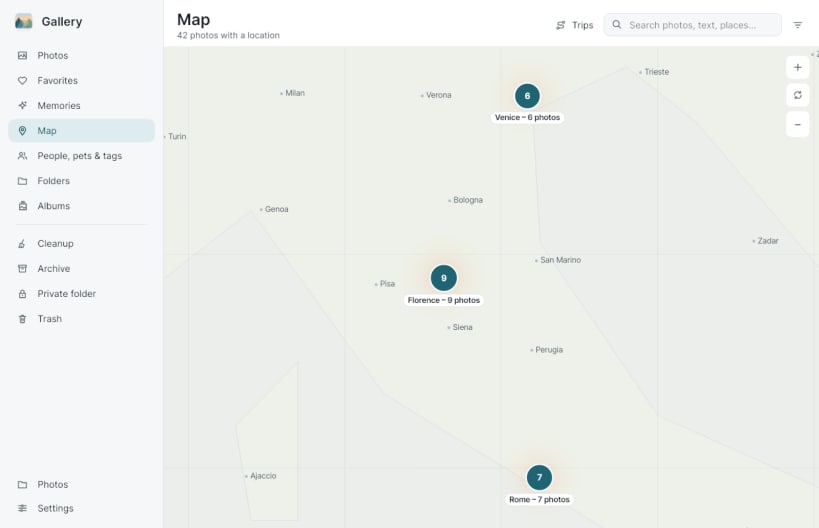
- World map with heat, clusters, trips and routes; edit locations in batches
- Search by words, people, pets, places, camera or text inside photos (OCR)
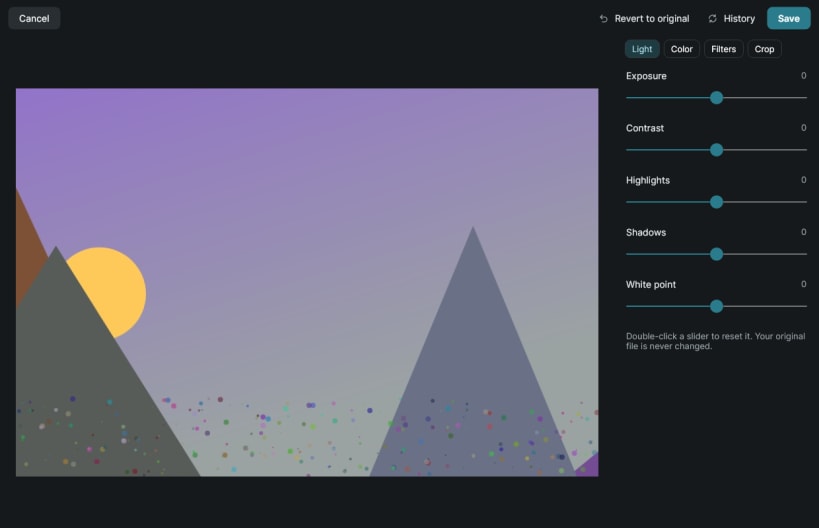
- Non-destructive editor: light, color, filters, crop, perspective, history
- Private folder encrypted with AES-256
- Memories, and cleanup of duplicates, similar, blurry and screenshots
- JPEG, PNG, WebP, GIF, BMP, HEIC and AVIF
Privacy: nothing leaves your computer. The snap has no network permission and no telemetry. Original photos are never modified.
For photos on external drives: sudo snap connect gallery-lsb:removable-media
| Revision | Channel | Version | Build | Commit | Download SBOM |
|---|
The build and commit information is derived from build infrastructure records.
Install Gallery - Offline Photos on your Linux distribution
Choose your Linux distribution to get detailed installation instructions. If yours is not shown, get more details on the installing snapd documentation.











