

Gamepad Living Room Launcher (gamepad-tenfoot-hub)
Install latest/stable of Gamepad Living Room Launcher
Ubuntu 16.04 or later?
Make sure snap support is enabled in your Desktop store.
Install using the command line
sudo snap install gamepad-tenfoot-hubDon't have snapd? Get set up for snaps.
Details for Gamepad Living Room Launcher
Package name
- gamepad-tenfoot-hub
License
- MIT
Last updated
- 14 November 2026 - latest/stable
Websites
Contact
External link warning
You are about to open
Do you wish to proceed?
Report a Snap Store violation
Report Gamepad Living Room Launcher for a Snap Store violation
Snap Store Violation Report submitted successfully
Thank you for your report. Information you provided will help us investigate further.
Error submitting report
There was an error while sending your report. Please try again later.
Share this snap
Generate an embeddable card to be shared on external websites.
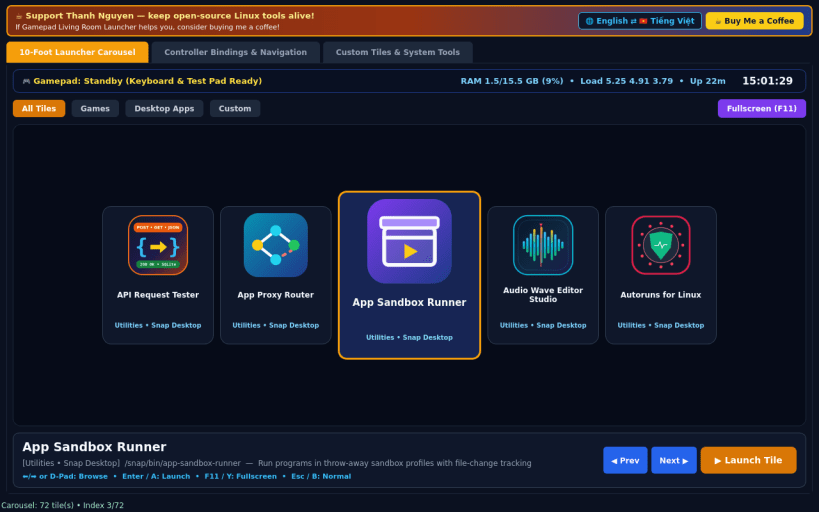
Fullscreen 10-foot Linux game and app launcher with gamepad support
A clean 10-foot living room launcher inspired by BigBox, built for Linux desktops, TVs, and couch setups with keyboard and gamepad controller navigation. Disclaimer: This project is an independent open-source tool and is not affiliated with, sponsored by, or endorsed by Unbroken Software.
FEATURES
- 10-Foot Couch Carousel: high-contrast card strip displaying locally installed Linux games and desktop applications alongside custom tiles, complete with a live system clock, memory and load HUD, and controller badge.
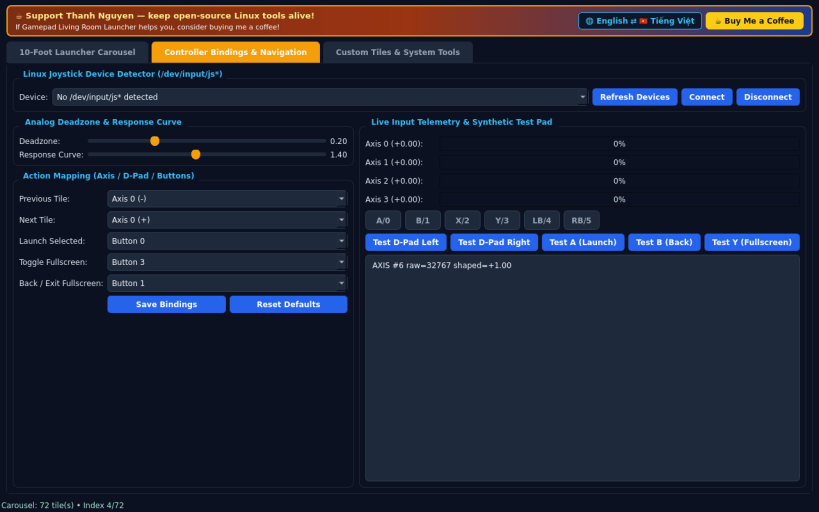
- Gamepad & Keyboard Control: connects to Linux joystick devices with configurable deadzone, response curve, and axis or button bindings, plus an interactive test pad for verifying bindings with or without hardware.
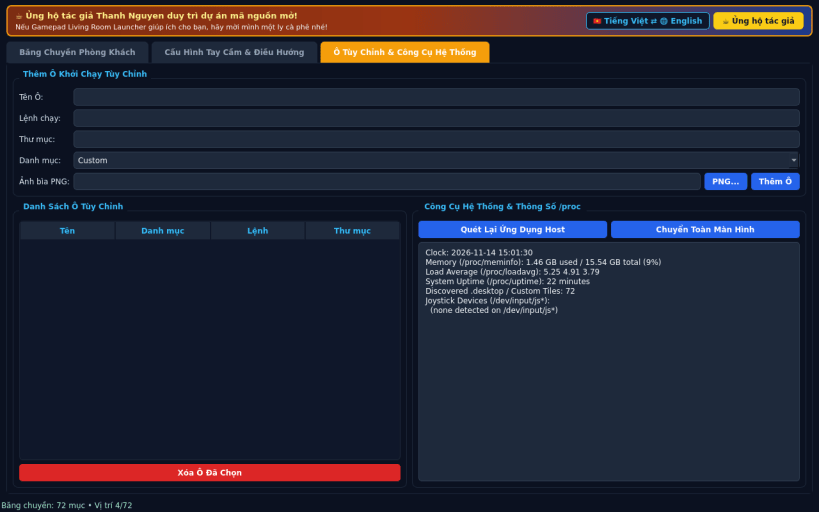
- Custom Tiles & Fullscreen Couch Mode: add custom launch tiles with artwork, rescan host desktop entries, and toggle true fullscreen living room mode.
- Bilingual UI: English default with instant Vietnamese toggle.
SUPPORT & DONATE
- Created by Thanh Nguyen — https://buymeacoffee.com/thanhnv128b
| Revision | Channel | Version | Build | Commit | Download SBOM |
|---|
The build and commit information is derived from build infrastructure records.
Install Gamepad Living Room Launcher on your Linux distribution
Choose your Linux distribution to get detailed installation instructions. If yours is not shown, get more details on the installing snapd documentation.


