

Geek Uninstaller Package Browser (geek-uninstaller)
Install latest/stable of Geek Uninstaller Package Browser
Ubuntu 16.04 or later?
Make sure snap support is enabled in your Desktop store.
Install using the command line
sudo snap install geek-uninstallerDon't have snapd? Get set up for snaps.
Details for Geek Uninstaller Package Browser
Package name
- geek-uninstaller
License
- MIT
Last updated
- Today - latest/stable
Websites
Contact
External link warning
You are about to open
Do you wish to proceed?
Report a Snap Store violation
Report Geek Uninstaller Package Browser for a Snap Store violation
Snap Store Violation Report submitted successfully
Thank you for your report. Information you provided will help us investigate further.
Error submitting report
There was an error while sending your report. Please try again later.
Share this snap
Generate an embeddable card to be shared on external websites.
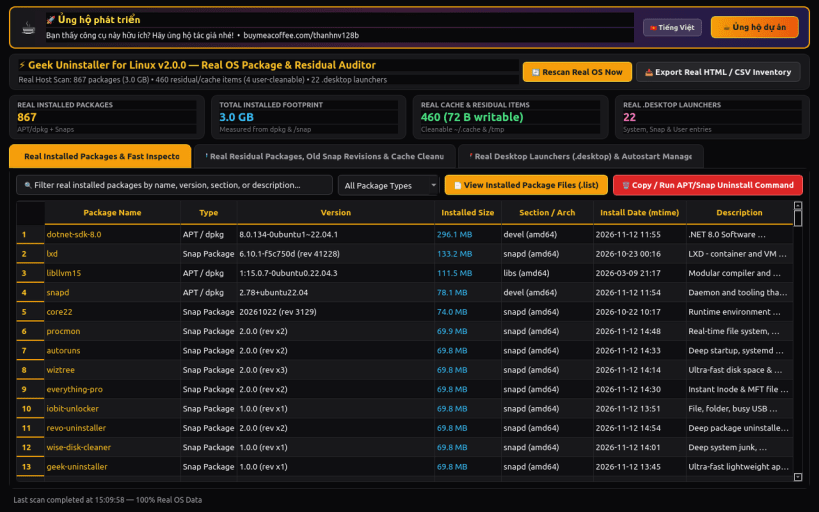
Ultra-fast lightweight app remover, force removal & orphan runtime cleaner
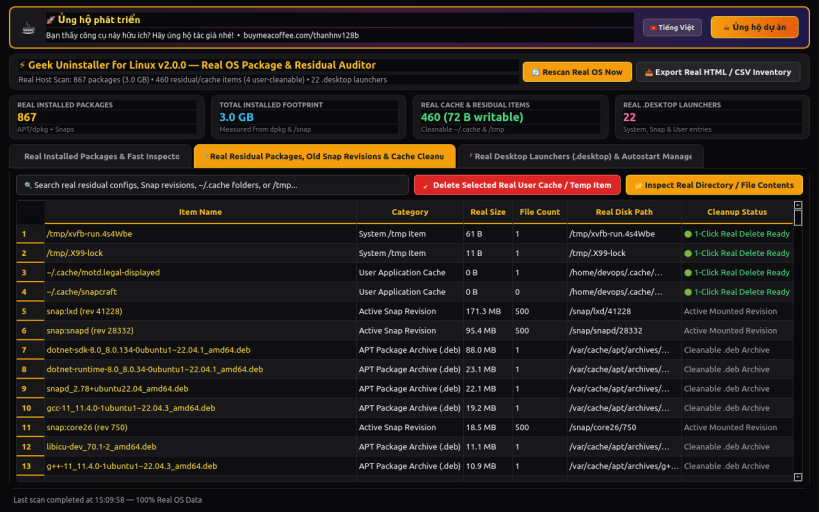
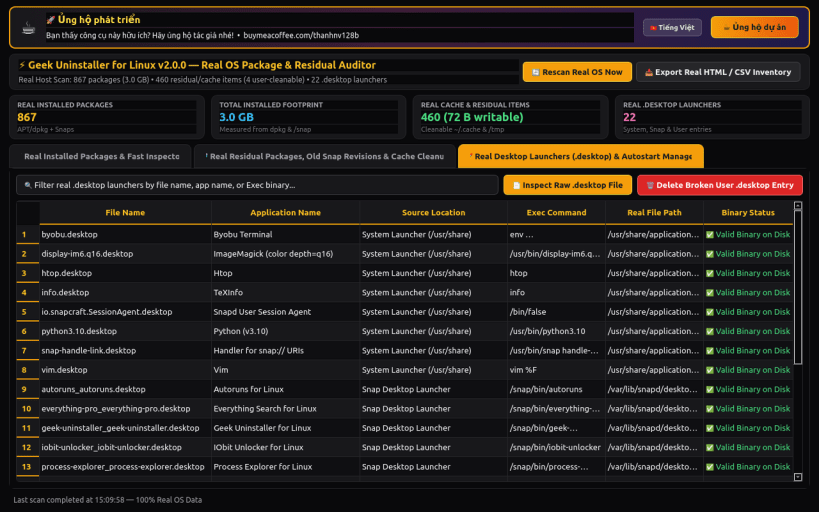
Geek Uninstaller for Linux delivers an ultra-fast, lightweight single-view application remover and broken package force-removal tool for Linux desktops. Instantly filter installed desktop and CLI packages, force-remove half-installed dpkg packages, batch-clean orphaned shared libraries and old Snap/Flatpak runtimes, and eliminate dead .desktop launchers.
KEY FEATURES: • Fast Single-View App Uninstaller & Force Removal: Browse installed desktop apps and CLI packages with instant search, size breakdown bar, Open Install Location, Lookup Online, and Force Removal for broken dpkg states. • Orphaned Dependencies & Runtime Cleaner: Reclaim gigabytes from unused shared libraries (autoremove candidates), residual 'rc' dpkg configs, disabled Snap revisions, and unused Flatpak runtimes. • Desktop Entries & Startup App Cleaner: Audit /usr/share/applications and ~/.local/share/applications to detect and clean broken/dead .desktop launchers and export CSV/HTML reports.
SUPPORT & DONATE: • Created by Thanh Nguyen — Support ongoing development: https://buymeacoffee.com/thanhnv128b
| Revision | Channel | Version | Build | Commit | Download SBOM |
|---|
The build and commit information is derived from build infrastructure records.
Install Geek Uninstaller Package Browser on your Linux distribution
Choose your Linux distribution to get detailed installation instructions. If yours is not shown, get more details on the installing snapd documentation.


