

Glide Bubble Poppers (glide-bubble-hatchlings)
Install latest/stable of Glide Bubble Poppers
Ubuntu 16.04 or later?
Make sure snap support is enabled in your Desktop store.
Install using the command line
sudo snap install glide-bubble-hatchlingsDon't have snapd? Get set up for snaps.
Details for Glide Bubble Poppers
Package name
- glide-bubble-hatchlings
License
- MIT
Last updated
- Today - latest/stable
Websites
Contact
External link warning
You are about to open
Do you wish to proceed?
Report a Snap Store violation
Report Glide Bubble Poppers for a Snap Store violation
Snap Store Violation Report submitted successfully
Thank you for your report. Information you provided will help us investigate further.
Error submitting report
There was an error while sending your report. Please try again later.
Share this snap
Generate an embeddable card to be shared on external websites.
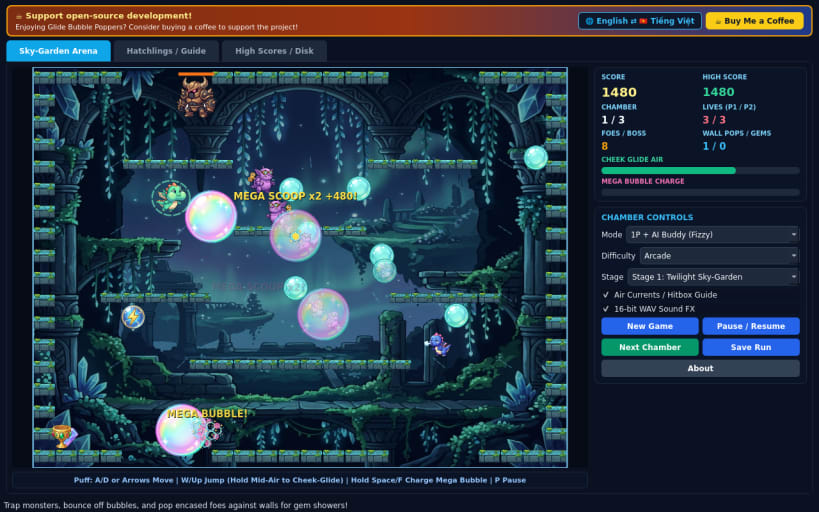
2D arcade bubble-popping platformer with cheek-glide and mega bubbles
A 60 FPS 2D single-screen arcade bubble-popping platformer sequel inspired by classic bubble-trapping arcade platformers, starring original dragon hatchlings Puff and Fizzy with custom cel-shaded 2D sprites and synthesized 16-bit PCM WAV sound effects.
FEATURES
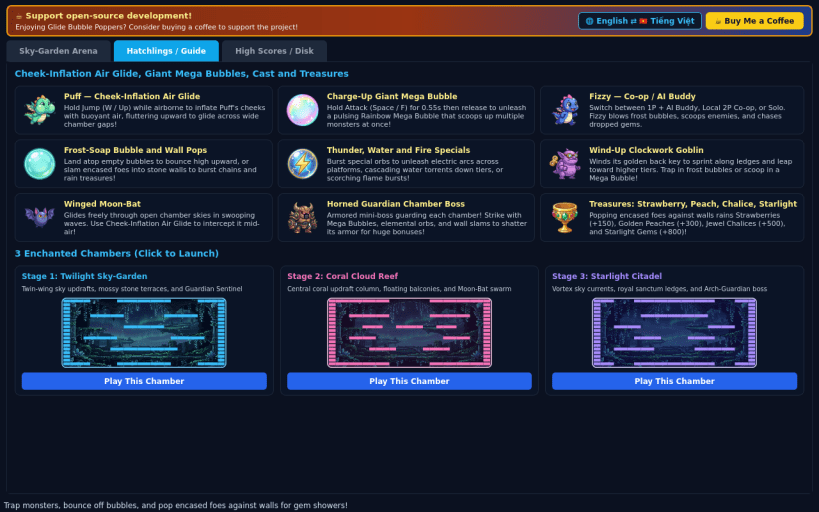
- Cheek-Inflation Air Glide: Hold Jump while airborne to puff Puff or Fizzy cheeks with buoyant air, fluttering upward and gliding across wide chamber gaps to reach upper ledges and floating bubble clusters.
- Charge-Up Giant Mega Bubble: Hold Attack to charge and launch an iridescent mega-bubble sphere that scoops up multiple roaming monsters at once, plus thunder, water-wave, and fire-ember special bubbles.
- Bubble Bouncing, Wall Pops & Chamber Bosses: Hop onto floating bubbles to spring higher, slam encased foes into stone walls to rain cherries, peaches, chalices, and starlight gems, and defeat Horned Guardian bosses.
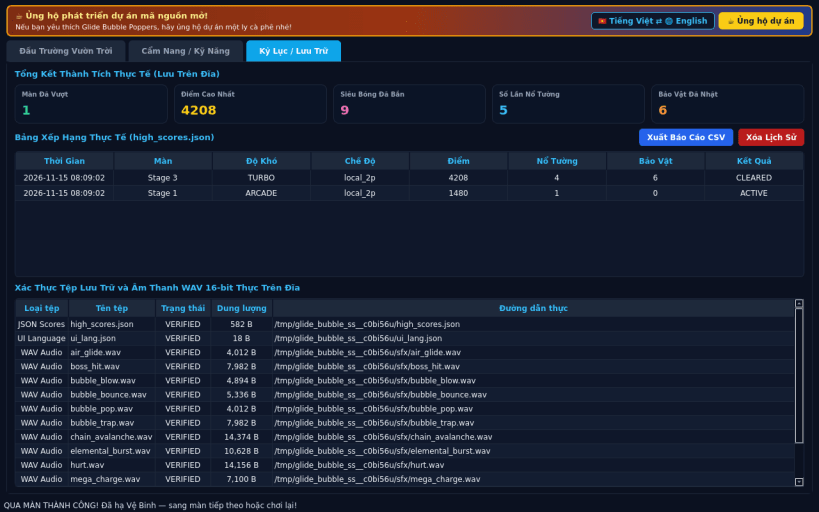
- 3 Enchanted Stages & 3 Difficulties: Twilight Sky Garden, Coral Cloud Reef, and Starlight Citadel across Casual, Arcade, and Turbo modes with Solo 1P, AI Partner, and Local 2P Co-op, high_scores.json, CSV export, and EN / VI UI switching.
SUPPORT & DONATE
- Open-source development support: https://buymeacoffee.com/thanhnv128b
| Revision | Channel | Version | Build | Commit | Download SBOM |
|---|
The build and commit information is derived from build infrastructure records.
Install Glide Bubble Poppers on your Linux distribution
Choose your Linux distribution to get detailed installation instructions. If yours is not shown, get more details on the installing snapd documentation.


