

Glimpse Image Viewer (glimpse-media-viewer)
Install latest/stable of Glimpse Image Viewer
Ubuntu 16.04 or later?
Make sure snap support is enabled in your Desktop store.
Install using the command line
sudo snap install glimpse-media-viewerDon't have snapd? Get set up for snaps.

Details for Glimpse Image Viewer
Package name
- glimpse-media-viewer
License
- GPL-3.0-or-later
Last updated
- Yesterday - latest/stable
Source code
Report a bug
External link warning
You are about to open
Do you wish to proceed?
Report a Snap Store violation
Report Glimpse Image Viewer for a Snap Store violation
Snap Store Violation Report submitted successfully
Thank you for your report. Information you provided will help us investigate further.
Error submitting report
There was an error while sending your report. Please try again later.
Share this snap
Generate an embeddable card to be shared on external websites.
View and organise your images, videos and music
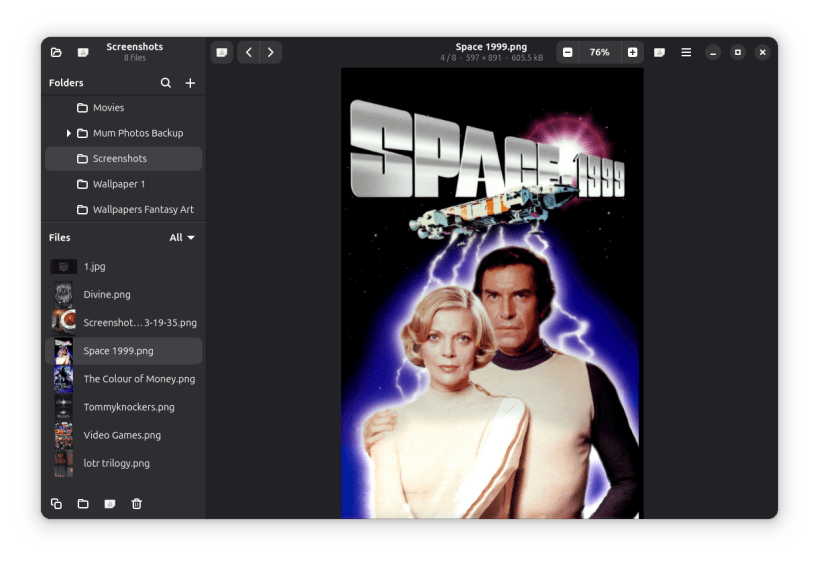
Glimpse Image Viewer is a fast, simple viewer and organiser for your photos, videos and music, made to fit right into GNOME. Open any file and everything in its folder is ready to browse in the sidebar, with thumbnails, tags and cover art.
VIEW
- Thumbnails of every image and video, and cover art for songs
- Zoom with buttons, the keyboard, Ctrl+scroll or a pinch, and drag to pan
- JPEG, PNG, WebP, HEIC, AVIF, TIFF, SVG, GIF and many other image formats
- Fullscreen viewing: press F11, or double-click a video
PLAY
- Videos play right in the window: MP4, MOV, MKV, WebM, AVI, WMV and more, with H.264, HEVC, VP9 and other common codecs
- Music shows its title, artist, album and cover art: MP3, FLAC, Ogg, Opus, AAC, Apple Lossless, WAV, AIFF, WMA and WavPack
- A folder of songs plays straight through, like an album
SEARCH
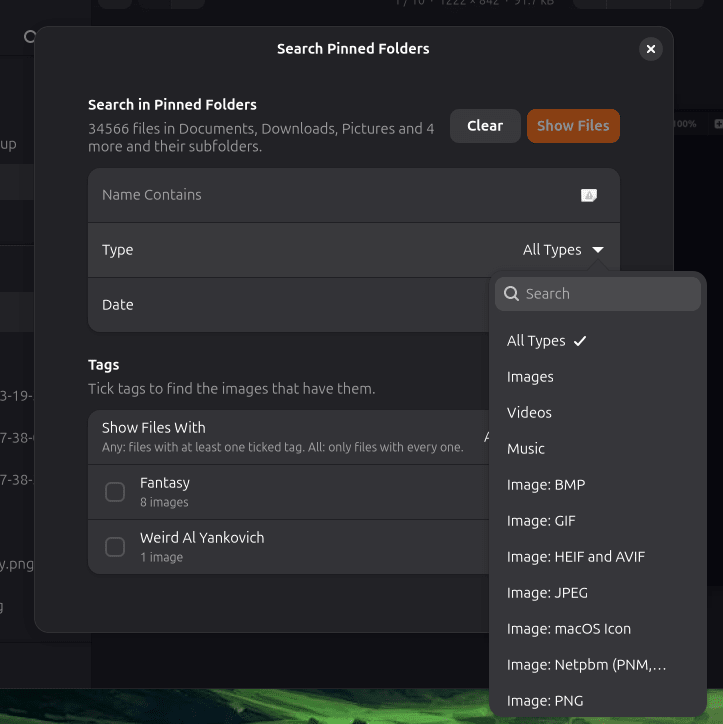
- Search every pinned folder and its subfolders at once, even large libraries on external drives
- Find files by part of their name, by type (images, videos, music or a single format such as PNG or MP3), and by date taken or date modified
- Tick tags to find images with any of them, or only those with all of them
- Combine all of these in one search, and see how many files match as you go
ORGANISE
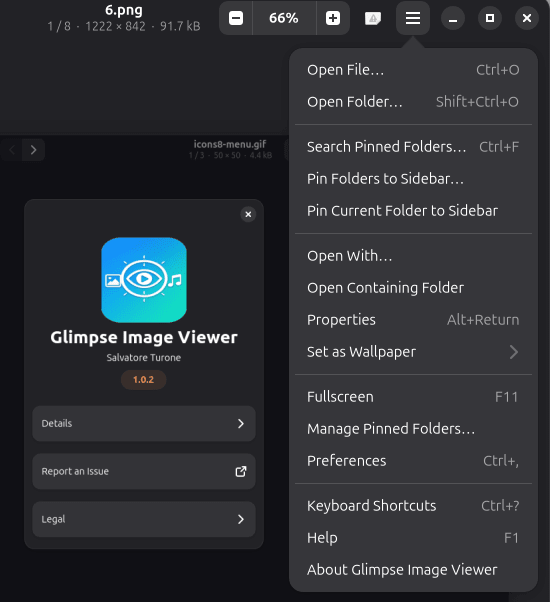
- Pin your favourite folders to the sidebar, and drag files onto them to move or copy, with undo and Alt+1…9 quick-move keys
- Copy, move, rename and delete several files at once, to the trash or permanently
- Set any image as your wallpaper
TAG
- Add, rename and remove tags on one image or many at once
- Tags are saved inside the image as standard XMP and IPTC keywords, so other photo apps such as darktable, digiKam and Shotwell can read them too
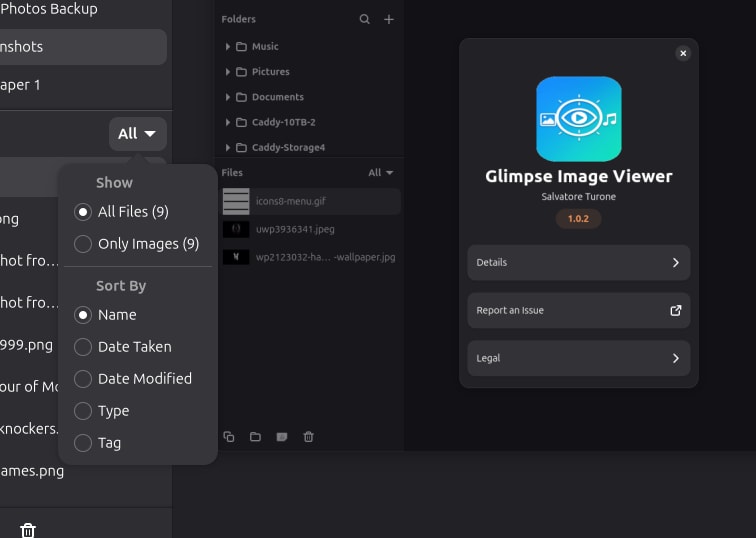
- Show only the images with a tag, or sort them by tag
SPLIT SCREEN
- Show a second folder beside the first with F3, chosen in its own folder tree, so each side stays on its own folder
- Drag files between the two folders to move them, or hold Ctrl to copy; F6 moves and F5 copies the selection
- See a preview of the file selected in the second folder
- After each move the next file is selected, ready for the next one, and Undo puts things back
MORE
- Properties shows file and camera details: camera, lens, exposure and date taken
- Open files in another app, or show them in Files
- Built-in help for every feature, and a list of every keyboard shortcut
To use files on external drives, connect the removable-media interface: snap connect glimpse-media-viewer:removable-media
| Revision | Channel | Version | Build | Commit | Download SBOM |
|---|
The build and commit information is derived from build infrastructure records.
Install Glimpse Image Viewer on your Linux distribution
Choose your Linux distribution to get detailed installation instructions. If yours is not shown, get more details on the installing snapd documentation.











