

Gopeed
Install latest/stable of Gopeed
Ubuntu 16.04 or later?
Make sure snap support is enabled in your Desktop store.
Details for Gopeed
Package name
- gopeed
License
- GPL-3.0
Last updated
- 18 March 2026 - latest/stable
- 25 September 2026 - latest/edge
Websites
Donations
Source code
Report a bug
External link warning
You are about to open
Do you wish to proceed?
Report a Snap Store violation
Report Gopeed for a Snap Store violation
Snap Store Violation Report submitted successfully
Thank you for your report. Information you provided will help us investigate further.
Error submitting report
There was an error while sending your report. Please try again later.
Share this snap
Generate an embeddable card to be shared on external websites.
A modern download manager that supports all platforms.
Introduction
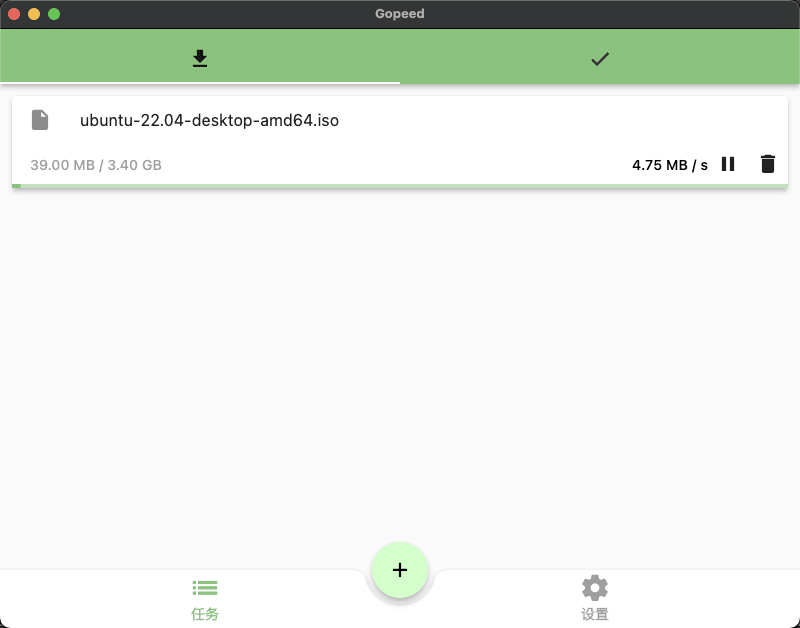
Gopeed (full name Go Speed) is a high-speed downloader developed by Golang + Flutter, which supports (HTTP, BitTorrent, Magnet) protocol download, and supports all platforms, including:
- [x] Windows
- [x] Macos
- [x] Linux
- [x] Android
- [x] iOS
- [x] Web
- [x] Docker
- [x] Command Line
Features
As a modern downloader, Gopeed has many features, here is a brief introduction.
Basic
- Support HTTP & HTTPS
- Support BitTorrent & Magnet
- Seed, DHT, PEX, uTP, Webtorrent, Upnp
- Update tracker list every day automatically
- Internationalization
- Dark mode
Advanced
In addition to basic download functions, there are many advanced features that make Gopeed more playable.
Open HTTP API
Through the RESTFul API, you can easily interact with Gopeed, for example, you can control Gopeed's download, pause, delete, etc. through the API.
Decentralized extension
You can write extensions through
JavaScriptto enhance Gopeed's download capabilities, such as downloading videos from a website, or downloading music from a website, etc.
| Revision | Channel | Version | Build | Commit | Download SBOM |
|---|
The build and commit information is derived from build infrastructure records.
Install Gopeed on your Linux distribution
Choose your Linux distribution to get detailed installation instructions. If yours is not shown, get more details on the installing snapd documentation.











