

Gothic Bell Hunter
Install latest/stable of Gothic Bell Hunter
Ubuntu 16.04 or later?
Make sure snap support is enabled in your Desktop store.
Install using the command line
sudo snap install gothic-bell-hunterDon't have snapd? Get set up for snaps.
Details for Gothic Bell Hunter
Package name
- gothic-bell-hunter
License
- MIT
Last updated
- Yesterday - latest/stable
Websites
Contact
External link warning
You are about to open
Do you wish to proceed?
Report a Snap Store violation
Report Gothic Bell Hunter for a Snap Store violation
Snap Store Violation Report submitted successfully
Thank you for your report. Information you provided will help us investigate further.
Error submitting report
There was an error while sending your report. Please try again later.
Share this snap
Generate an embeddable card to be shared on external websites.
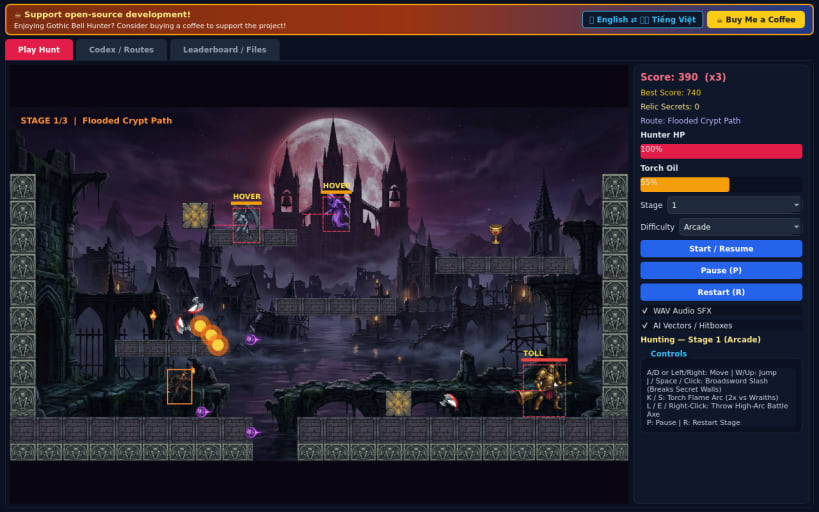
Gothic platformer with broadsword slash, torch arc, thrown axe and secrets.
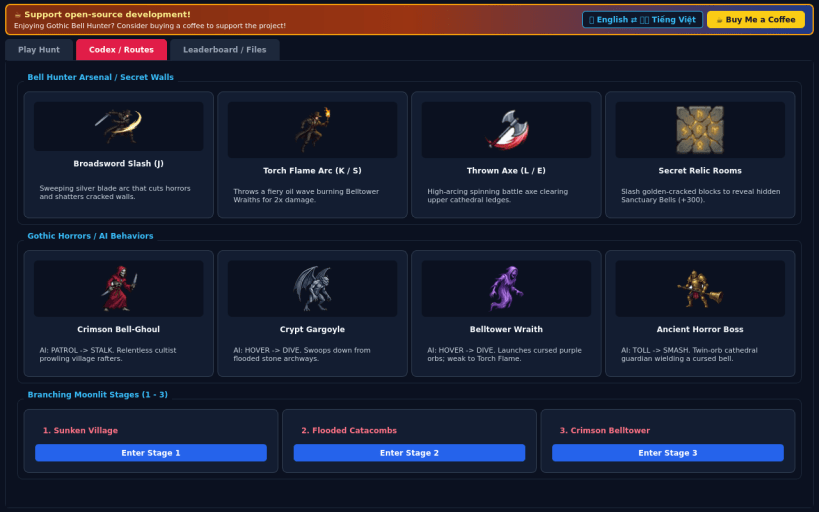
Gothic Bell Hunter is a dark-fantasy 2D action-platformer inspired by classic arcade monster-hunting adventures. Wield a sweeping broadsword alongside torch flame arcs and high-arcing thrown battle axes, uncover hidden breakable wall relic chambers, and traverse branching routes through the Sunken Village, Flooded Catacombs, and Crimson Belltower to vanquish ancient Horror bosses.
Features:
- Real-time 60 FPS PyQt5 gameplay with keyboard and mouse controls
- Three handcrafted stages, three difficulty tiers (Casual, Arcade, Turbo), and boss encounters
- Adaptive enemy AI state behaviors, visual hitbox/vector overlay, and procedural 16-bit PCM WAV audio
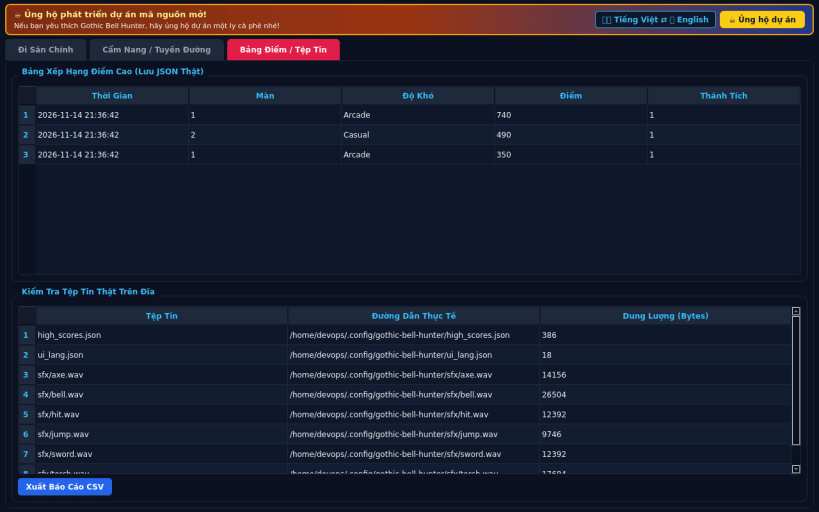
- Illustrated Codex tab, persistent JSON high scores, CSV export, and instant English / Vietnamese switching
Disclaimer: This project is an independent open-source game and is not affiliated with, sponsored by, or endorsed by the creators of classic arcade inspirations.
| Revision | Channel | Version | Build | Commit | Download SBOM |
|---|
The build and commit information is derived from build infrastructure records.
Install Gothic Bell Hunter on your Linux distribution
Choose your Linux distribution to get detailed installation instructions. If yours is not shown, get more details on the installing snapd documentation.


