

Inode and Hardlink Inspector (hardlink-inode-finder)
Install latest/stable of Inode and Hardlink Inspector
Ubuntu 16.04 or later?
Make sure snap support is enabled in your Desktop store.
Install using the command line
sudo snap install hardlink-inode-finderDon't have snapd? Get set up for snaps.
Details for Inode and Hardlink Inspector
Package name
- hardlink-inode-finder
License
- MIT
Last updated
- Today - latest/stable
Report a Snap Store violation
Report Inode and Hardlink Inspector for a Snap Store violation
Snap Store Violation Report submitted successfully
Thank you for your report. Information you provided will help us investigate further.
Error submitting report
There was an error while sending your report. Please try again later.
Share this snap
Generate an embeddable card to be shared on external websites.
Filesystem inode inspector, sibling hardlink finder & deduplication analyzer
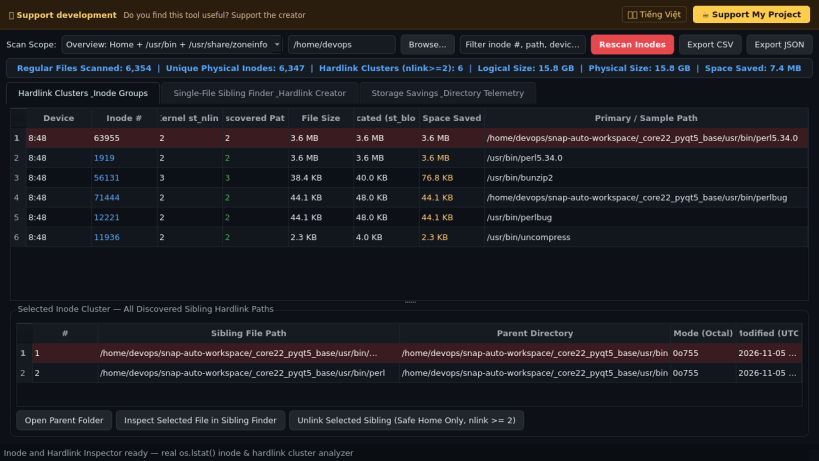
Inode and Hardlink Inspector is a desktop filesystem utility for Linux that scans directory trees via POSIX lstat() metadata to discover files sharing identical physical (device, inode) pairs, find all sibling paths of any hardlinked file, and measure real disk space saved through hardlink deduplication. An independent Linux GUI alternative inspired by command-line FindLinks and stat utilities, it provides full visibility into physical versus logical storage allocation.
Key Features:
- Hardlink Cluster Scanner: Groups regular files by (st_dev, st_ino) across user directories, mounted media, and system trees, reporting kernel link counts (st_nlink), discovered sibling paths, apparent bytes, and 512-byte st_blocks.
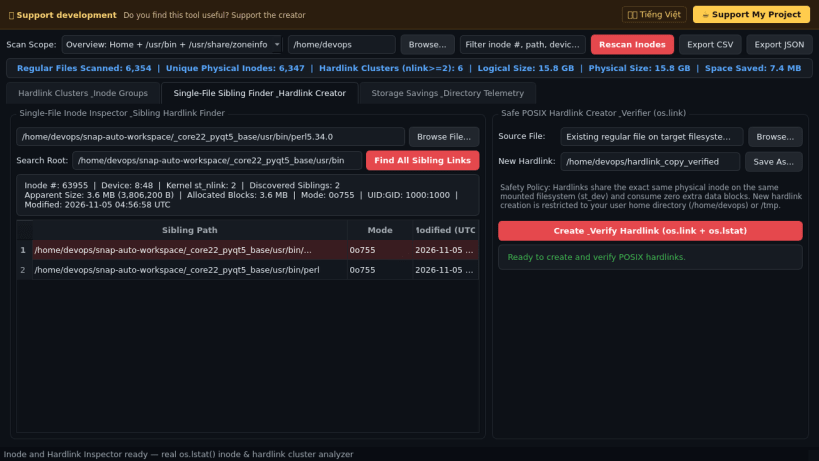
- Single-File Sibling Finder: Inspects any target file's exact inode metadata (major:minor device ID, inode number, link count, permissions, timestamps) and locates all sibling hardlink paths residing on the same filesystem device.
- Safe Hardlink Creator & Verifier: Creates new POSIX hardlinks inside user folders via os.link() and immediately verifies matching inode identity and updated kernel link counts.
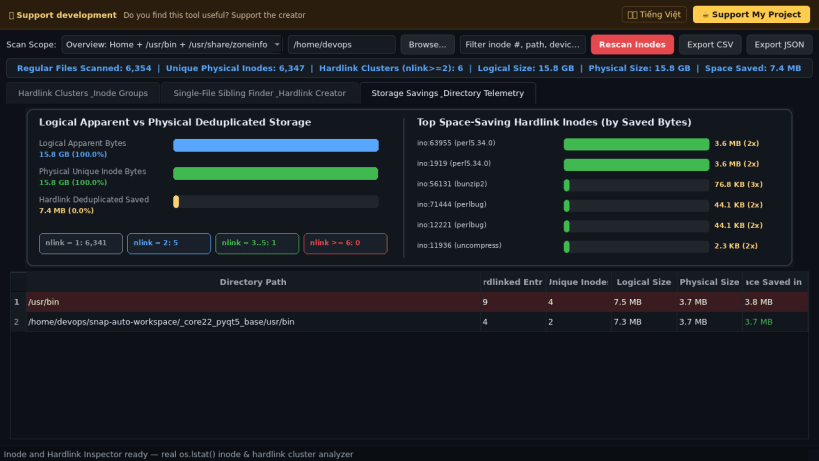
- Storage Savings Telemetry & Export: Visualizes logical apparent bytes versus deduplicated physical bytes and exports full cluster audits to CSV and JSON.
Disclaimer: This project is an independent open-source tool and is not affiliated with, sponsored by, or endorsed by Microsoft Corporation.
| Revision | Channel | Version | Build | Commit | Download SBOM |
|---|
The build and commit information is derived from build infrastructure records.
Install Inode and Hardlink Inspector on your Linux distribution
Choose your Linux distribution to get detailed installation instructions. If yours is not shown, get more details on the installing snapd documentation.


