
ID3 Version Converter
Install latest/stable of ID3 Version Converter
Ubuntu 16.04 or later?
Make sure snap support is enabled in your Desktop store.
Install using the command line
sudo snap install id3-version-converterDon't have snapd? Get set up for snaps.
Details for ID3 Version Converter
Package name
- id3-version-converter
License
- MIT
Last updated
- Yesterday - latest/stable
Report a Snap Store violation
Report ID3 Version Converter for a Snap Store violation
Snap Store Violation Report submitted successfully
Thank you for your report. Information you provided will help us investigate further.
Error submitting report
There was an error while sending your report. Please try again later.
Share this snap
Generate an embeddable card to be shared on external websites.
ID3 Version Converter - Convert MP3 tags between ID3v1, ID3v2.3 and ID3v2.4
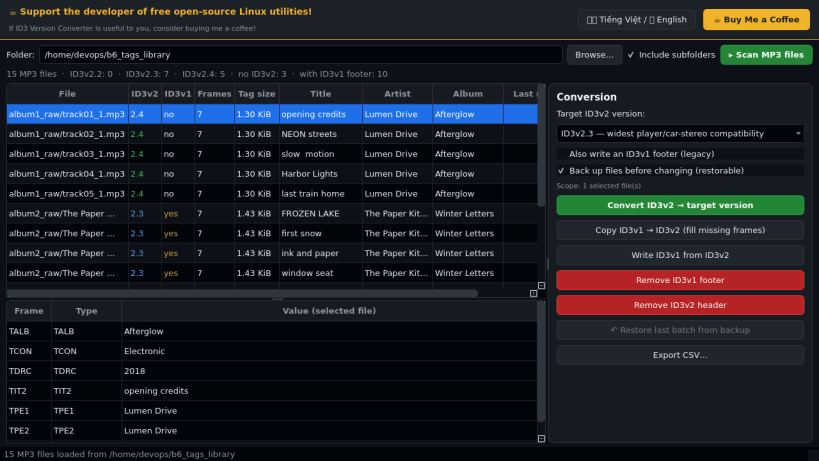
ID3 Version Converter inspects the real ID3 header of your MP3 files and converts their tags between ID3v1, ID3v2.3 and ID3v2.4 in batches. A lightweight Linux alternative to Kid3 for converting ID3v1 tags to ID3v2 and moving files between ID3v2.3 and ID3v2.4.
Key Features:
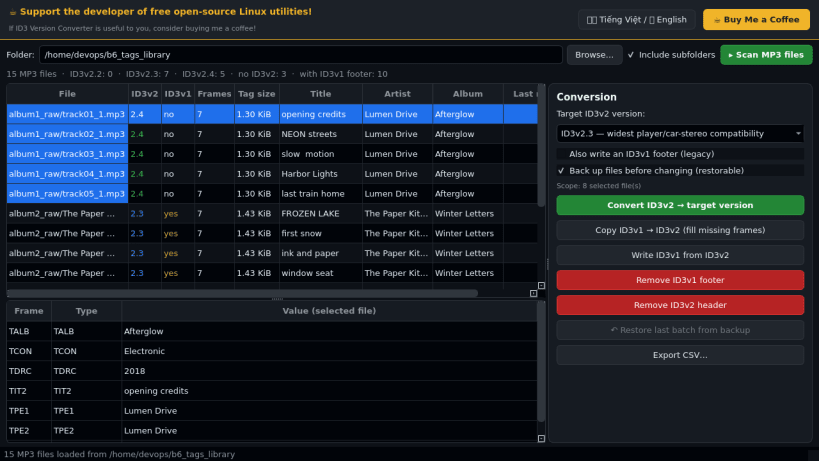
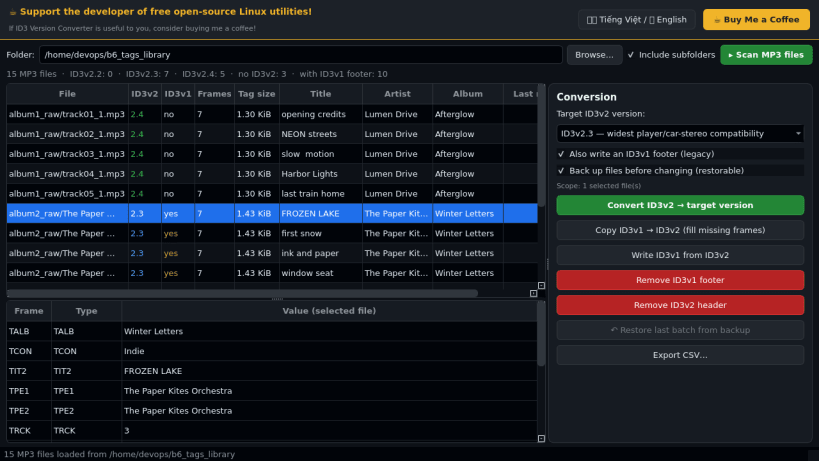
- Library scan: shows on-disk ID3v2 version (2.2 / 2.3 / 2.4), tag size, ID3v1 footer presence, frame count, title, artist and album for every MP3, plus a frame viewer (real frame IDs such as TYER or TDRC).
- Convert ID3v2 to 2.3 (widest player compatibility) or 2.4 (UTF-8), with proper frame translation (for example TDRC to TYER/TDAT/TIME), optionally refreshing an ID3v1 footer.
- Copy ID3v1 to ID3v2 (fill missing frames), write ID3v1 from ID3v2, remove ID3v1 or ID3v2 tags.
- Every change is verified by re-reading the file; originals are backed up first and the last batch can be restored.
- CSV report export, bilingual (Vietnamese / English) donate bar. Powered by the mutagen library.
Notes: works on files on your own disks only. Make a backup of irreplaceable files before bulk edits.
Disclaimer: This project is an independent open-source tool and is not affiliated with, sponsored by, or endorsed by the Kid3 project or its authors.
| Revision | Channel | Version | Build | Commit | Download SBOM |
|---|
The build and commit information is derived from build infrastructure records.
Install ID3 Version Converter on your Linux distribution
Choose your Linux distribution to get detailed installation instructions. If yours is not shown, get more details on the installing snapd documentation.


