

Image 18-in-1 - Image Editor & Converter (img-18-in-1)
Install latest/stable of Image 18-in-1 - Image Editor & Converter
Ubuntu 16.04 or later?
Make sure snap support is enabled in your Desktop store.
Install using the command line
sudo snap install img-18-in-1Don't have snapd? Get set up for snaps.
Details for Image 18-in-1 - Image Editor & Converter
Package name
- img-18-in-1
License
- Proprietary
Last updated
- Today - latest/stable
- Today - latest/edge
Websites
Contact
Donations
Report a bug
External link warning
You are about to open
Do you wish to proceed?
Report a Snap Store violation
Report Image 18-in-1 - Image Editor & Converter for a Snap Store violation
Snap Store Violation Report submitted successfully
Thank you for your report. Information you provided will help us investigate further.
Error submitting report
There was an error while sending your report. Please try again later.
Share this snap
Generate an embeddable card to be shared on external websites.
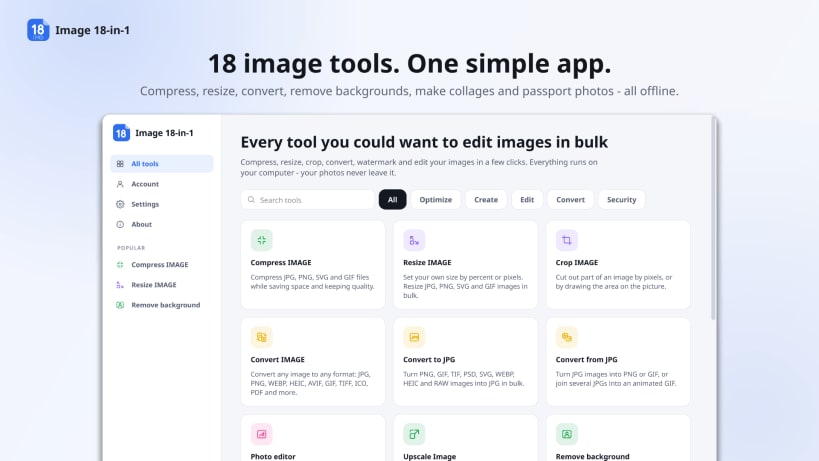
Compress, resize, convert, remove backgrounds and edit photos - offline
Image 18-in-1 is an all-in-one image editor, photo editor and image converter for Linux. Compress images to an exact size in KB, resize photos in bulk, convert HEIC, RAW, WEBP and PNG to JPG, remove backgrounds and upscale pictures with AI, make passport photos and photo collages, and blur faces - 18 image tools in one desktop app. Everything runs on your own computer, even offline: your photos are never uploaded.
Optimize images
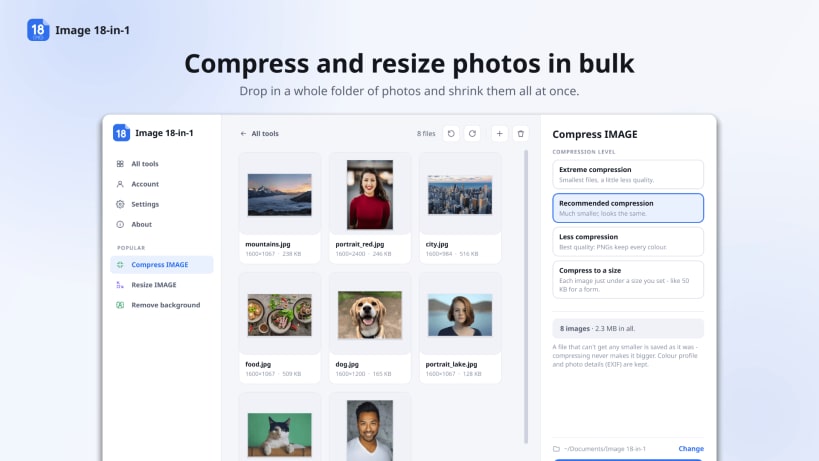
- Compress image: make JPG, PNG, SVG and GIF files smaller while keeping the quality - or get each one just under a size you choose, like 50 KB or 100 KB for an online form
- Upscale image: enlarge pictures 2× or 4× with AI (Real-ESRGAN), sharp instead of blurry
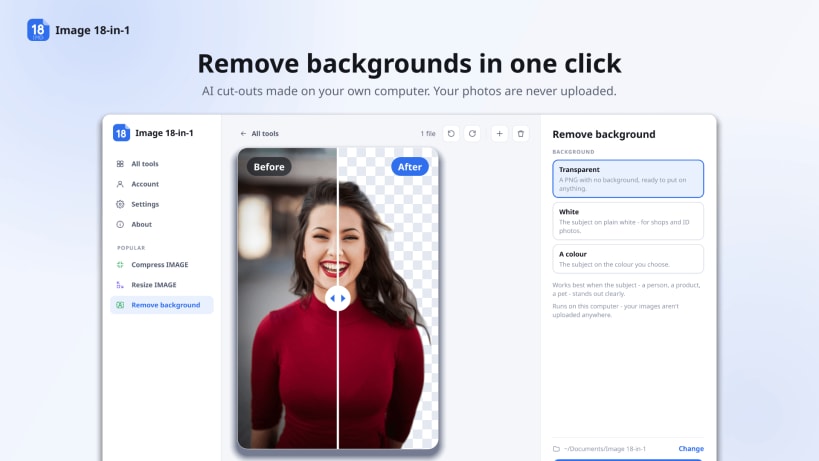
- Remove background: cut out the subject with AI for a transparent PNG, or put it on white or any colour
Edit images
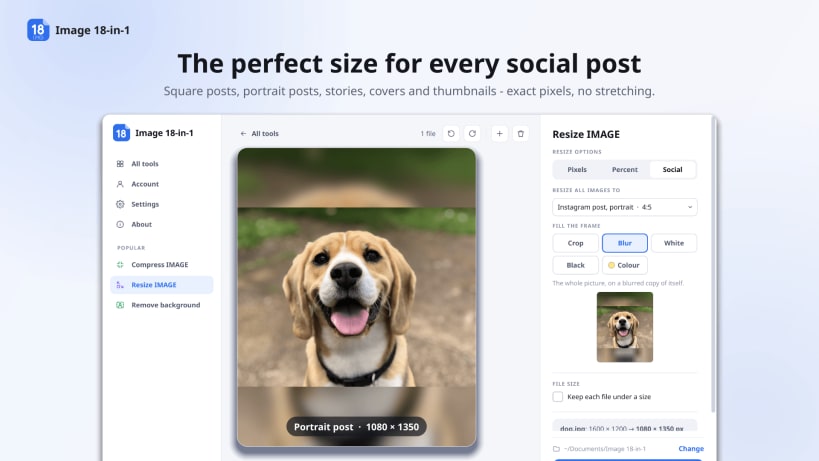
- Resize image by percent, by pixels or to social media sizes (Instagram post and story, Facebook and X covers, YouTube thumbnail and more), many photos at once
- Crop image by pixels, by drawing the area on the picture, or to a social media size
- Rotate images - all of them, or only the portrait or landscape ones
- Watermark image with text or a logo, in the font, transparency and position you choose
Convert images
- Convert any image to any format: JPG, PNG, WEBP, HEIC, AVIF, GIF, TIFF, ICO and PDF
- Convert to JPG: PNG, GIF, TIFF, PSD, SVG, WEBP, HEIC (iPhone photos) and camera RAW (CR2, NEF, ARW, DNG...)
- Convert from JPG to PNG or GIF, or join JPGs into an animated GIF
- Image to PDF: put photos into one PDF, or one PDF each
- HTML to image: save a whole web page as a JPG, PNG or SVG
Create
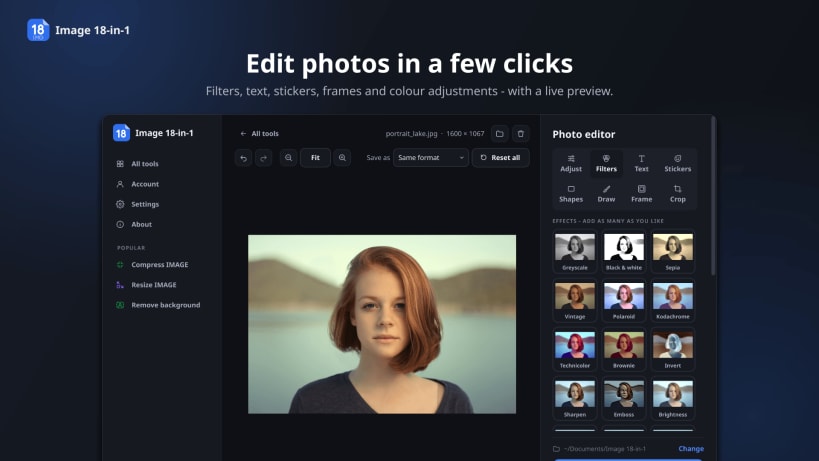
- Photo editor: filters, effects, text, stickers, shapes, drawing, frames and colour adjustments, with a live preview
- Passport photo: passport and visa sizes for 30+ countries (US, UK, India, Schengen and more) - the face is placed for you, the background turns white, and a sheet of copies is ready to print
- Collage maker: 10 layouts, from grids to polaroids and film strips - drag and zoom each photo in its frame
- Meme generator: top and bottom captions on any picture
Protect your privacy
- Blur face: find faces with AI and blur them, or blur any area you mark
- Remove metadata: strip EXIF data - GPS location, camera, dates - before you share a photo
Why Image 18-in-1
- Private: works offline, no uploads, no sign-up and no e-mail needed
- The AI models come with the app - nothing to download, nothing sent to a server
- No watermarks on your images
- 20 languages, light and dark themes, touchscreen support
- Free plan: compress, resize, crop, convert and the other everyday tools are unlimited, with 3 AI runs a day. PRO: no limits, one-time payment, no subscription
| Revision | Channel | Version | Build | Commit | Download SBOM |
|---|
The build and commit information is derived from build infrastructure records.
Install Image 18-in-1 - Image Editor & Converter on your Linux distribution
Choose your Linux distribution to get detailed installation instructions. If yours is not shown, get more details on the installing snapd documentation.


