

ImHex
Install latest/stable of ImHex
Ubuntu 16.04 or later?
Make sure snap support is enabled in your Desktop store.
Install using the command line
sudo snap install imhex --classicDon't have snapd? Get set up for snaps.
Details for ImHex
Package name
- imhex
License
- GPL-2.0-only
Last updated
- 21 December 2025 - latest/stable
- 9 October 2026 - latest/edge
Websites
Contact
Donations
Source code
Report a bug
External link warning
You are about to open
Do you wish to proceed?
Report a Snap Store violation
Report ImHex for a Snap Store violation
Snap Store Violation Report submitted successfully
Thank you for your report. Information you provided will help us investigate further.
Error submitting report
There was an error while sending your report. Please try again later.
Share this snap
Generate an embeddable card to be shared on external websites.
Reverse Engineer's Hex Editor
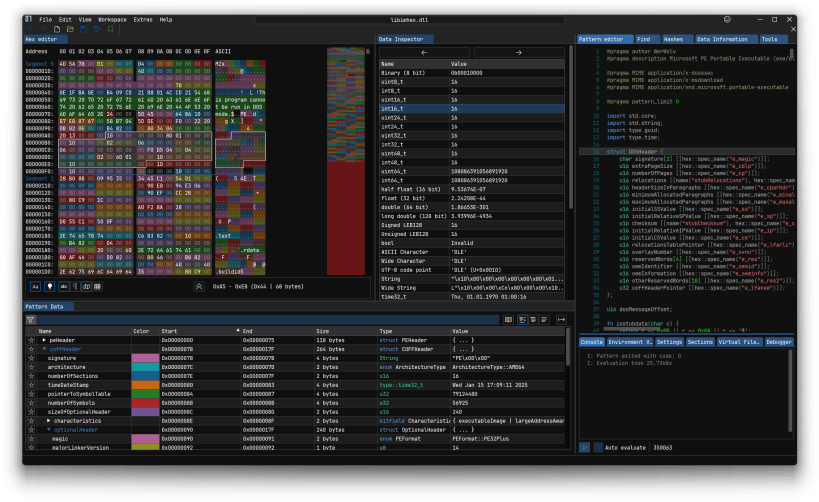
ImHex is a hex editor for reverse engineering, reverse engineering, and analyzing binary files. It provides a powerful and flexible interface for working with binary data, including features like pattern matching, scripting, and a customizable user interface.
Features
- Modern Interface
- Easy to get started
- Featureful hex view
- Custom C++-like pattern language for parsing highlighting a file's content
- Full Theming and Styling support
- Integrated Plugin Support
- Importing and Exporting data in various formats
- Data Inspector supporting many different types
- Node-based data pre-processor
- Support for loading data from many different data sources
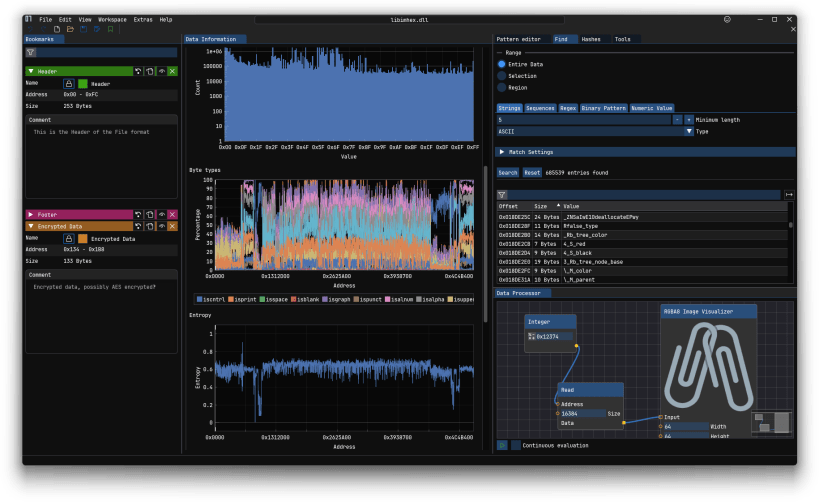
- Powerful byte and string searching
- Support for over 40 different Hashing algorithms with customizable variations
- Diffing of binary data with insert/removal support
- Integrated disassembler for over 15 architectures with the ability to define custom ones
- Bookmarks
- Featureful data analyzer and visualizer
- YARA Rule matching support
- Various different helpful tools such as Calculator, Demangler and ASCII Table
- Built-in Content updater
Pattern Language
The Pattern Language is the completely custom programming language developed for ImHex. It allows you to define structures and data types in a C-like syntax and then use them to parse and highlight a file's content.
- Source Code: https://github.com/WerWolv/PatternLanguage
- Documentation: https://docs.werwolv.net/pattern-language
| Revision | Channel | Version | Build | Commit | Download SBOM |
|---|
The build and commit information is derived from build infrastructure records.
Install ImHex on your Linux distribution
Choose your Linux distribution to get detailed installation instructions. If yours is not shown, get more details on the installing snapd documentation.












