

InkMail
Install latest/stable of InkMail
Ubuntu 16.04 or later?
Make sure snap support is enabled in your Desktop store.

Details for InkMail
Package name
- inkmail
License
- Proprietary
Last updated
- 27 October 2026 - latest/stable
- 27 October 2026 - latest/beta
Websites
Contact
External link warning
You are about to open
Do you wish to proceed?
Report a Snap Store violation
Report InkMail for a Snap Store violation
Snap Store Violation Report submitted successfully
Thank you for your report. Information you provided will help us investigate further.
Error submitting report
There was an error while sending your report. Please try again later.
Share this snap
Generate an embeddable card to be shared on external websites.
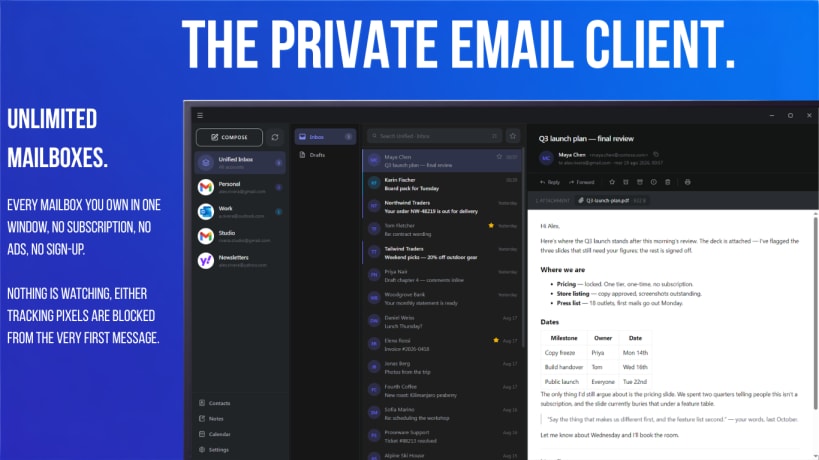
Private email client: unlimited accounts for free, your mail stays local.
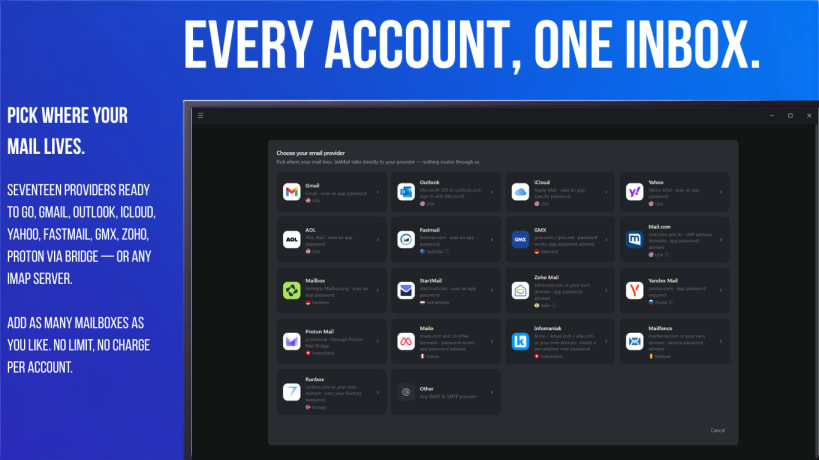
Your Email Accounts – Unified. Add your Gmail, Outlook, iCloud, Yahoo, Fastmail, GMX, Zoho, Proton (via Bridge) or any other IMAP account for free. View all your mail in a unified inbox or one account at a time, in a modern and customizable layout.
InkMail is private by design: your mail will stay on your machine. The client talks straight to your provider and keeps a copy of your messages in a local, searchable and 100% offline database. There is not, and never will be a server between your machine and your mail provider. No ads, no telemetry, no sign-up... the only request that ever reaches us is the licence check, if you buy Pro (thanks!)
Block of tracking pixels and external images until you choose to allow them. Messages open in a sandbox so email scripts are never executed. Your passwords are encrypted and stored in your local client keyring, safe and isolated from other programs. Read and send encrypted mail with OpenPGP encryption: in this way even your free mail provider will stay out of your business. Smart offline search, conversation view, snooze and one-click unsubscribe.
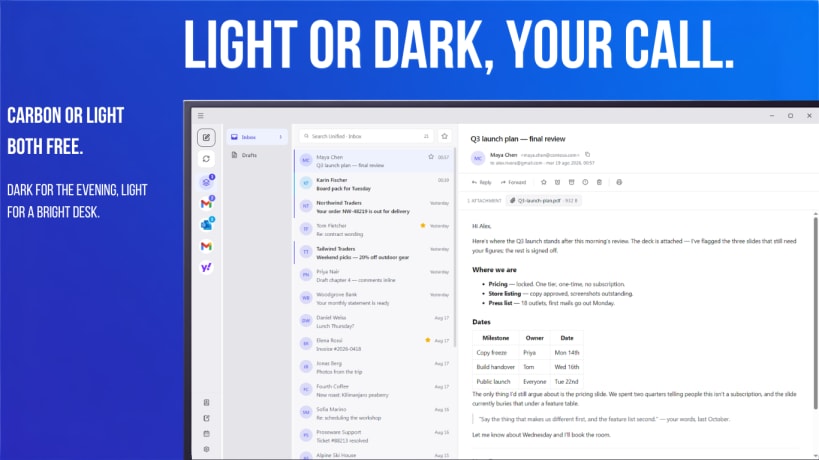
InkMail is free to use with unlimited accounts. PRO is an optional one-time purchase on inkmail.app that add filters, calendar, themes and much more.
What's new in 1.0.38:
- new: add images inside your message by click the picture button in the compose toolbar
- new: a sign-in or verification code in a message shows above it, with a Copy code button
- new: folders can now be moved and reordered by drag and drop
- new: a compact account list under Settings > Appearance > Account list
- fix: the compose window opens at the size you last left it
- fix: sending a read receipt no longer fails with an error
- fix: other minor bug fixes and improvements
- fix: screenshot in a message right-click menu now works
| Revision | Channel | Version | Build | Commit | Download SBOM |
|---|
The build and commit information is derived from build infrastructure records.
Install InkMail on your Linux distribution
Choose your Linux distribution to get detailed installation instructions. If yours is not shown, get more details on the installing snapd documentation.











