

Keyboard and Mouse Shield (input-shield-locker)
Install latest/stable of Keyboard and Mouse Shield
Ubuntu 16.04 or later?
Make sure snap support is enabled in your Desktop store.
Install using the command line
sudo snap install input-shield-lockerDon't have snapd? Get set up for snaps.
Details for Keyboard and Mouse Shield
Package name
- input-shield-locker
License
- MIT
Last updated
- Yesterday - latest/stable
Websites
Contact
External link warning
You are about to open
Do you wish to proceed?
Report a Snap Store violation
Report Keyboard and Mouse Shield for a Snap Store violation
Snap Store Violation Report submitted successfully
Thank you for your report. Information you provided will help us investigate further.
Error submitting report
There was an error while sending your report. Please try again later.
Share this snap
Generate an embeddable card to be shared on external websites.
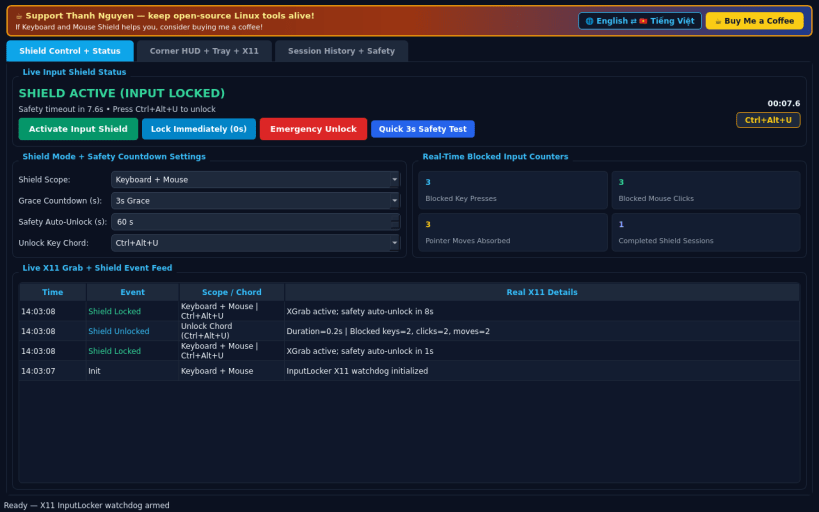
X11 keyboard and mouse input shield with corner HUD and auto-unlock timer
A lightweight Linux X11 keyboard and mouse input shield inspired by KeyFreeze. Disclaimer: This project is an independent open-source tool and is not affiliated with, sponsored by, or endorsed by KeyFreeze. Input grabbing uses X11 XGrabKeyboard and XGrabPointer; Wayland-native windows isolate input sessions from X11 grabs.
FEATURES
- Keyboard and Mouse Input Shield: block accidental keyboard presses, mouse clicks, or both with a configurable 3s or 5s grace countdown timer.
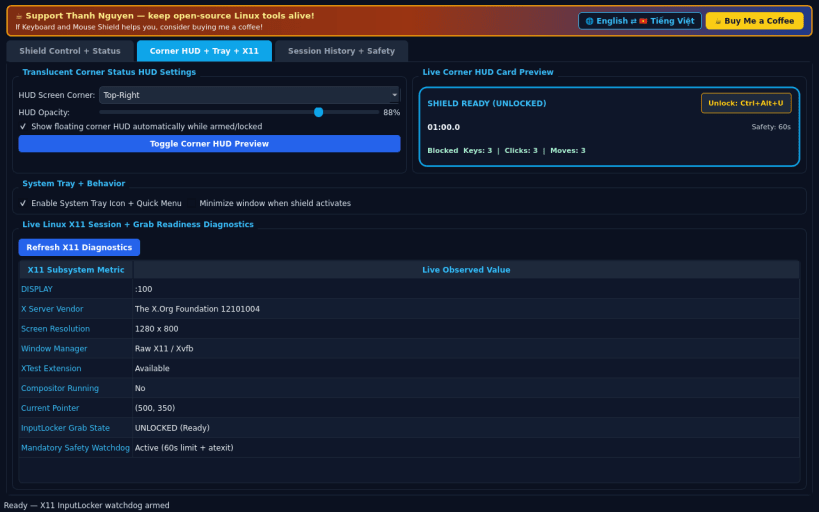
- Translucent Corner Status HUD: floating always-on-top corner indicator displaying the unlock chord (Ctrl+Alt+U), live remaining safety countdown, and real-time blocked input counters.
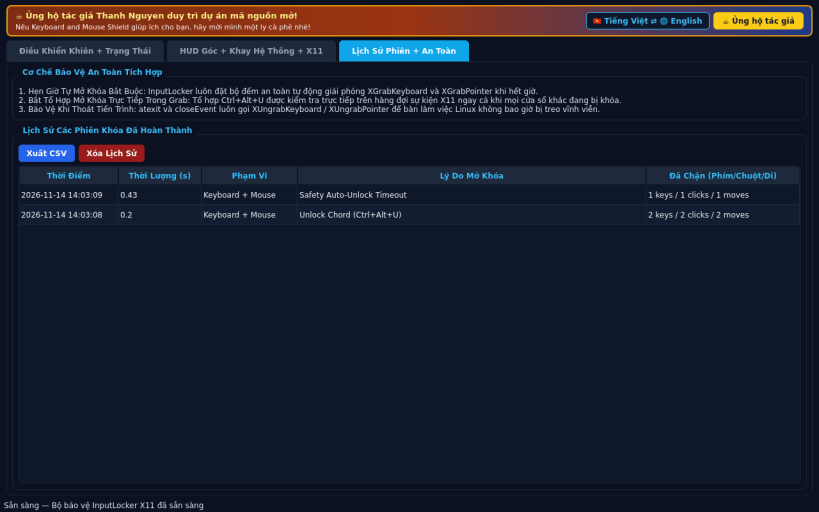
- Mandatory Safety Auto-Unlock and Tray Controls: guaranteed automatic grab release timer, instant unlock chord interception, system tray controls, live X11 diagnostics, session history, CSV export, and EN / VI UI.
SUPPORT & DONATE
- Created by Thanh Nguyen — https://buymeacoffee.com/thanhnv128b
| Revision | Channel | Version | Build | Commit | Download SBOM |
|---|
The build and commit information is derived from build infrastructure records.
Install Keyboard and Mouse Shield on your Linux distribution
Choose your Linux distribution to get detailed installation instructions. If yours is not shown, get more details on the installing snapd documentation.


