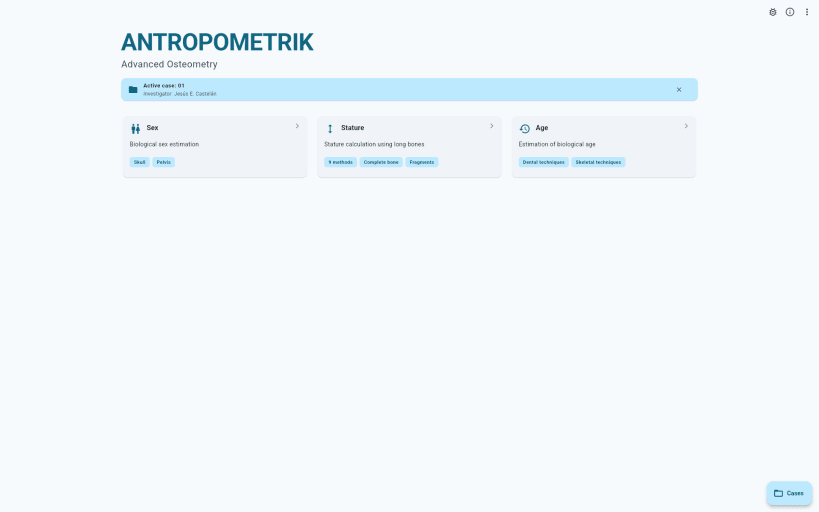
Antropometrik is the ultimate data collection and analysis tool designed specifically for physical anthropologists, forensic medical examiners, criminal investigators, and students.
Optimize your field and laboratory work by keeping an accurate record of your skeletal findings right in your pocket, without the need for an internet connection or paper notebooks.
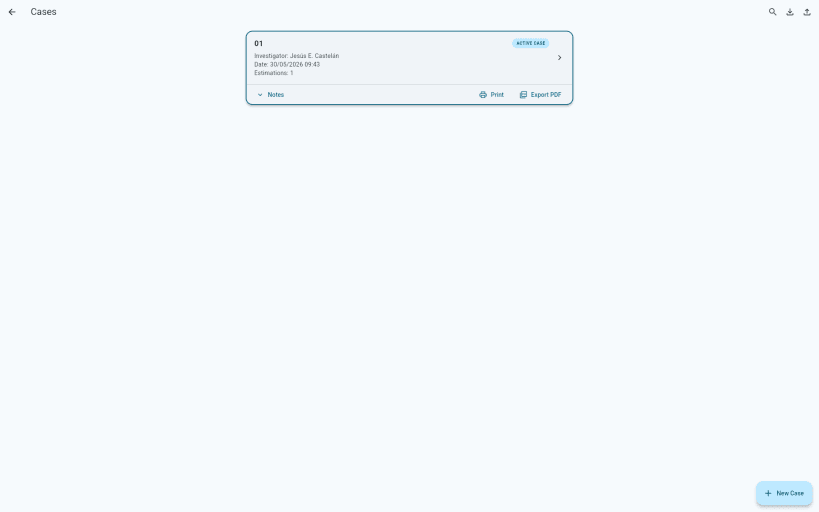
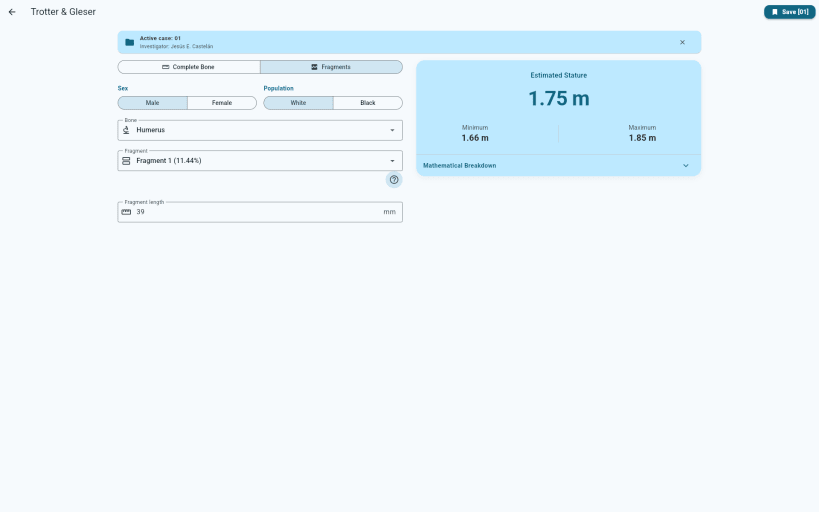
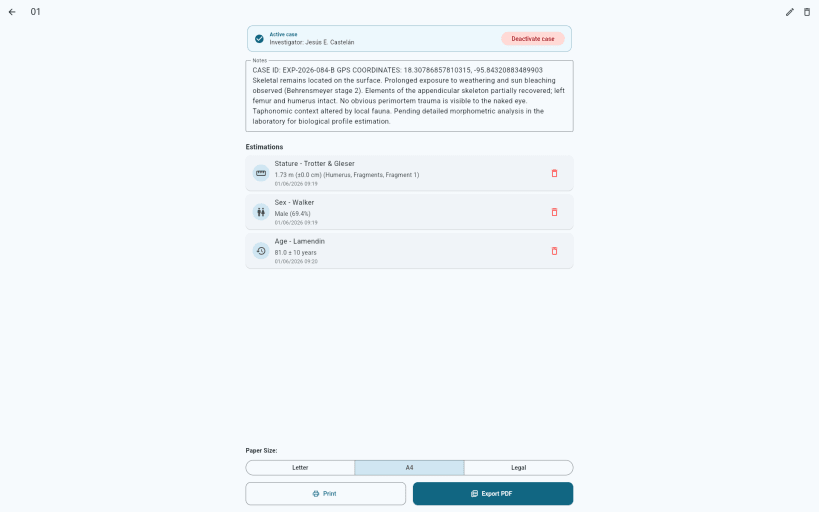
🔍 KEY FEATURES: • Comprehensive Case Management: Create, edit, and organize complete forensic case files with unique identifiers, dates, and detailed investigator notes. • Biological Profile (Age, Sex & Stature): Perform scientific estimations and precise calculations of the biological profile based on osteological analysis in a fast and structured way. • Skeletal Remains Registration: Document the state of preservation (fragments, complete bones) and associate metrics to specific anatomical elements. • Automatic Calculations: Automated statistical results and metric conversions to reduce human error in both the field and the laboratory.
💻 CROSS-PLATFORM ECOSYSTEM: Antropometrik doesn't just live on your phone. Start recording data in the field from your Android device, export your case file, and continue your research in the lab using our official desktop versions for Windows and Linux. Your exported files are 100% compatible across all platforms.
🔒 ABSOLUTE PRIVACY & SECURITY (100% OFFLINE): We know forensic data is extremely sensitive. That's why Antropometrik works 100% locally. There are no external servers, no data collection, and it requires no internet connection. All information and the database are stored securely and encrypted in your device's private storage.
📁 DATA PORTABILITY: Export your entire database and case files to JSON format in seconds to back them up securely or transfer them to your computer for advanced statistical analysis. Your data always belongs to you!
⚡ MODERN & FAST DESIGN: Developed with cutting-edge technology, offering a fluid interface, Dark/Light theme support, and intuitive navigation designed for one-handed use while you work.
Transform your device into your best forensic anthropology assistant. Download Antropometrik and modernize your workflow today!
You are about to open
Do you wish to proceed?
Thank you for your report. Information you provided will help us investigate further.
There was an error while sending your report. Please try again later.
Snaps are applications packaged with all their dependencies to run on all popular Linux distributions from a single build. They update automatically and roll back gracefully.
Snaps are discoverable and installable from the Snap Store, an app store with an audience of millions.
Snap can be installed from the command line on openSUSE Leap 15.x and Tumbleweed.
You need first add the snappy repository from the terminal. Choose the appropriate command depending on your installed openSUSE flavor.
Tumbleweed:
sudo zypper addrepo --refresh https://download.opensuse.org/repositories/system:/snappy/openSUSE_Tumbleweed snappy
Leap 15.x:
sudo zypper addrepo --refresh https://download.opensuse.org/repositories/system:/snappy/openSUSE_Leap_15.6 snappy
If needed, Swap out openSUSE_Leap_15. for, openSUSE_Leap_16.0 if you’re using a different version of openSUSE.
With the repository added, import its GPG key:
sudo zypper --gpg-auto-import-keys refresh
Finally, upgrade the package cache to include the new snappy repository:
sudo zypper dup --from snappy
Snap can now be installed with the following:
sudo zypper install snapd
You then need to either reboot, logout/login or source /etc/profile to have /snap/bin added to PATH.
Additionally, enable and start both the snapd and the snapd.apparmor services with the following commands:
sudo systemctl enable --now snapd
sudo systemctl enable --now snapd.apparmor
To install Antropometrik, simply use the following command:
sudo snap install antropometrik
Browse and find snaps from the convenience of your desktop using the snap store snap.

Interested to find out more about snaps? Want to publish your own application? Visit snapcraft.io now.