
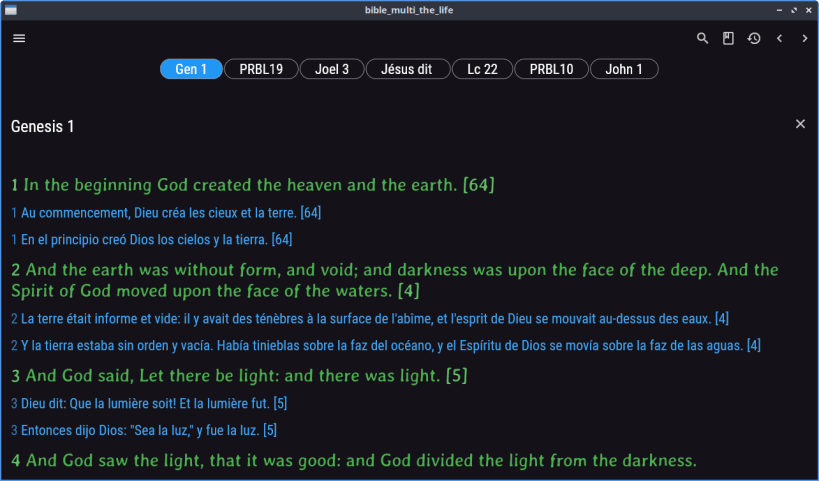
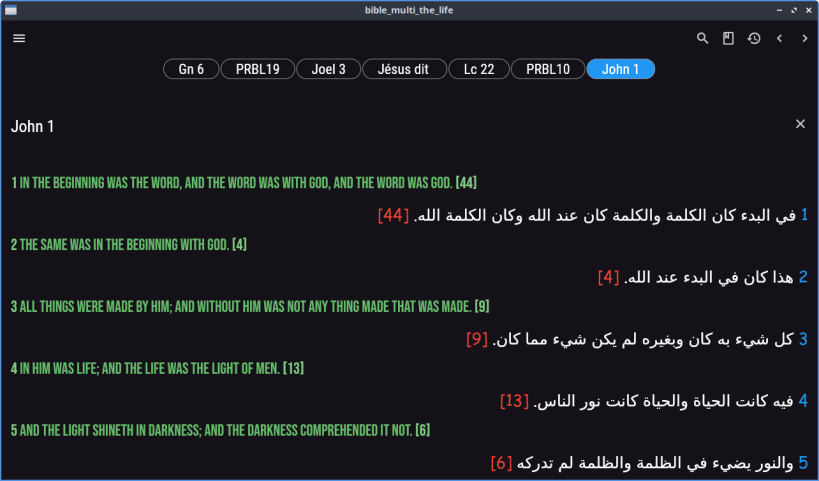
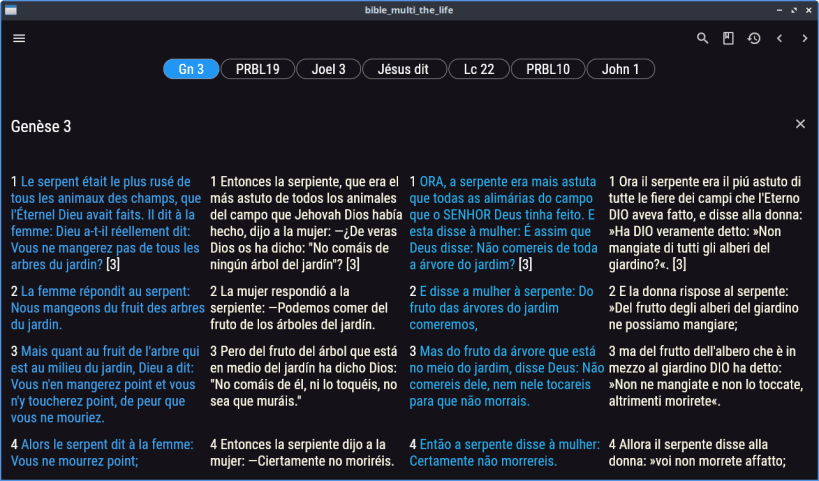
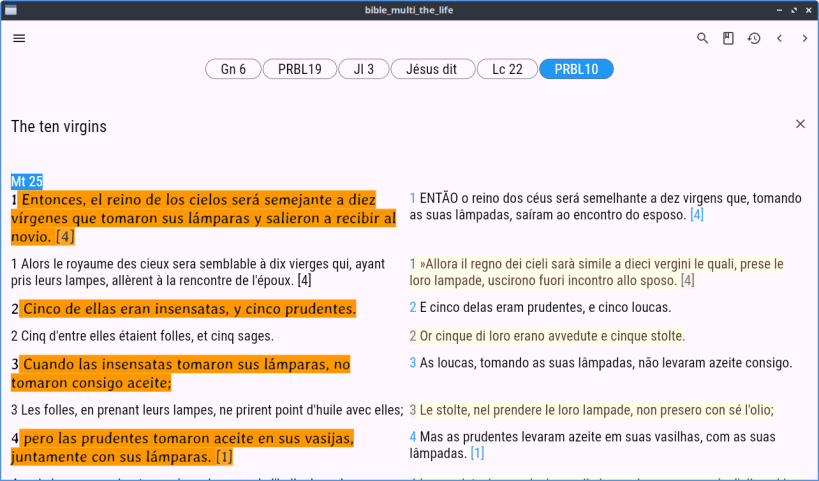
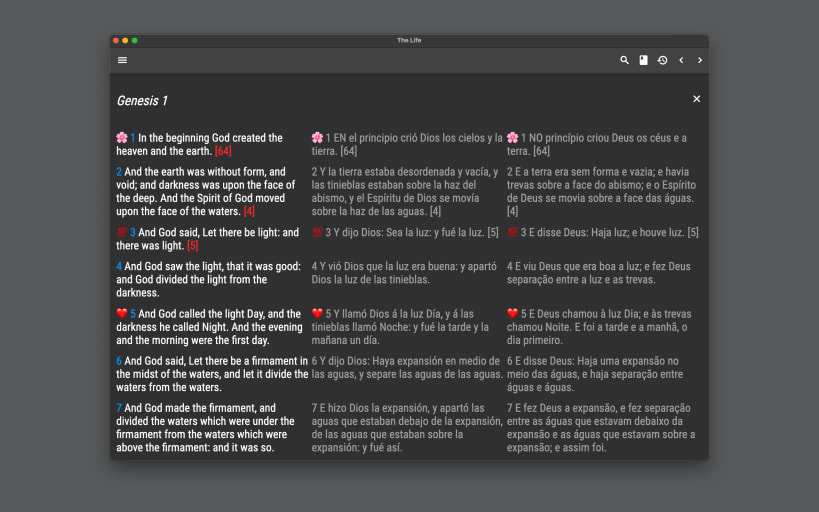
Bible multi languages, free, offline, no advertising, in English, French, Italian, Spanish, Portuguese.
The Life is a powerful study tool to learn the Word of God.
For Android, iPhone, iPad, Big Sur, Mac and Linux.
• Bibles included: King James Version, Bible in Basic English, World English Bible, Louis Segond, Ostervald, Darby, Diodati, Reina Valera, Almeida, Schlachter, Elberfelder, Romanian Bible (Romanian Cornilescu 1928), Polish Bible (Biblia Warszawska 1975), Russian Bible (Russian Synodal Translation 1876), Turkish Bible (New Turkish Bible 2001), Swahili Bible (Swahili Union Version 1997), Arabic Bible (Smith & Van Dyke), Hindi Bible, Bengali Bible (Bengali C.L. Bible 2016), Chinese Bible (New Chinese Version Simplified), Japanese Bible (New Japanese Bible 1973).
• The application uses a modern and clean interface.
• Easy to use with quick searches and shares, favorites, parables, articles, cross-references, but also includes several fonts for people having visibility impairs and a rich clipboard functionality allowing you to copy several verses and chapters of different books before sharing the result.
• You can browse your search history (containing opened books, parables, cross references...) and let you navigate through in an infinite way.
Please share the info with your friends. Time is short. Tribulations are at the door.
The Life has two brothers for various configurations; check my website: biblemulti.org
** All The Glory To God.
• If characters are missing, install the utf8 characters with "sudo dpkg-reconfigure locales": select en_US, es_ES, fr_FR, it_IT, pt_PT... • If emoji are missing, please install a emoji font, example: "sudo apt install fonts-noto-color-emoji"
You are about to open
Do you wish to proceed?
Thank you for your report. Information you provided will help us investigate further.
There was an error while sending your report. Please try again later.
Snaps are applications packaged with all their dependencies to run on all popular Linux distributions from a single build. They update automatically and roll back gracefully.
Snaps are discoverable and installable from the Snap Store, an app store with an audience of millions.
Snap is available for Red Hat Enterprise Linux (RHEL) 8 and RHEL 7, from the 7.6 release onward.
The packages for RHEL 7, RHEL 8, and RHEL 9 are in each distribution’s respective Extra Packages for Enterprise Linux (EPEL) repository. The instructions for adding this repository diverge slightly between RHEL 7, RHEL 8 and RHEL 9, which is why they’re listed separately below.
The EPEL repository can be added to RHEL 9 with the following command:
sudo dnf install https://dl.fedoraproject.org/pub/epel/epel-release-latest-9.noarch.rpm
sudo dnf upgrade
The EPEL repository can be added to RHEL 8 with the following command:
sudo dnf install https://dl.fedoraproject.org/pub/epel/epel-release-latest-8.noarch.rpm
sudo dnf upgrade
The EPEL repository can be added to RHEL 7 with the following command:
sudo rpm -ivh https://dl.fedoraproject.org/pub/epel/epel-release-latest-7.noarch.rpm
Adding the optional and extras repositories is also recommended:
sudo subscription-manager repos --enable "rhel-*-optional-rpms" --enable "rhel-*-extras-rpms"
sudo yum update
Snap can now be installed as follows:
sudo yum install snapd
Once installed, the systemd unit that manages the main snap communication socket needs to be enabled:
sudo systemctl enable --now snapd.socket
To enable classic snap support, enter the following to create a symbolic link between /var/lib/snapd/snap and /snap:
sudo ln -s /var/lib/snapd/snap /snap
Either log out and back in again or restart your system to ensure snap’s paths are updated correctly.
To install Bible Multi The Life, simply use the following command:
sudo snap install bible-multi-the-life
Browse and find snaps from the convenience of your desktop using the snap store snap.

Interested to find out more about snaps? Want to publish your own application? Visit snapcraft.io now.