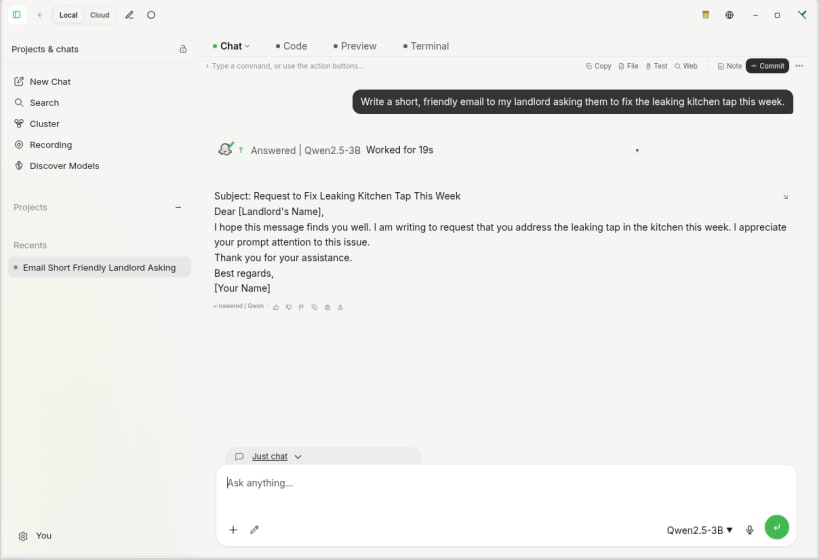
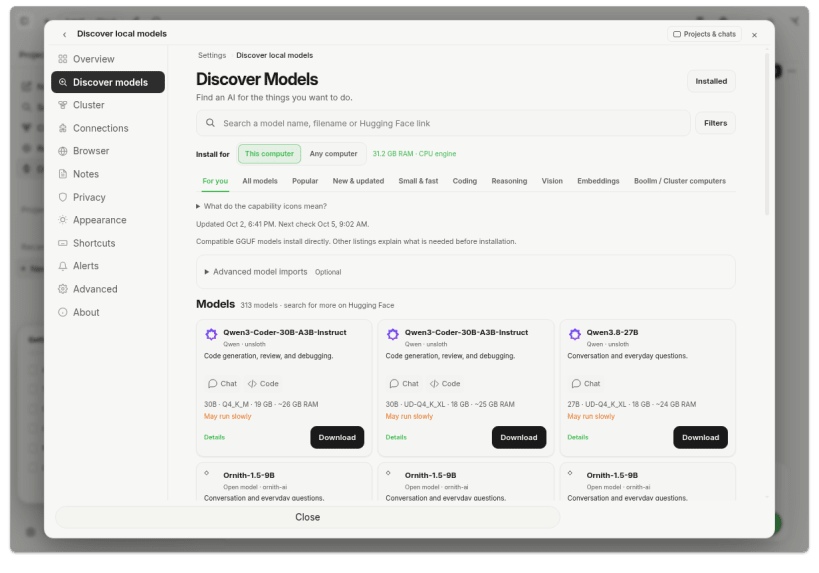
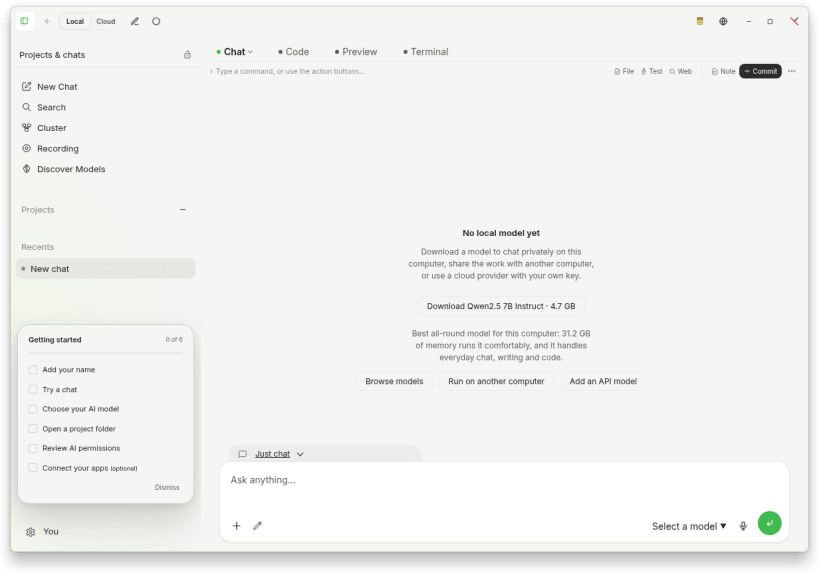
Boollm brings local large language models (LLMs) to your Linux desktop. Download a compatible model and run it on your own computer, without a cloud AI account or API key. Once the model is downloaded, local text generation works offline: your prompts do not need to be sent to a cloud AI provider.
YOUR MODELS, ON YOUR COMPUTER
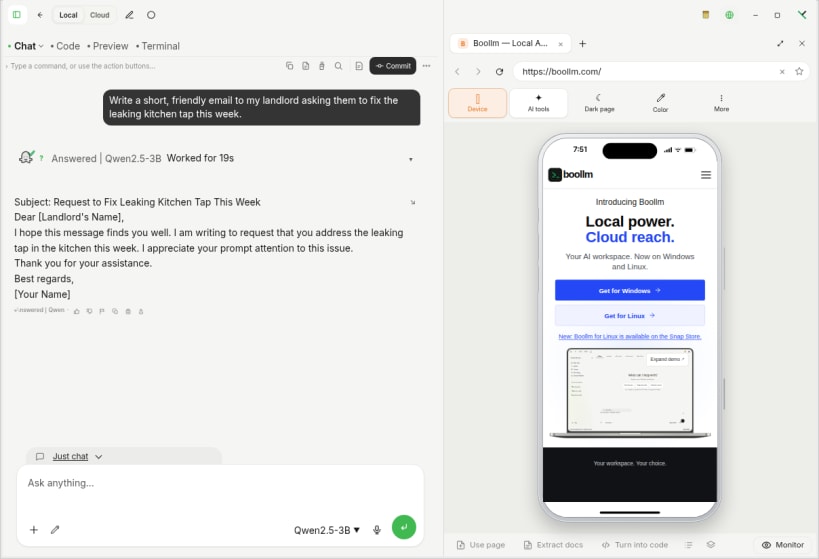
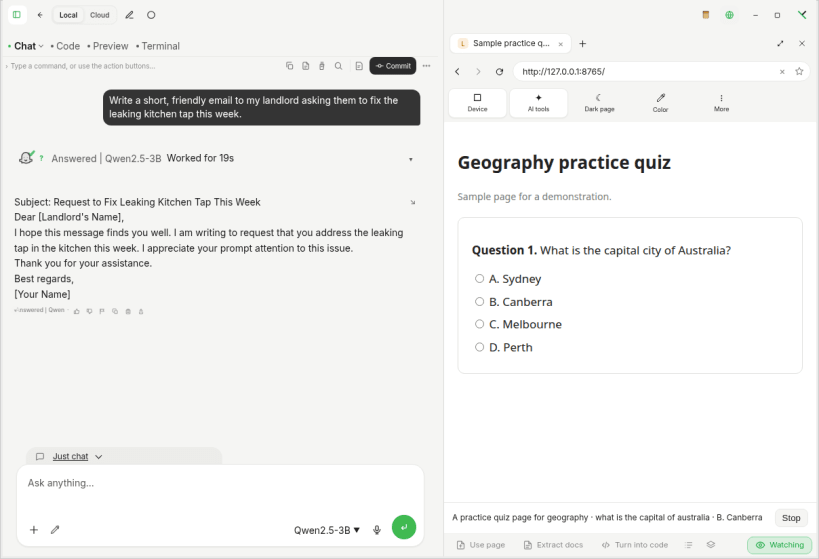
BUILT-IN BROWSER
CLOUD AI IS OPTIONAL
You can connect a supported cloud provider using your own API key. When you choose a cloud provider, requests go to that provider and its terms, privacy policy and usage charges apply. No cloud key is needed to use a downloaded local model. Internet access is needed for model browsing, downloads and cloud services.
ABOUT THIS LINUX SNAP EDITION
For Intel/AMD 64-bit Linux with snapd. This edition defaults to CPU processing. No model is bundled; model downloads need free storage and enough memory to run. Supported model files must be GGUF; compatibility and model licenses vary.
Bundled Codex and Claude Code, Automations, Monitors, Browser & Passwords and Avatar Studio are not included in this edition. Coding assistance means model-generated help, not those bundled coding engines.
On supported desktops Boollm keeps its encryption key through an app-specific secure portal, so no extra permission is needed. Your desktop may ask you to unlock its keyring. Older profiles or desktops without secure-key portal support may require a one-time setup permission. Boollm does not fall back to plaintext profile storage. The Snap has a separate profile from the ordinary Linux app and does not import that app's chats or keys.
Install: sudo snap install boollm Update: sudo snap refresh boollm Setup and support: https://boollm.com/support Privacy: https://boollm.com/privacy Website: https://boollm.com
Thank you for your report. Information you provided will help us investigate further.
There was an error while sending your report. Please try again later.
Snaps are applications packaged with all their dependencies to run on all popular Linux distributions from a single build. They update automatically and roll back gracefully.
Snaps are discoverable and installable from the Snap Store, an app store with an audience of millions.
Snap can be installed from the command line on openSUSE Leap 15.x and Tumbleweed.
You need first add the snappy repository from the terminal. Choose the appropriate command depending on your installed openSUSE flavor.
Tumbleweed:
sudo zypper addrepo --refresh https://download.opensuse.org/repositories/system:/snappy/openSUSE_Tumbleweed snappy
Leap 15.x:
sudo zypper addrepo --refresh https://download.opensuse.org/repositories/system:/snappy/openSUSE_Leap_15.6 snappy
If needed, Swap out openSUSE_Leap_15. for, openSUSE_Leap_16.0 if you’re using a different version of openSUSE.
With the repository added, import its GPG key:
sudo zypper --gpg-auto-import-keys refresh
Finally, upgrade the package cache to include the new snappy repository:
sudo zypper dup --from snappy
Snap can now be installed with the following:
sudo zypper install snapd
You then need to either reboot, logout/login or source /etc/profile to have /snap/bin added to PATH.
Additionally, enable and start both the snapd and the snapd.apparmor services with the following commands:
sudo systemctl enable --now snapd
sudo systemctl enable --now snapd.apparmor
To install Boollm, simply use the following command:
sudo snap install boollm
Browse and find snaps from the convenience of your desktop using the snap store snap.
Interested to find out more about snaps? Want to publish your own application? Visit snapcraft.io now.