

Boollm
Install latest/stable of Boollm
Ubuntu 16.04 or later?
Make sure snap support is enabled in your Desktop store.
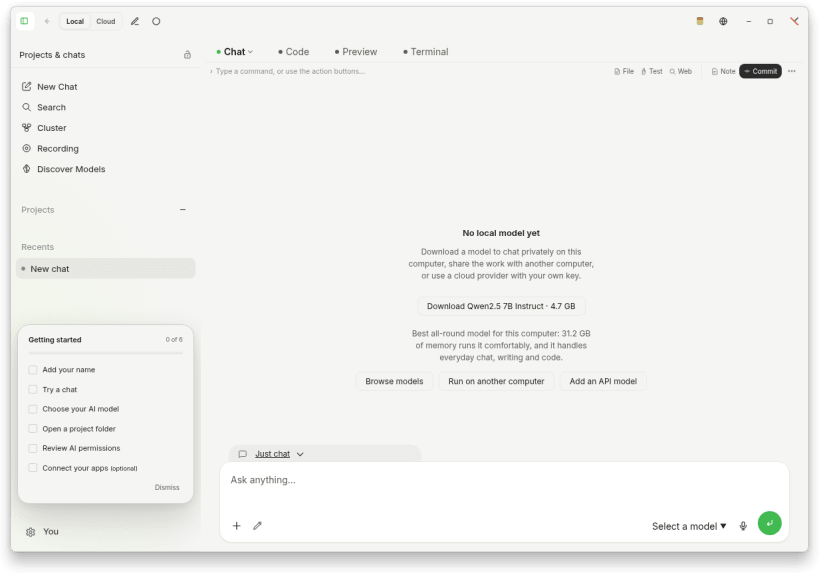
Details for Boollm
Package name
- boollm
License
- Apache-2.0
Last updated
- 7 October 2026 - latest/stable
Report a Snap Store violation
Report Boollm for a Snap Store violation
Snap Store Violation Report submitted successfully
Thank you for your report. Information you provided will help us investigate further.
Error submitting report
There was an error while sending your report. Please try again later.
Share this snap
Generate an embeddable card to be shared on external websites.
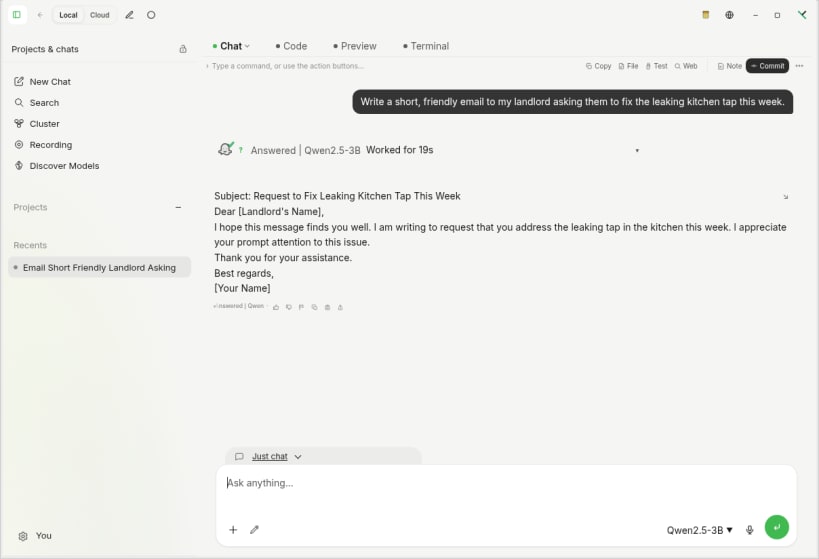
Run local LLMs on your computer. Discover, download and use AI models.
Boollm brings local large language models (LLMs) to your Linux desktop. Download a compatible model and run it on your own computer, without a cloud AI account or API key. Once the model is downloaded, local text generation works offline: your prompts do not need to be sent to a cloud AI provider.
YOUR MODELS, ON YOUR COMPUTER
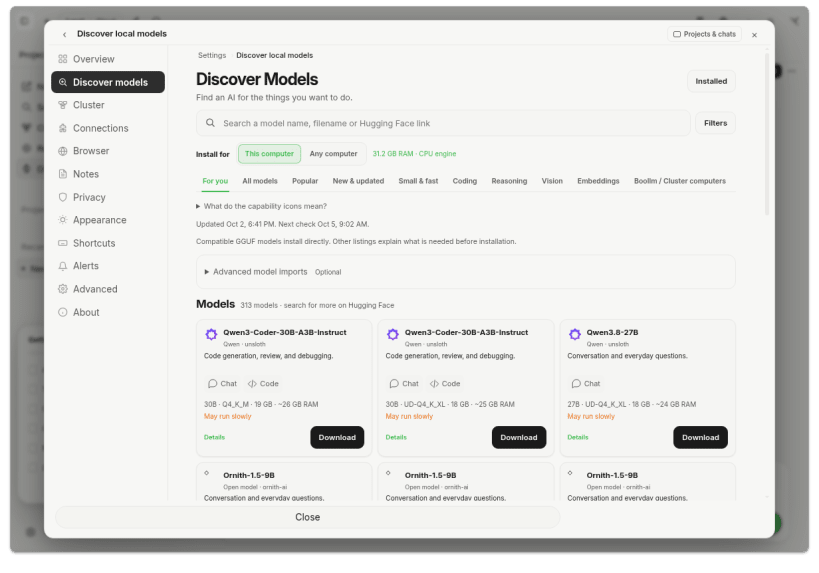
- Discover models: search the catalog or paste a Hugging Face link, review compatibility and download size, then choose a supported GGUF model.
- Find a model that fits: Boollm checks available memory and disk space and suggests a suitable model when you have none installed.
- Manage downloads: see progress, stop a download and resume it later. No model downloads until you choose one.
- Put local AI to work: ask questions, draft and rewrite text, summarize text you provide, brainstorm ideas and get coding assistance. Results depend on the model you select and should be checked.
- Keep conversations and attached chat content in an encrypted profile on your own computer.
BUILT-IN BROWSER
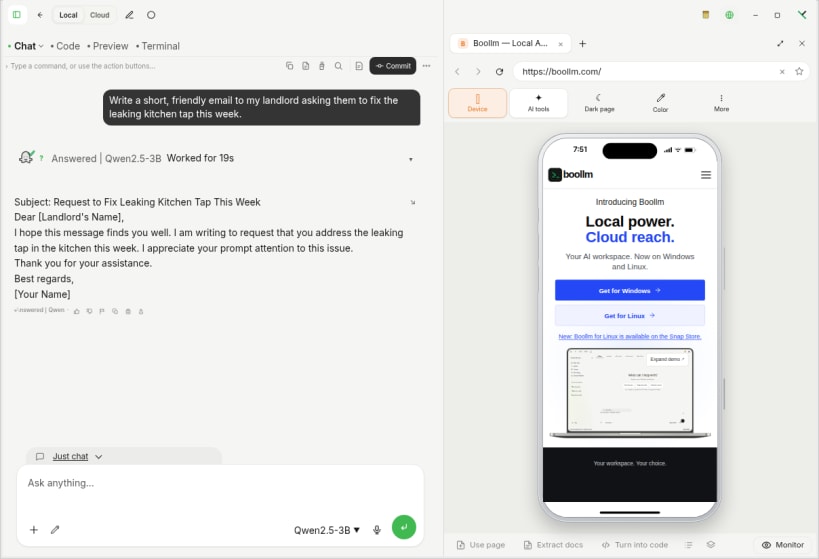
- Browse the web inside Boollm and preview pages at phone, tablet and laptop sizes.
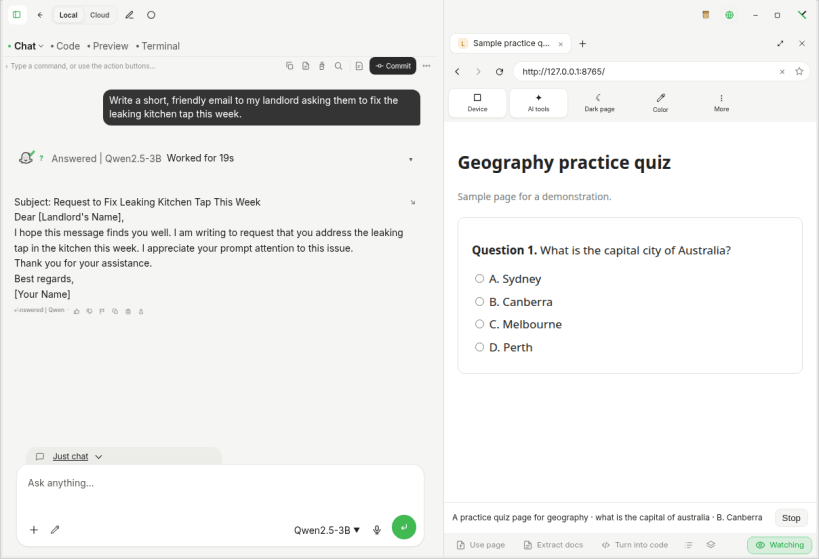
- Monitor (optional, asks first): reads the page you are on and suggests short answers to the questions it shows, right in your chat, where they stay. It sends the visible page text to the model you chose. It never clicks, fills in or submits anything.
CLOUD AI IS OPTIONAL
You can connect a supported cloud provider using your own API key. When you choose a cloud provider, requests go to that provider and its terms, privacy policy and usage charges apply. No cloud key is needed to use a downloaded local model. Internet access is needed for model browsing, downloads and cloud services.
ABOUT THIS LINUX SNAP EDITION
For Intel/AMD 64-bit Linux with snapd. This edition defaults to CPU processing. No model is bundled; model downloads need free storage and enough memory to run. Supported model files must be GGUF; compatibility and model licenses vary.
Bundled Codex and Claude Code, Automations, Monitors, Browser & Passwords and Avatar Studio are not included in this edition. Coding assistance means model-generated help, not those bundled coding engines.
On supported desktops Boollm keeps its encryption key through an app-specific secure portal, so no extra permission is needed. Your desktop may ask you to unlock its keyring. Older profiles or desktops without secure-key portal support may require a one-time setup permission. Boollm does not fall back to plaintext profile storage. The Snap has a separate profile from the ordinary Linux app and does not import that app's chats or keys.
Install: sudo snap install boollm Update: sudo snap refresh boollm Setup and support: https://boollm.com/support Privacy: https://boollm.com/privacy Website: https://boollm.com
| Revision | Channel | Version | Build | Commit | Download SBOM |
|---|
The build and commit information is derived from build infrastructure records.
Install Boollm on your Linux distribution
Choose your Linux distribution to get detailed installation instructions. If yours is not shown, get more details on the installing snapd documentation.











