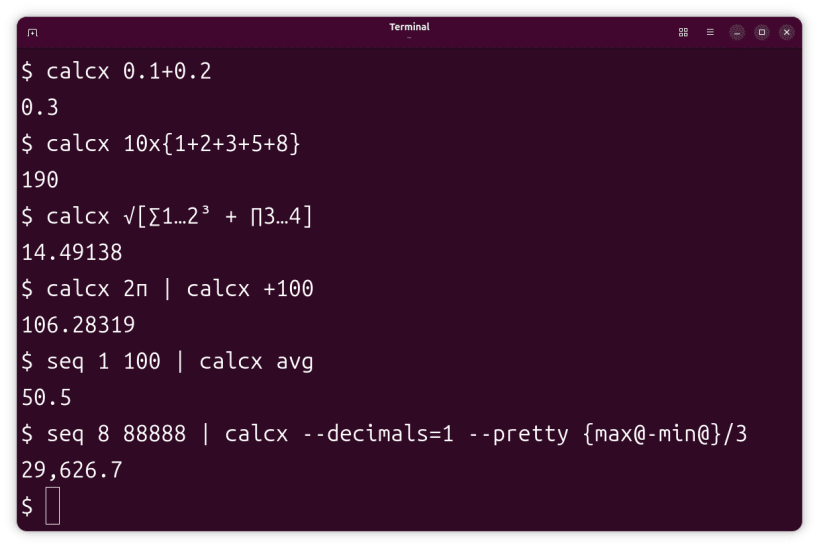
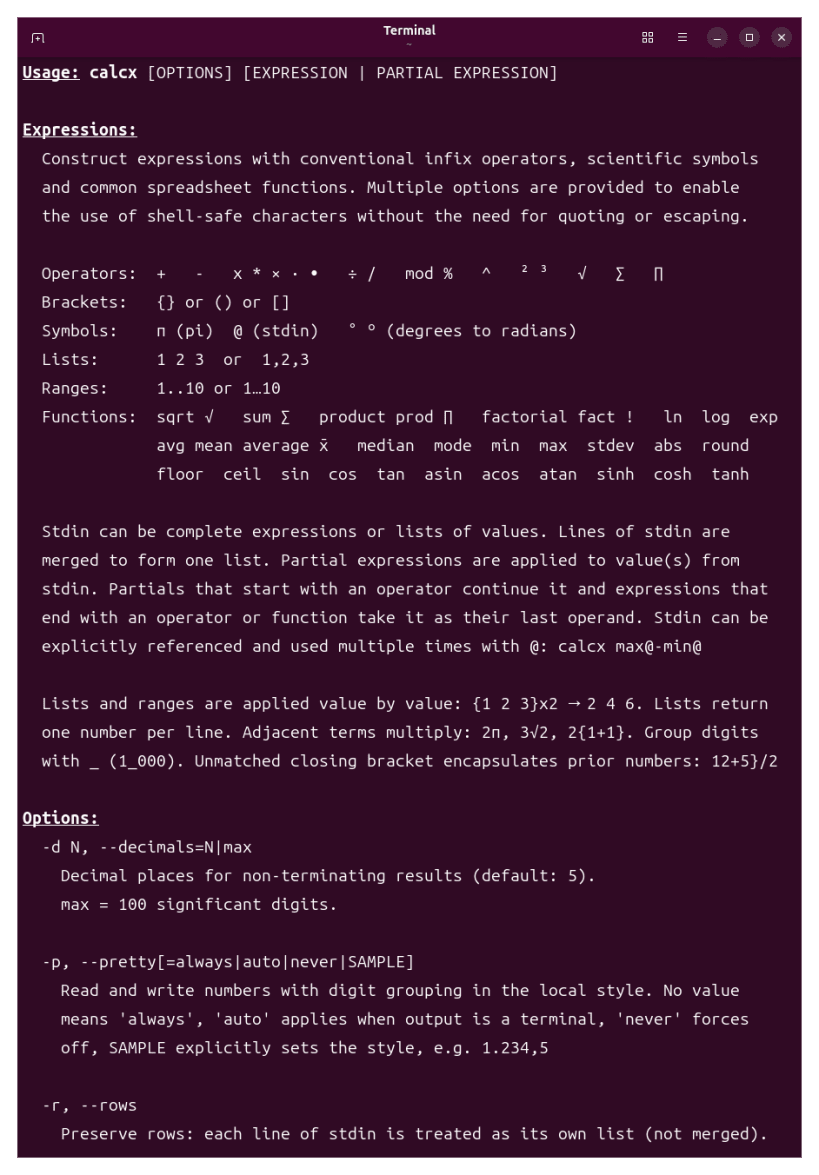
Construct expressions with conventional infix operators, scientific symbols and common spreadsheet functions. Multiple options are provided to enable the use of shell-safe characters without the need for quoting or escaping.
If you spend a lot of time in your shell or keep a terminal window for ad hoc tasks then this is a convenient tool for one-shot calculations and the escalating complexity that sometimes follows.
There is no interactive mode; expressions are expected on the command line: calcx 9+7.
Expressions and lists of numbers can also be consumed from stdin, enabling pipelining.
There are several conveniences for use in a shell/terminal environment:
()*calcx 1+2 and functional programming (spreadsheet) style calcx "sum(1,2)" for access to scientific functions.calcx is written in Rust with support for large numbers and deep precision.
You are about to open
Do you wish to proceed?
Thank you for your report. Information you provided will help us investigate further.
There was an error while sending your report. Please try again later.
Snaps are applications packaged with all their dependencies to run on all popular Linux distributions from a single build. They update automatically and roll back gracefully.
Snaps are discoverable and installable from the Snap Store, an app store with an audience of millions.
On a Raspberry Pi running the latest version of Raspbian snap can be installed directly from the command line:
sudo apt update
sudo apt install snapd
You will also need to reboot your device:
sudo reboot
After this, install the snapd snap in order to get the latest snapd:
sudo snap install snapd
To install calcx, simply use the following command:
sudo snap install calcx

Browse and find snaps from the convenience of your desktop using the snap store snap.

Interested to find out more about snaps? Want to publish your own application? Visit snapcraft.io now.