calcx
Install latest/stable of calcx
Ubuntu 16.04 or later?
Make sure snap support is enabled in your Desktop store.
Details for calcx
Package name
- calcx
License
- MIT
Last updated
- Yesterday - latest/stable
- Yesterday - latest/edge
Websites
Contact
Source code
Report a bug
External link warning
You are about to open
Do you wish to proceed?
Report a Snap Store violation
Report calcx for a Snap Store violation
Snap Store Violation Report submitted successfully
Thank you for your report. Information you provided will help us investigate further.
Error submitting report
There was an error while sending your report. Please try again later.
Share this snap
Generate an embeddable card to be shared on external websites.
Command line calculator (without quoting) for arithmetic expressions and lists
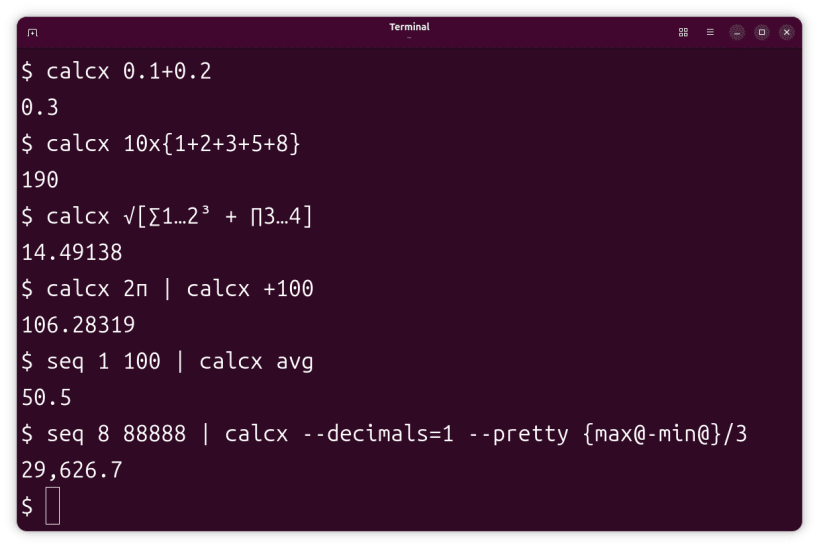
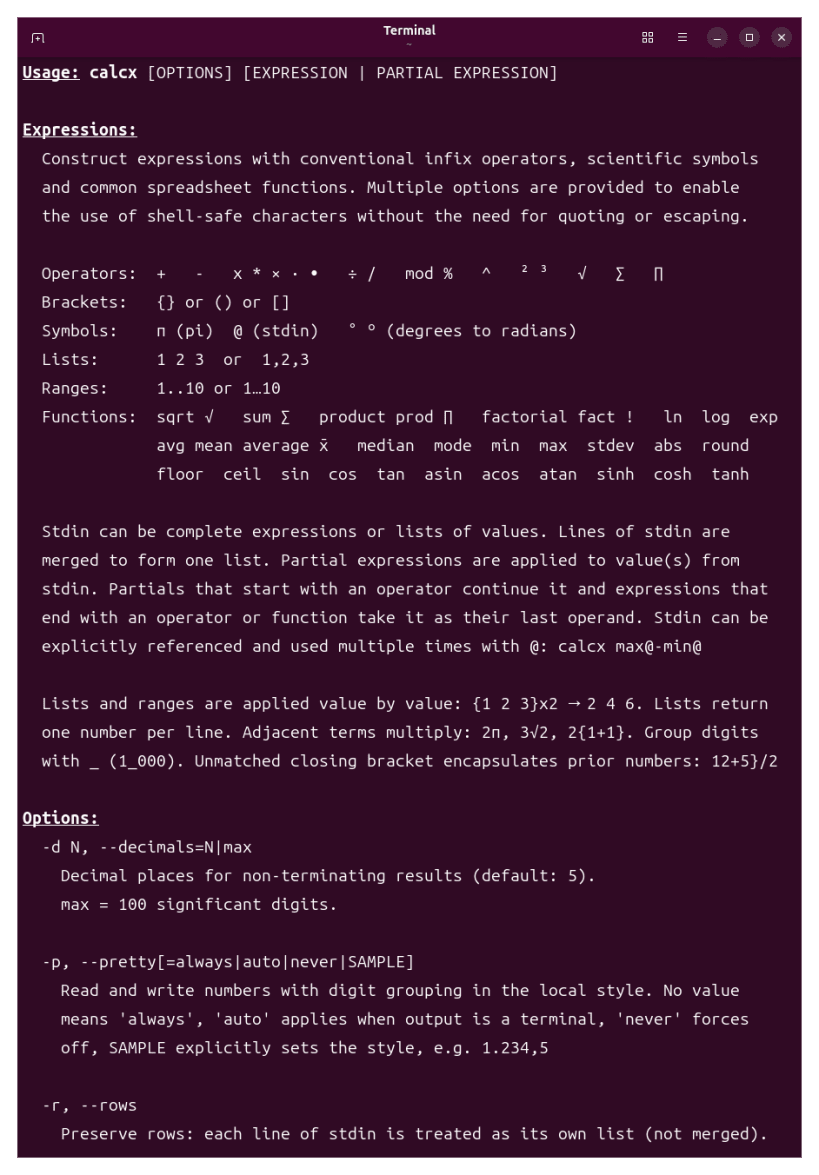
Construct expressions with conventional infix operators, scientific symbols and common spreadsheet functions. Multiple options are provided to enable the use of shell-safe characters without the need for quoting or escaping.
If you spend a lot of time in your shell or keep a terminal window for ad hoc tasks then this is a convenient tool for one-shot calculations and the escalating complexity that sometimes follows.
There is no interactive mode; expressions are expected on the command line: calcx 9+7.
Expressions and lists of numbers can also be consumed from stdin, enabling pipelining.
There are several conveniences for use in a shell/terminal environment:
- No quoting or escaping is needed. Alternatives are provided for characters that have special meaning to common shells such as
()* - Use ASCII and Unicode characters to minimize typing and construct natural looking expressions.
- Multiple styles of brackets to avoid escaping and aid readability of complex nesting.
- Opening brackets are optional. An unmatched closing bracket encapsulates all the numbers before it.
- Designed for pipelining. Receive expressions or numbers from stdin and apply partial expressions to them.
- Use a mix of infix notation
calcx 1+2and functional programming (spreadsheet) stylecalcx "sum(1,2)"for access to scientific functions.
calcx is written in Rust with support for large numbers and deep precision.
| Revision | Channel | Version | Build | Commit | Download SBOM |
|---|
The build and commit information is derived from build infrastructure records.
Install calcx on your Linux distribution
Choose your Linux distribution to get detailed installation instructions. If yours is not shown, get more details on the installing snapd documentation.