


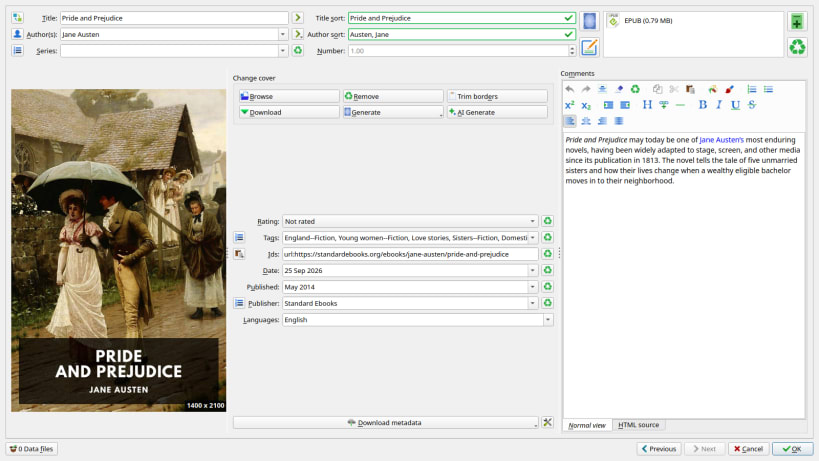
Manage, convert and read your ebooks with Calibre. Organise your library, edit book metadata and covers, convert between popular ebook formats, and read books with the built-in viewer.
Community-maintained snap
This snap packages the official Calibre Linux binaries, but the snap itself is maintained independently and is not endorsed or supported by the Calibre developers.
For installation problems, permissions, device access, or other issues with this snap, please report them to the snap maintainer:
https://github.com/popey/calibre-snap/issues
Please report issues with this package there first, rather than to the upstream Calibre project. The maintainer can help determine whether a problem is specific to the snap.
Connecting ebook readers and external storage
USB device access and access to mounted removable storage are optional permissions. They are not connected automatically.
To allow Calibre to detect and communicate with USB ebook readers:
sudo snap connect calibre:raw-usb
To allow access to mounted readers, USB drives and other removable storage under /media, /run/media and /mnt:
sudo snap connect calibre:removable-media
For a USB reader that appears as a removable drive, you may need both connections. Mount the device using your desktop's file manager, then restart Calibre. These permissions enable access; compatibility with every reader and MTP device has not yet been verified.
Without these connections, you can still manage and read a library stored in an ordinary, non-hidden folder in your home directory.
Using an existing library
Back up your existing Calibre library before switching installations. For an initial migration, use a copy of the complete library folder and select it in Calibre. Do not open the same library in the snap and another Calibre installation at the same time.
Migration guidance and known limitations:
https://github.com/popey/calibre-snap/blob/main/docs/migration.md
You are about to open
Do you wish to proceed?
Thank you for your report. Information you provided will help us investigate further.
There was an error while sending your report. Please try again later.
Snaps are applications packaged with all their dependencies to run on all popular Linux distributions from a single build. They update automatically and roll back gracefully.
Snaps are discoverable and installable from the Snap Store, an app store with an audience of millions.
Snap is available for CentOS 7.6+, and Red Hat Enterprise Linux 7.6+, from the Extra Packages for Enterprise Linux (EPEL) repository. The EPEL repository can be added to your system with the following command:
sudo yum install epel-release
Snap can now be installed as follows:
sudo yum install snapd
Once installed, the systemd unit that manages the main snap communication socket needs to be enabled:
sudo systemctl enable --now snapd.socket
To enable classic snap support, enter the following to create a symbolic link between /var/lib/snapd/snap and /snap:
sudo ln -s /var/lib/snapd/snap /snap
Either log out and back in again, or restart your system, to ensure snap’s paths are updated correctly.
To install Calibre, simply use the following command:
sudo snap install calibre
Browse and find snaps from the convenience of your desktop using the snap store snap.

Interested to find out more about snaps? Want to publish your own application? Visit snapcraft.io now.