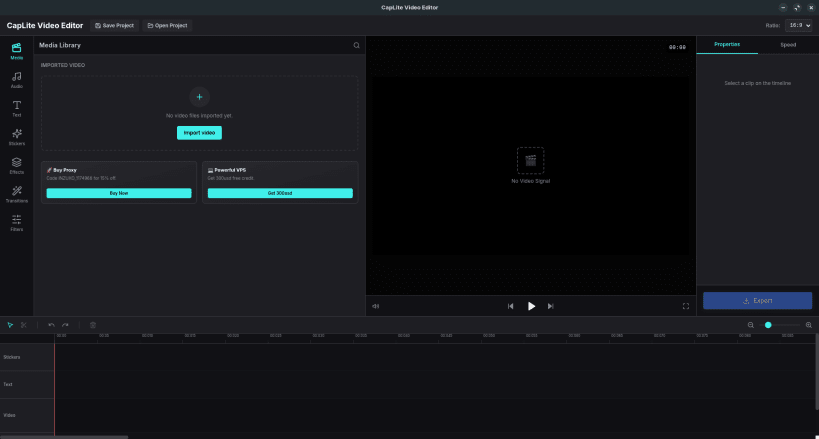

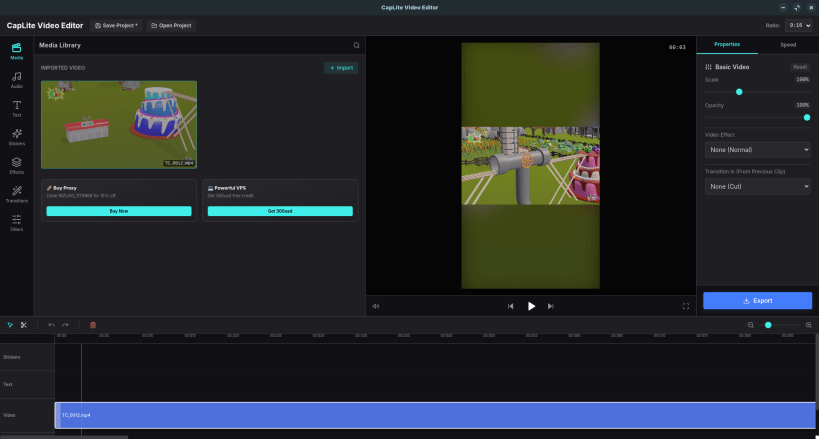
CapLite Video Editor is a lightning-fast, modern, and user-friendly video editing application designed to bring professional-grade tools to everyone. Whether you are creating a quick reel for social media or a detailed vlog, CapLite provides a seamless and intuitive editing experience. With its glassmorphism UI, drag-and-drop mechanics, and powerful backend driven by FFmpeg, CapLite ensures your creative workflow is never interrupted.
Key Features: ✨ Intuitive Timeline: Easy drag-and-drop interface for video, audio, and text clips. 📱 Multi-Format Support: Seamlessly switch between 16:9 (Landscape) and 9:16 (Portrait) aspect ratios with auto-blur backgrounds for vertical videos. 🎵 Audio Control: Mute original audio and adjust volume levels dynamically. 🚀 Professional Export: Fast, high-quality rendering powered by a robust FFmpeg engine. 💾 Smart Project Management: Save and open your projects (.lcp files) securely with dirty-state protections. 🔥 Premium Assets: Includes a built-in library of high-quality stickers and text customization tools.
Experience the next generation of video editing with CapLite Video Editor today!
Thank you for your report. Information you provided will help us investigate further.
There was an error while sending your report. Please try again later.
Snaps are applications packaged with all their dependencies to run on all popular Linux distributions from a single build. They update automatically and roll back gracefully.
Snaps are discoverable and installable from the Snap Store, an app store with an audience of millions.
Snap is available for CentOS 7.6+, and Red Hat Enterprise Linux 7.6+, from the Extra Packages for Enterprise Linux (EPEL) repository. The EPEL repository can be added to your system with the following command:
sudo yum install epel-release
Snap can now be installed as follows:
sudo yum install snapd
Once installed, the systemd unit that manages the main snap communication socket needs to be enabled:
sudo systemctl enable --now snapd.socket
To enable classic snap support, enter the following to create a symbolic link between /var/lib/snapd/snap and /snap:
sudo ln -s /var/lib/snapd/snap /snap
Either log out and back in again, or restart your system, to ensure snap’s paths are updated correctly.
To install CapLite Video Editor, simply use the following command:
sudo snap install caplite-video-editor
Browse and find snaps from the convenience of your desktop using the snap store snap.

Interested to find out more about snaps? Want to publish your own application? Visit snapcraft.io now.