
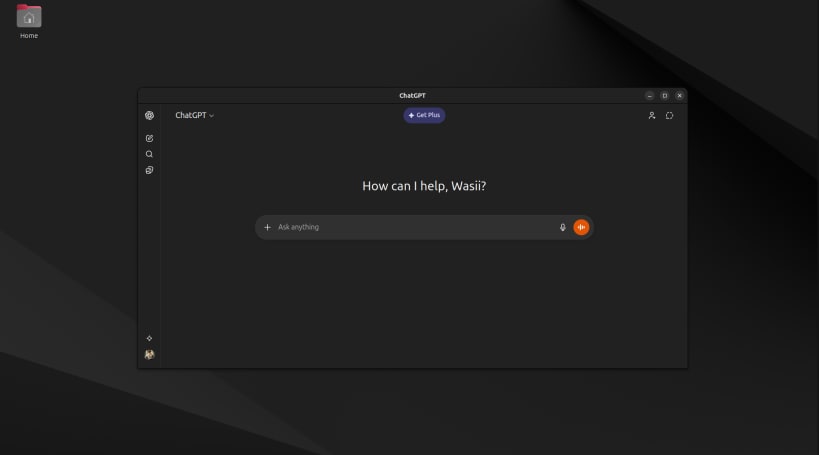
ChatGPT Desktop — Fast, Private, and Lightweight AI Client for Linux
A simple and efficient desktop client for ChatGPT that brings AI conversations directly to your desktop without browser tabs or distractions. Built with Electron for speed and reliability, it delivers a smooth, native-like experience optimized for daily productivity.
Why use ChatGPT Desktop?
Perfect for developers, students, researchers, and everyday users who want quick answers, coding help, writing assistance, or brainstorming — all in one focused desktop app.
Project URL: [https://github.com/evildevill/chatgpt-desktop-linux](https://github.com/evildevill/chatgpt-desktop-linux)
Run commands:
snap install chatgpt-desktop-linux
Simple. Fast. Private. AI at your fingertips.
You are about to open
Do you wish to proceed?
Thank you for your report. Information you provided will help us investigate further.
There was an error while sending your report. Please try again later.
Snaps are applications packaged with all their dependencies to run on all popular Linux distributions from a single build. They update automatically and roll back gracefully.
Snaps are discoverable and installable from the Snap Store, an app store with an audience of millions.
Snap can be installed on Fedora from the command line:
sudo dnf install snapd
Either log out and back in again, or restart your system, to ensure snap’s paths are updated correctly.
To enable classic snap support, enter the following to create a symbolic link between /var/lib/snapd/snap and /snap:
sudo ln -s /var/lib/snapd/snap /snap
To install ChatGPT Desktop, simply use the following command:
sudo snap install chatgpt-desktop-linux
Browse and find snaps from the convenience of your desktop using the snap store snap.

Interested to find out more about snaps? Want to publish your own application? Visit snapcraft.io now.