ChineseDict is a Chinese–English dictionary for people learning Mandarin. The whole dictionary is inside the app, so searching and opening entries need no connection.
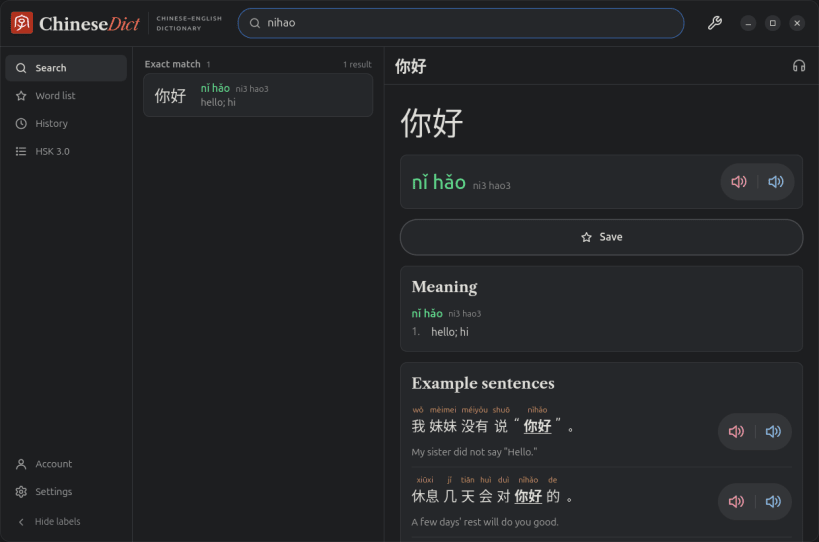
Search by characters, pinyin with or without tone marks, tone numbers, or English. nihao, nǐ hǎo, ni3hao3 and even a mis-toned ni2hao4 all find 你好. Results come grouped: the exact match first, then words that start with or contain what you typed.
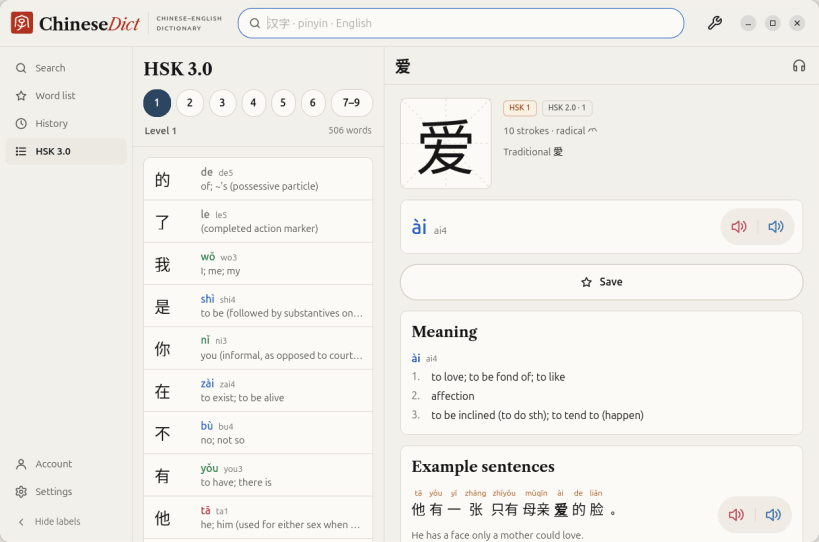
What an entry shows:
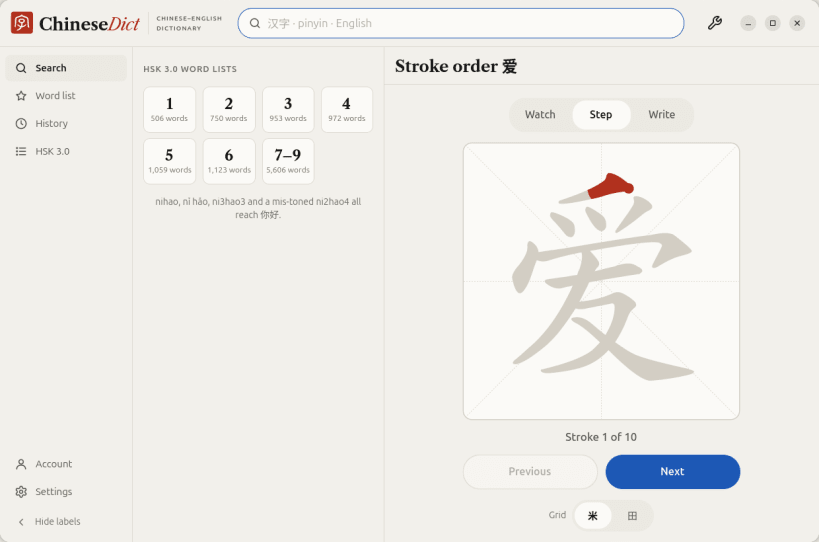
The results stay in a column beside the entry, so you can go down the list with ↑ and ↓ and read each entry without going back. Ctrl+F puts you in the search box from anywhere. Drag the line between the columns to make the list wider; hide the side bar's labels for more room. HSK 3.0 word lists for every level are one click from the search page.
Recordings, stroke order and ancient forms load from chinesedict.com the first time you open them, then stay on the computer. The snap is a 30 MB download (81 MB unpacked), most of it the dictionary.
Save any word with one click. Without an account the list stays on this computer. Sign in with a code sent to your email (no password) and the list and your lookup history are the same here, on chinesedict.com and in the phone apps.
Light and dark themes. No ads.
Dictionary data: CC-CEDICT (CC BY-SA 4.0). Example sentences: Tatoeba (CC BY 2.0 FR). Stroke order: hanzi-writer-data (Arphic Public License). Character components: Make Me a Hanzi (LGPL-3.0). HSK lists: complete-hsk-vocabulary (MIT). Ancient forms: Wikimedia Commons. Full credits are in the app under Settings › About.
You are about to open
Do you wish to proceed?
Thank you for your report. Information you provided will help us investigate further.
There was an error while sending your report. Please try again later.
Snaps are applications packaged with all their dependencies to run on all popular Linux distributions from a single build. They update automatically and roll back gracefully.
Snaps are discoverable and installable from the Snap Store, an app store with an audience of millions.
Snap is available for CentOS 7.6+, and Red Hat Enterprise Linux 7.6+, from the Extra Packages for Enterprise Linux (EPEL) repository. The EPEL repository can be added to your system with the following command:
sudo yum install epel-release
Snap can now be installed as follows:
sudo yum install snapd
Once installed, the systemd unit that manages the main snap communication socket needs to be enabled:
sudo systemctl enable --now snapd.socket
To enable classic snap support, enter the following to create a symbolic link between /var/lib/snapd/snap and /snap:
sudo ln -s /var/lib/snapd/snap /snap
Either log out and back in again, or restart your system, to ensure snap’s paths are updated correctly.
To install ChineseDict, simply use the following command:
sudo snap install chinesedict
Browse and find snaps from the convenience of your desktop using the snap store snap.
Interested to find out more about snaps? Want to publish your own application? Visit snapcraft.io now.