

ChineseDict
Install latest/stable of ChineseDict
Ubuntu 16.04 or later?
Make sure snap support is enabled in your Desktop store.
Install using the command line
sudo snap install chinesedictDon't have snapd? Get set up for snaps.
Details for ChineseDict
Package name
- chinesedict
License
- Proprietary
Last updated
- Yesterday - latest/stable
- Yesterday - latest/candidate
Websites
Contact
Report a bug
External link warning
You are about to open
Do you wish to proceed?
Report a Snap Store violation
Report ChineseDict for a Snap Store violation
Snap Store Violation Report submitted successfully
Thank you for your report. Information you provided will help us investigate further.
Error submitting report
There was an error while sending your report. Please try again later.
Share this snap
Generate an embeddable card to be shared on external websites.
Offline Chinese–English dictionary with recordings and stroke order
ChineseDict is a Chinese–English dictionary for people learning Mandarin. The whole dictionary is inside the app, so searching and opening entries need no connection.
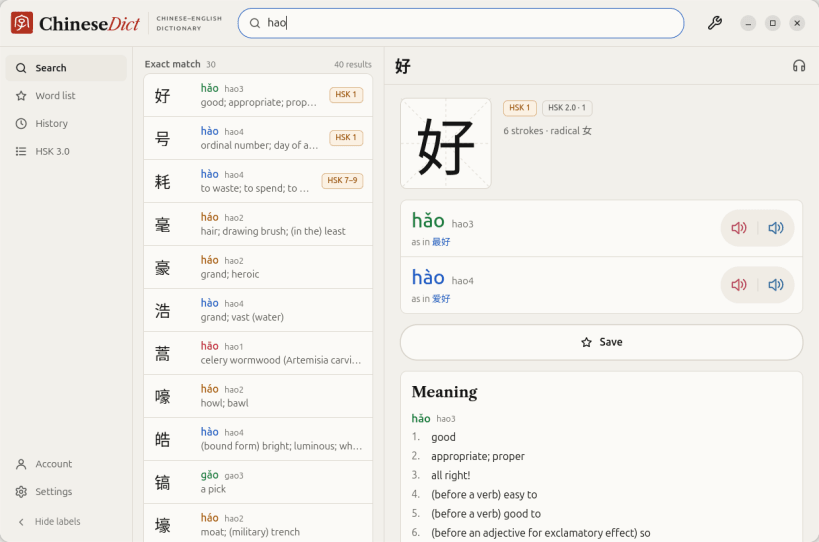
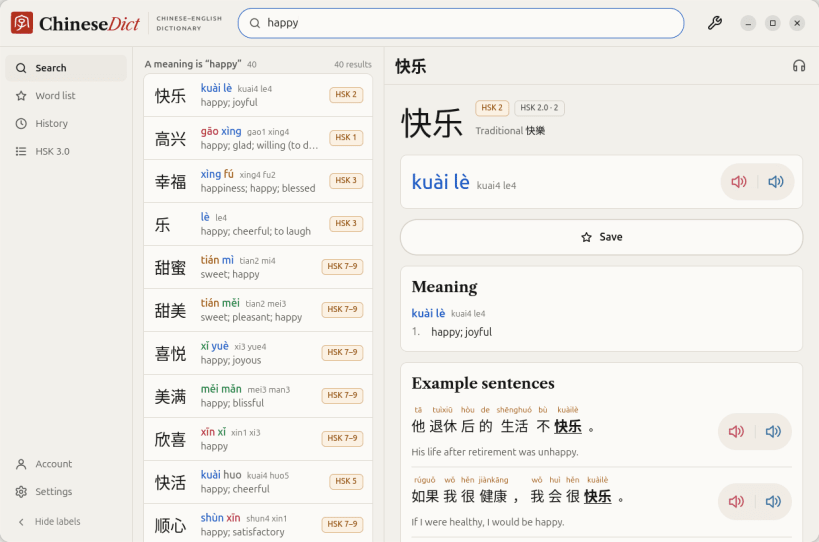
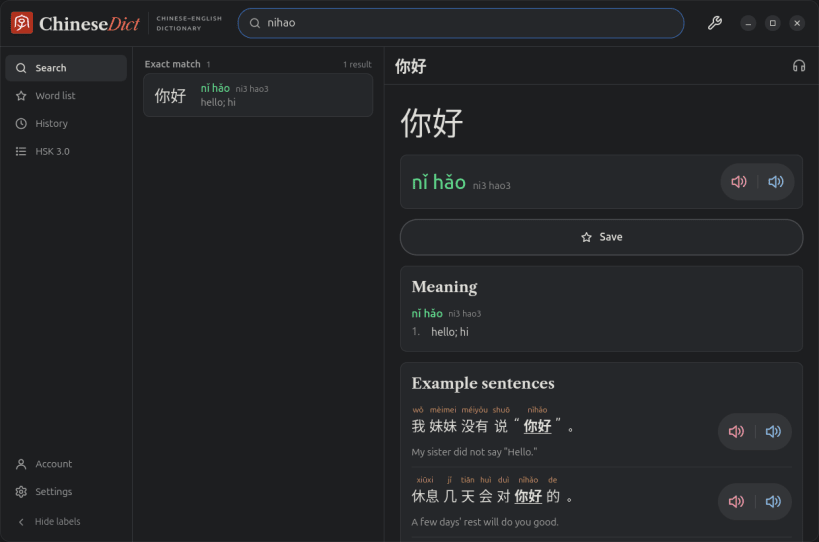
Search by characters, pinyin with or without tone marks, tone numbers, or English. nihao, nǐ hǎo, ni3hao3 and even a mis-toned ni2hao4 all find 你好. Results come grouped: the exact match first, then words that start with or contain what you typed.
What an entry shows:
- Pinyin in tone colours, with the tone-number form beside it
- Meanings, measure words, traditional and variant forms
- Example sentences with pinyin over each word
- Female and male recordings for 61,662 words and every example sentence, at a speed you set from 0.5× to 1.5×, played once, twice or three times
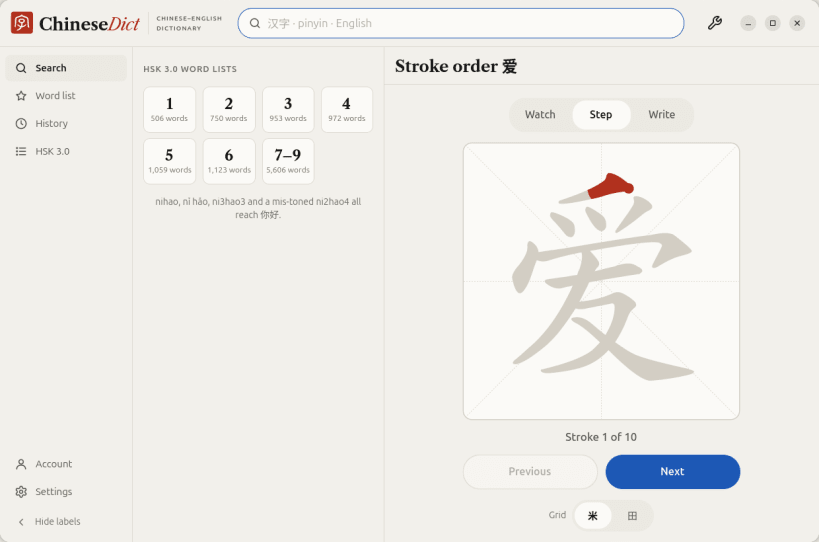
- Stroke order to watch, step through, or write yourself with the mouse or a touchpad
- Ancient forms, from oracle bone script to clerical script, for 2,807 characters
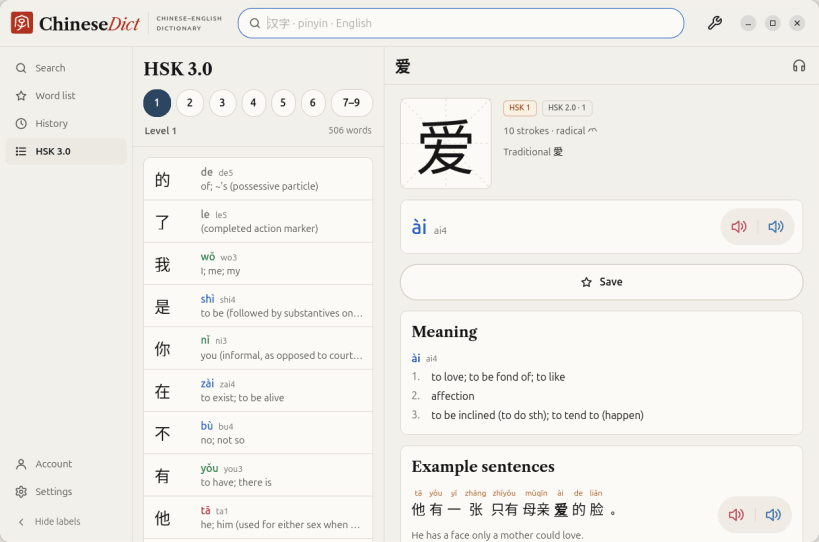
- HSK 3.0 levels, and HSK 2.0 levels where a word had one
The results stay in a column beside the entry, so you can go down the list with ↑ and ↓ and read each entry without going back. Ctrl+F puts you in the search box from anywhere. Drag the line between the columns to make the list wider; hide the side bar's labels for more room. HSK 3.0 word lists for every level are one click from the search page.
Recordings, stroke order and ancient forms load from chinesedict.com the first time you open them, then stay on the computer. The snap is a 30 MB download (81 MB unpacked), most of it the dictionary.
Save any word with one click. Without an account the list stays on this computer. Sign in with a code sent to your email (no password) and the list and your lookup history are the same here, on chinesedict.com and in the phone apps.
Light and dark themes. No ads.
Dictionary data: CC-CEDICT (CC BY-SA 4.0). Example sentences: Tatoeba (CC BY 2.0 FR). Stroke order: hanzi-writer-data (Arphic Public License). Character components: Make Me a Hanzi (LGPL-3.0). HSK lists: complete-hsk-vocabulary (MIT). Ancient forms: Wikimedia Commons. Full credits are in the app under Settings › About.
| Revision | Channel | Version | Build | Commit | Download SBOM |
|---|
The build and commit information is derived from build infrastructure records.
Install ChineseDict on your Linux distribution
Choose your Linux distribution to get detailed installation instructions. If yours is not shown, get more details on the installing snapd documentation.


