Desktop for Claude is a fast desktop app for Claude AI - no browser needed.
Use Claude directly from your desktop, distraction-free and always at hand.
There is an official Claude app for Linux. Anthropic ships one since 30 June 2026 for Ubuntu 22.04+ and Debian 12+ from their own apt repository, including Cowork and Claude Code. If that fits your system, use it: https://code.claude.com/docs/en/desktop-linux
This app is not discontinued. Updates and fixes keep coming, new features less often than before. It also remains the option on Ubuntu 20.04, which the official app does not support, and here in the Snap Store, where there is no official package. The install guide for the official app is built into the menu.
If you are using a VPN, activate split tunnelling for this app.
Features:
- Tab system with its own tab bar (Ctrl+T, Ctrl+W, Ctrl+Tab), frameless window with the window controls in the tab bar
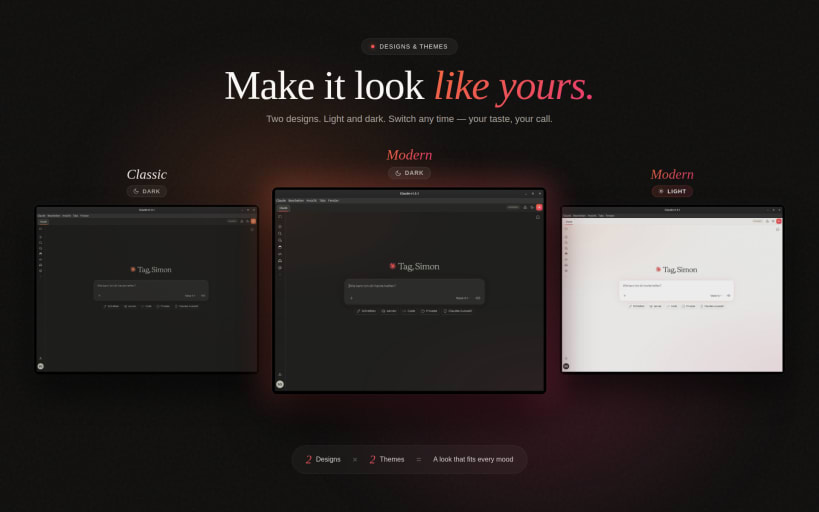
- Four colour themes (Light, Dark, OLED, Midnight Blue) and three accent styles (Modern, Classic, Neon), freely combinable, picked in a Design window that previews each one
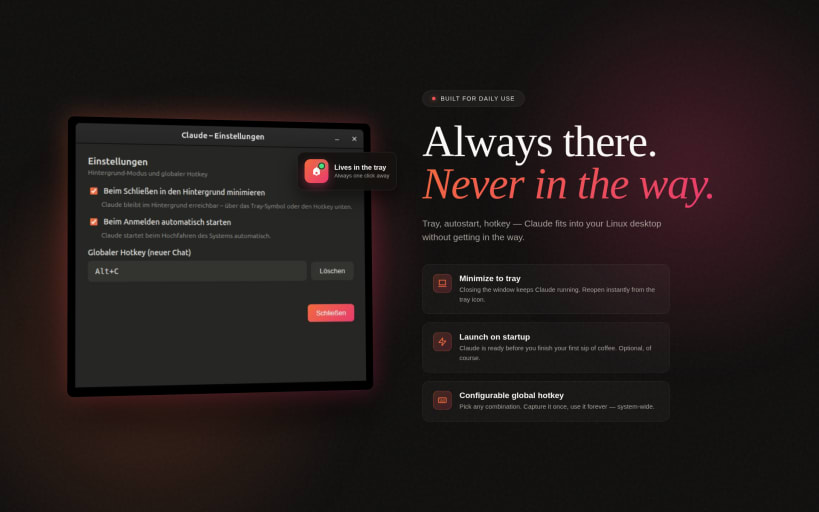
- System tray with optional minimize-to-tray
- Global Quick-Prompt hotkey - a small prompt window drops your text straight into a new chat from any app, with reusable templates
- Voice input - record voice messages directly in claude.ai
- OAuth logins in-app - Google, GitHub, GitLab, Bitbucket, Microsoft, plus MCP connectors
- Markdown export of conversations (Ctrl+Shift+E)
- Background notifications when Claude finishes answering
- Clipboard and screenshot hotkeys to start a chat from a selection or an image
- In-app bug report form in DE/EN/FR/ES/IT
- Window memory, crash recovery, offline page, download manager, autostart, sandbox enabled
Snap permissions:
For voice input, connect the audio-record interface once:
sudo snap connect claude-ai-desktop:audio-record
For attaching and saving files outside your home folder (external drives, /media):
sudo snap connect claude-ai-desktop:removable-media
The in-app wizard guides you through the microphone permission on first use.
Get in touch:
Use the built-in "Report a Bug" button (App Menu, Report a Bug) for feedback and bug reports, or write to simonlinuxcraft@pm.me. That address reaches the developer, not Anthropic support.
Source code: https://github.com/simonlinuxcraft/claude-ai-desktop-app (MIT licence)
Not affiliated with Anthropic.
This is an unofficial community wrapper around claude.ai for Linux. It is not made by, endorsed by, or affiliated with Anthropic PBC. "Claude" and the Claude logo are trademarks of Anthropic PBC. For account, login, subscription, billing or any service-side questions please contact Anthropic directly at https://support.anthropic.com