


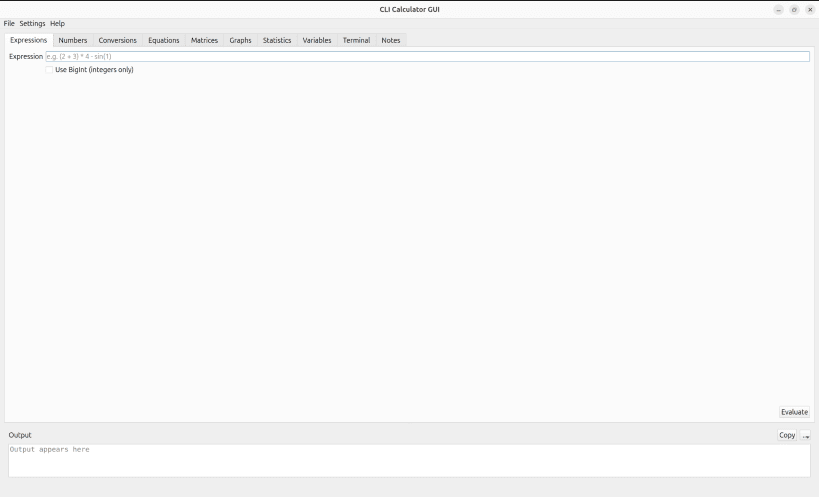
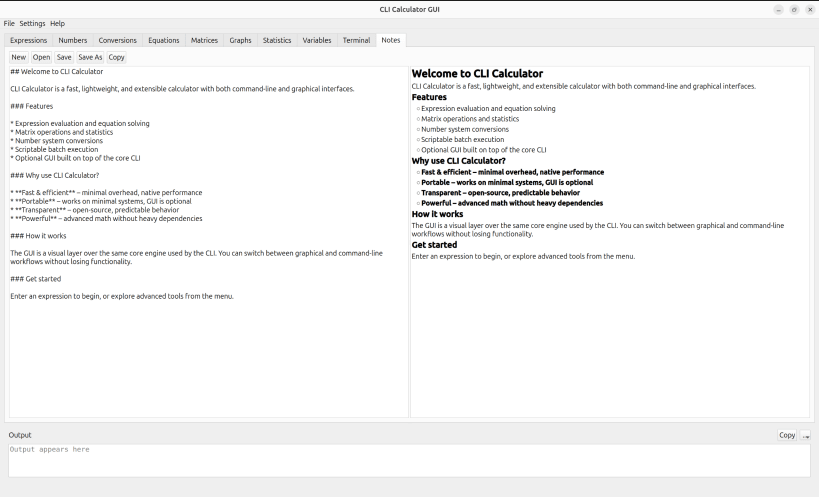
CLI Calculator is a lightweight yet full-featured command-line toolkit that lets you evaluate expressions, convert number bases, solve equations, work with matrices, and inspect divisors without ever leaving the terminal. It targets developers, power users, and anyone who appreciates deterministic C++ utilities.
Highlights
+ - * / x :, parentheses, factorial, and built-in math functions such as sin, cos, log, sqrt, tan, exp, and sinh0b), decimal, and hexadecimal (0x) inputs or outputs in one commanda * x + b = 0) and quadratic (a * x^2 + b * x + c = 0) equations, including complex roots, with guided promptsvars.toml) so you can reuse values in future sessions or in scriptsCLI workflows
cli-calculator launches the interactive menu (matrix tools, equation solver, prime factorization, divisors, variable manager, etc.)cli-calculator --repl opens an instant read–eval–print loop with history (:history, !<n>) and autocompletion-like shortcutscli-calculator --eval "2*(3+5)" evaluates expressions headlessly; combine with --output json|yaml|xml for script-friendly responsescli-calculator --convert 10 16 42, --divisors 120, --prime-factorization 32768, and --square-root 625 provide single-shot utilities without entering the menucli-calculator --batch tasks.txt executes a list of commands with helper directives (@set, @input, @include, @if, @unset) so you can automate repetitive calculationsUsage tips
--variables (or --list-variables) prints the persisted values, and --version reports the build without launching the UI--no-colorYou are about to open
Do you wish to proceed?
Thank you for your report. Information you provided will help us investigate further.
There was an error while sending your report. Please try again later.
Snaps are applications packaged with all their dependencies to run on all popular Linux distributions from a single build. They update automatically and roll back gracefully.
Snaps are discoverable and installable from the Snap Store, an app store with an audience of millions.
Snap can be installed on elementary OS from the command line. Open Terminal from the Applications launcher and type the following:
sudo apt update
sudo apt install snapd
Either log out and back in again, or restart your system, to ensure snap’s paths are updated correctly.
To install CLI Calculator, simply use the following command:
sudo snap install cli-calculator
Browse and find snaps from the convenience of your desktop using the snap store snap.

Interested to find out more about snaps? Want to publish your own application? Visit snapcraft.io now.