

CLI Calculator
Install latest/stable of CLI Calculator
Ubuntu 16.04 or later?
Make sure snap support is enabled in your Desktop store.
Install using the command line
sudo snap install cli-calculatorDon't have snapd? Get set up for snaps.


Details for CLI Calculator
Package name
- cli-calculator
License
- Apache-2.0
Last updated
- 29 December 2025 - latest/stable
- 13 April 2026 - latest/edge
Source code
Report a bug
External link warning
You are about to open
Do you wish to proceed?
Report a Snap Store violation
Report CLI Calculator for a Snap Store violation
Snap Store Violation Report submitted successfully
Thank you for your report. Information you provided will help us investigate further.
Error submitting report
There was an error while sending your report. Please try again later.
Share this snap
Generate an embeddable card to be shared on external websites.
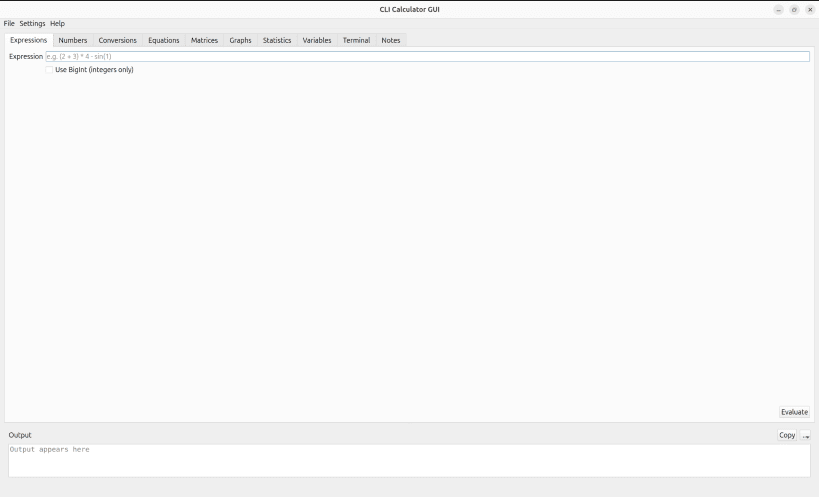
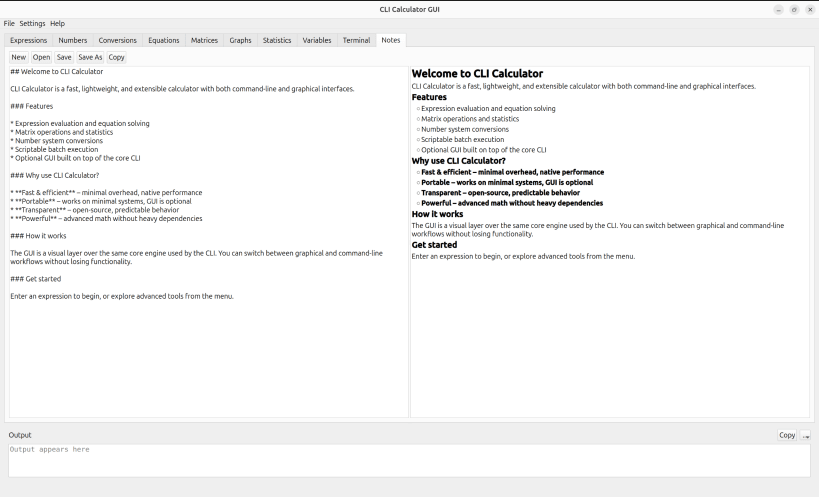
Simple CLI calculator, with simple GUI.
CLI Calculator is a lightweight yet full-featured command-line toolkit that lets you evaluate expressions, convert number bases, solve equations, work with matrices, and inspect divisors without ever leaving the terminal. It targets developers, power users, and anyone who appreciates deterministic C++ utilities.
Highlights
- Evaluate arbitrarily long expressions with
+ - * / x :, parentheses, factorial, and built-in math functions such assin,cos,log,sqrt,tan,exp, andsinh - Convert signed integers between binary (
0b), decimal, and hexadecimal (0x) inputs or outputs in one command - Solve linear (
a * x + b = 0) and quadratic (a * x^2 + b * x + c = 0) equations, including complex roots, with guided prompts - Run matrix workflows (add, subtract, multiply) for arbitrarily sized matrices with validation before each operation
- Perform prime factorization and divisor lookups optimized for large integers
- Inspect or edit persisted variables (
vars.toml) so you can reuse values in future sessions or in scripts
CLI workflows
cli-calculatorlaunches the interactive menu (matrix tools, equation solver, prime factorization, divisors, variable manager, etc.)cli-calculator --replopens an instant read–eval–print loop with history (:history,!<n>) and autocompletion-like shortcutscli-calculator --eval "2*(3+5)"evaluates expressions headlessly; combine with--output json|yaml|xmlfor script-friendly responsescli-calculator --convert 10 16 42,--divisors 120,--prime-factorization 32768, and--square-root 625provide single-shot utilities without entering the menucli-calculator --batch tasks.txtexecutes a list of commands with helper directives (@set,@input,@include,@if,@unset) so you can automate repetitive calculations
Usage tips
- Variables and batch directives let you reuse previous results; numerical CLI flags accept variable names as arguments
--variables(or--list-variables) prints the persisted values, and--versionreports the build without launching the UI- ANSI colors are enabled by default; disable them with
--no-color - Works great inside scripts, containers, CI pipelines, or minimal environments—there are no runtime dependencies beyond libstdc++
| Revision | Channel | Version | Build | Commit | Download SBOM |
|---|
The build and commit information is derived from build infrastructure records.
Install CLI Calculator on your Linux distribution
Choose your Linux distribution to get detailed installation instructions. If yours is not shown, get more details on the installing snapd documentation.











