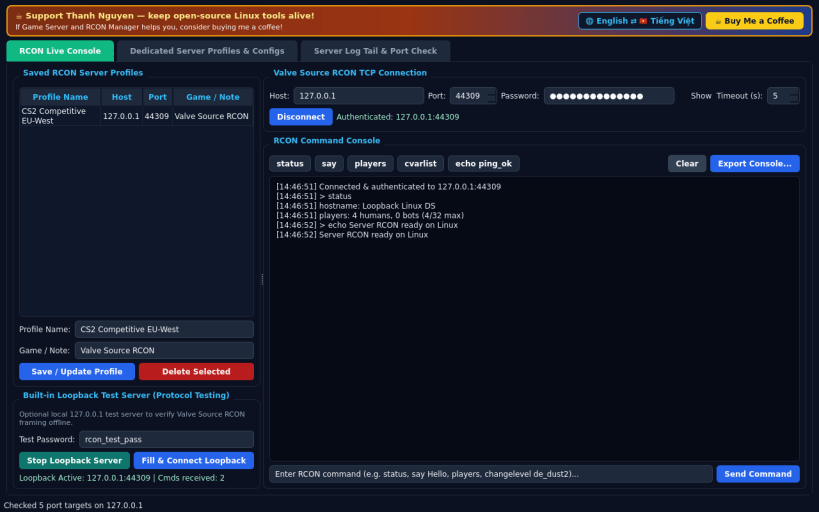
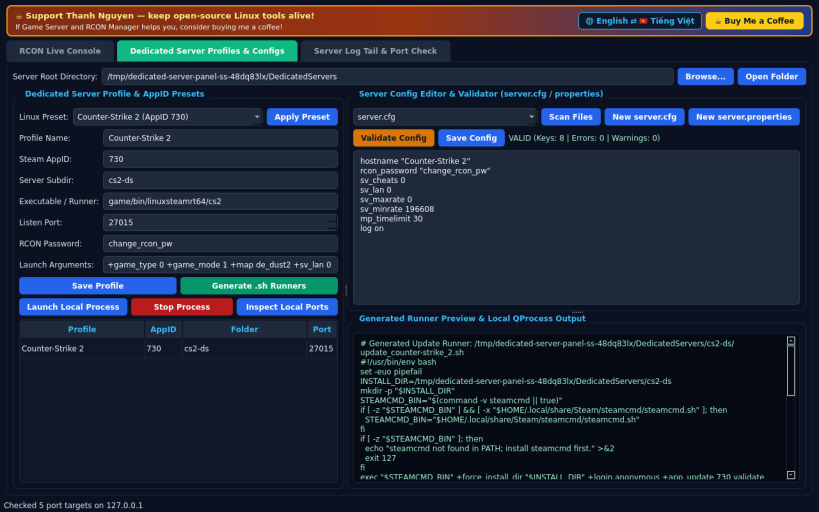
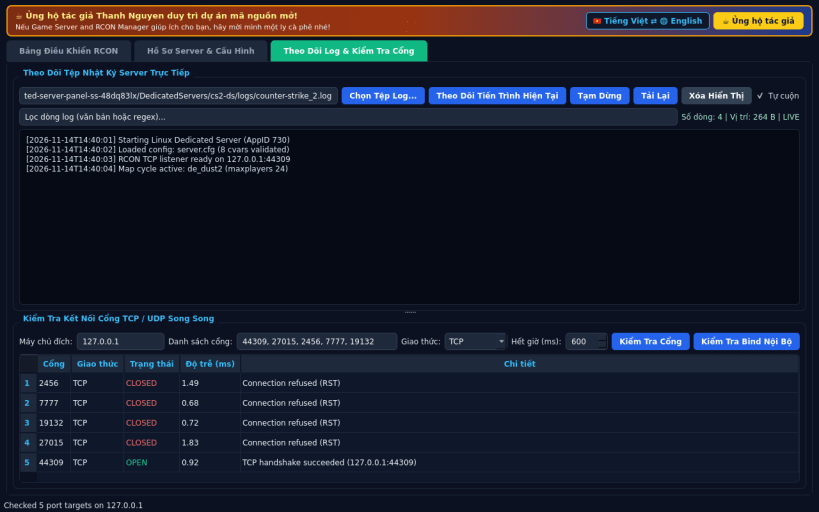
An independent open-source Linux management suite for dedicated game servers and Valve Source RCON administration, offering a clean alternative to classic dedicated server GUI launchers. Not affiliated with or endorsed by Valve Corporation or any game publisher.
FEATURES • Live Valve Source RCON TCP Console: connect to game servers using password authentication, run admin commands (status, say, players, cvar queries), manage saved server endpoints, and test locally with a built-in loopback RCON test server. • Dedicated Server Profiles & Config Validation: organize server folders in your home directory, select Linux AppID presets (CS2 730, Valheim 896660, Terraria, Bedrock, Left 4 Dead 2 222860, Team Fortress 2 232250), generate clean .sh launch runners, validate server.cfg and properties files, and launch local server processes. • Live Log Tail & Port Connectivity Checker: follow real-time server log files with line filtering and run concurrent TCP/UDP port checks. • Bilingual Interface: defaults to English with instant Vietnamese toggle.
SUPPORT & DONATE • Created by Thanh Nguyen — https://buymeacoffee.com/thanhnv128b
You are about to open
Do you wish to proceed?
Thank you for your report. Information you provided will help us investigate further.
There was an error while sending your report. Please try again later.
Snaps are applications packaged with all their dependencies to run on all popular Linux distributions from a single build. They update automatically and roll back gracefully.
Snaps are discoverable and installable from the Snap Store, an app store with an audience of millions.
If you’re running Kubuntu 16.04 LTS (Xenial Xerus) or later, including Kubuntu 18.04 LTS (Bionic Beaver) and Kubuntu 18.10 (Cosmic Cuttlefish), you don’t need to do anything. Snap is already installed and ready to go.
Versions of Kubuntu between 14.04 LTS (Trusty Tahr) and 15.10 (Wily Werewolf) don’t include snap by default, but snap can be installed from the command line as follows:
sudo apt update
sudo apt install snapd
To install Game Server and RCON Manager, simply use the following command:
sudo snap install dedicated-server-panel
Browse and find snaps from the convenience of your desktop using the snap store snap.
Interested to find out more about snaps? Want to publish your own application? Visit snapcraft.io now.