
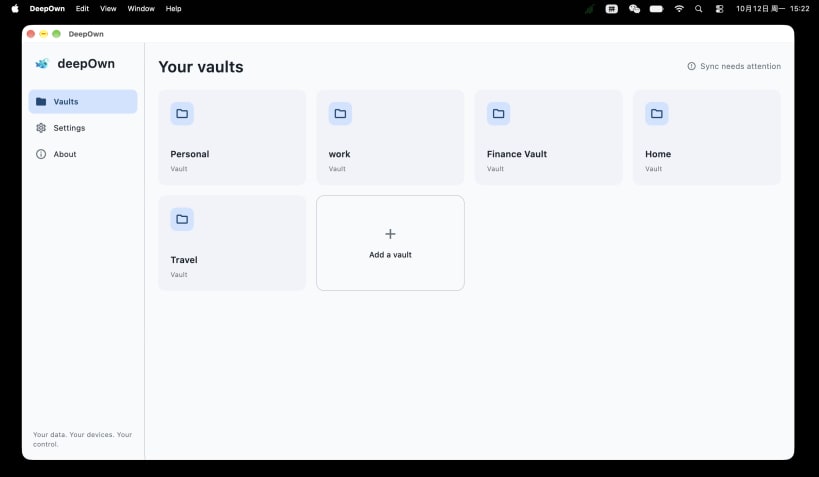
DeepOwn is a private, encrypted vault for storing the information you want to keep under your control.
Store private notes, personal information, documents, images, and attachments in encrypted vaults. Your data stays on your devices and can sync directly between your own devices over your local network.
PRIVATE BY DESIGN
DeepOwn is built around a simple principle: your private data should belong to you.
• Encrypted personal vaults • Local-first data storage • No cloud storage required • Direct device-to-device synchronization • Separate vaults for personal and work information • Notes, documents, images, and attachments
SYNC YOUR OWN DEVICES
Use DeepOwn on your phone and computer.
When you save a change, available devices on your local network can synchronize directly. If a device is offline, it can catch up when it comes back online.
No central server is required to store your vault data.
ORGANIZE YOUR PRIVATE DATA
Create separate vaults for whatever matters to you:
• Personal information • Documents • Work • Family • Important notes • Private records
Each vault keeps your information organized while remaining under your control.
RECOVERY PHRASE
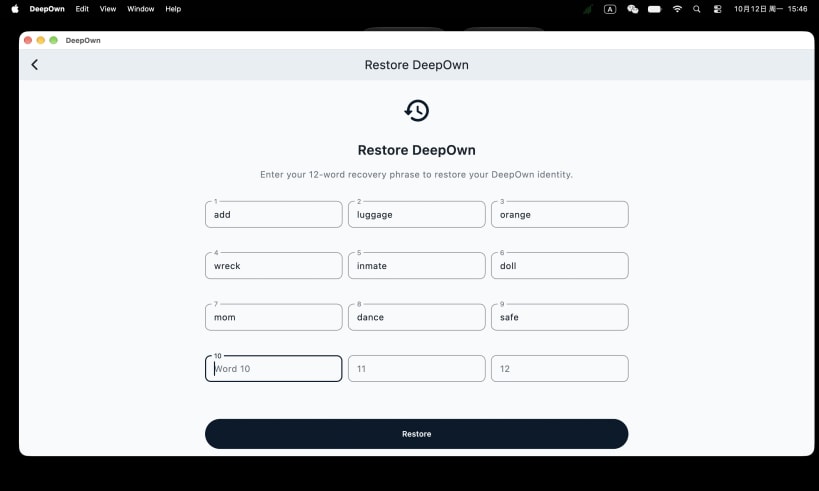
Your DeepOwn identity is protected by a 12-word recovery phrase.
Keep your recovery phrase somewhere safe. It is used to restore your DeepOwn identity and access your vaults on another device.
BUILT FOR YOUR DEVICES
DeepOwn is designed for a world where your data does not need to live on someone else's server.
Your phone. Your computer. Your data.
You are about to open
Do you wish to proceed?
Thank you for your report. Information you provided will help us investigate further.
There was an error while sending your report. Please try again later.
Snaps are applications packaged with all their dependencies to run on all popular Linux distributions from a single build. They update automatically and roll back gracefully.
Snaps are discoverable and installable from the Snap Store, an app store with an audience of millions.
If you’re running Kubuntu 16.04 LTS (Xenial Xerus) or later, including Kubuntu 18.04 LTS (Bionic Beaver) and Kubuntu 18.10 (Cosmic Cuttlefish), you don’t need to do anything. Snap is already installed and ready to go.
Versions of Kubuntu between 14.04 LTS (Trusty Tahr) and 15.10 (Wily Werewolf) don’t include snap by default, but snap can be installed from the command line as follows:
sudo apt update
sudo apt install snapd
To install DeepOwn, simply use the following command:
sudo snap install deepown
Browse and find snaps from the convenience of your desktop using the snap store snap.

Interested to find out more about snaps? Want to publish your own application? Visit snapcraft.io now.