A Linux X11 alternative to Fences. Independent open-source project, not affiliated with or endorsed by Stardock.
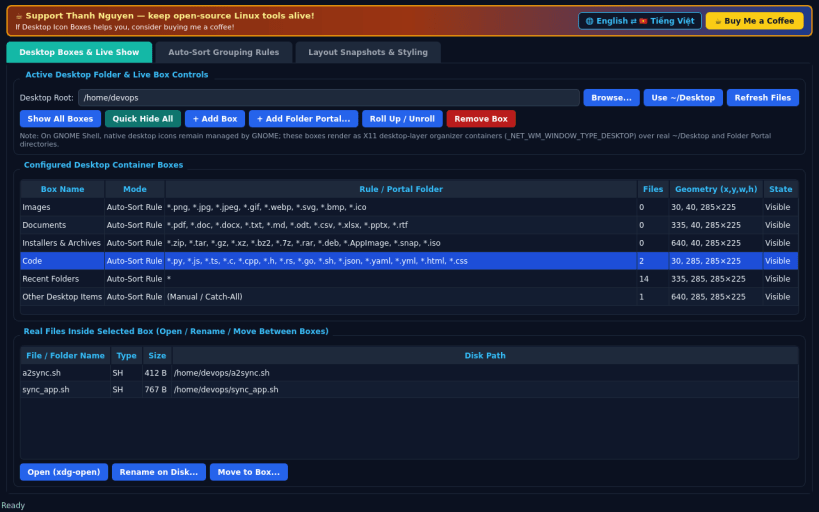
DESKTOP BOXES & LIVE SHOW • Translucent, draggable, resizable desktop container boxes rendered as X11 desktop-layer windows (_NET_WM_WINDOW_TYPE_DESKTOP, pinned at lower stack) backed 100% by real files in your ~/Desktop or chosen user folder. • Each box features a shaded titlebar header, Double-Click Titlebar Roll-Up animation, scrollable real file/folder icons with crisp file-type badges, click/double-click open via xdg-open, Rename, Move File Between Boxes, and Quick Hide / Show All Boxes toggle + global hotkey (Ctrl+Alt+B).
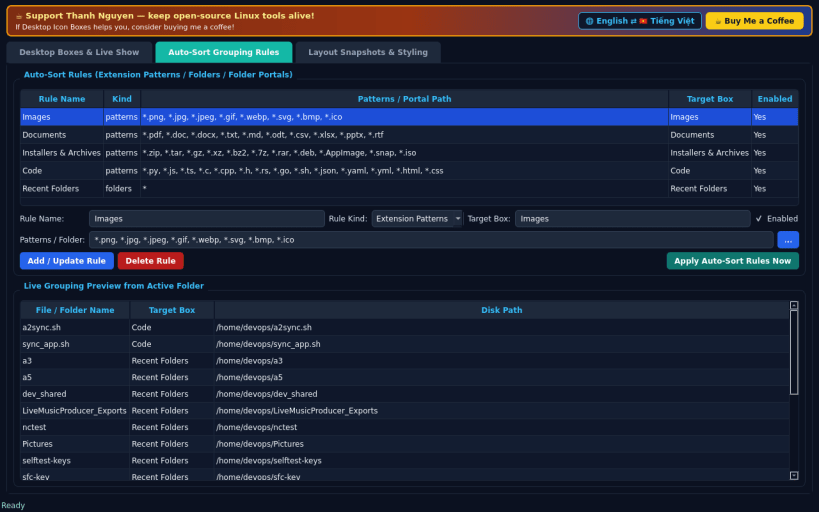
AUTO-SORT GROUPING RULES & FOLDER PORTALS • Define extension/pattern sorting rules (Images, Documents, Installers & Archives, Code, Recent Folders) and apply rules directly against real ~/Desktop files. • Point any Box directly at any real folder on disk as a live Folder Portal.
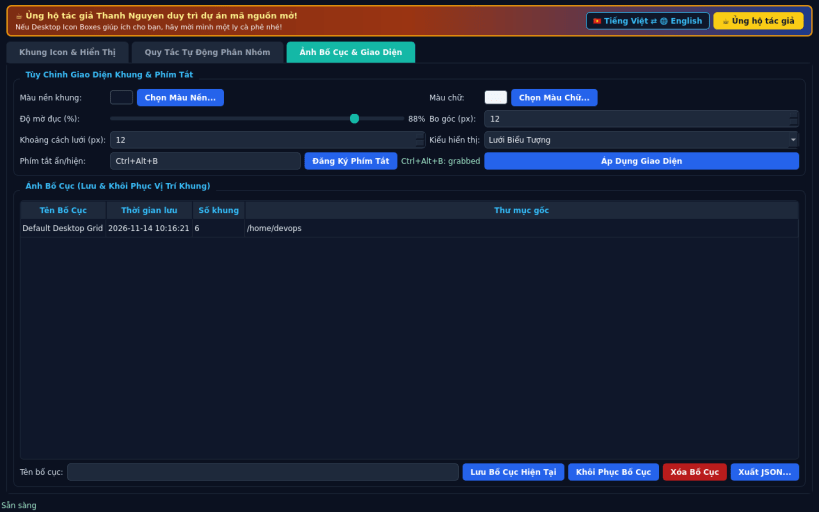
LAYOUT SNAPSHOTS & BOX STYLING • Customize box translucent tint color, opacity, border radius, font color, and icon grid spacing, and save/restore named layout snapshots.
LIMITATIONS (honest) • On GNOME Shell, native desktop icons remain managed by GNOME; these boxes render as desktop-layer organizer containers over real ~/Desktop and Folder Portal directories. • Desktop-layer EWMH hints and global XGrabKey hotkeys require an X11 / XWayland session.
SUPPORT & DONATE • Created by Thanh Nguyen — https://buymeacoffee.com/thanhnv128b
You are about to open
Do you wish to proceed?
Thank you for your report. Information you provided will help us investigate further.
There was an error while sending your report. Please try again later.
Snaps are applications packaged with all their dependencies to run on all popular Linux distributions from a single build. They update automatically and roll back gracefully.
Snaps are discoverable and installable from the Snap Store, an app store with an audience of millions.
Snap can be installed on Pop!_OS from the command line. Open Terminal from the Applications launcher and type the following:
sudo apt update
sudo apt install snapd
Either log out and back in again, or restart your system, to ensure snap’s paths are updated correctly.
To install Desktop Icon Boxes, simply use the following command:
sudo snap install desktop-icon-boxes-linux
Browse and find snaps from the convenience of your desktop using the snap store snap.
Interested to find out more about snaps? Want to publish your own application? Visit snapcraft.io now.