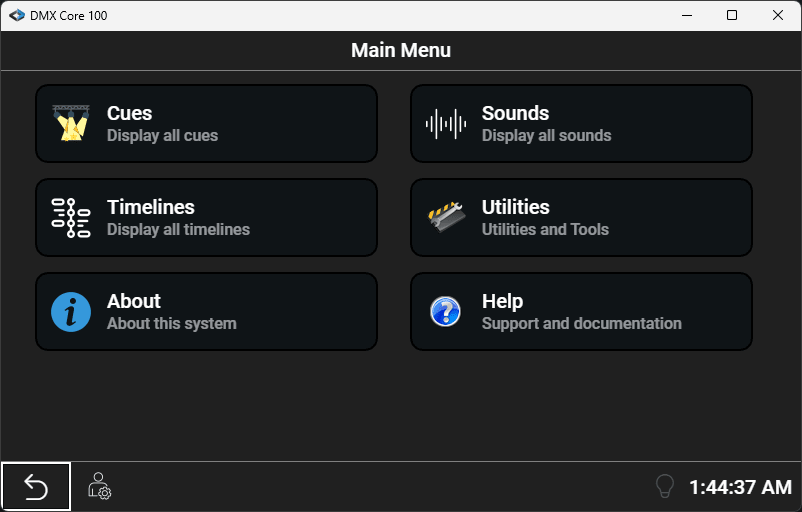
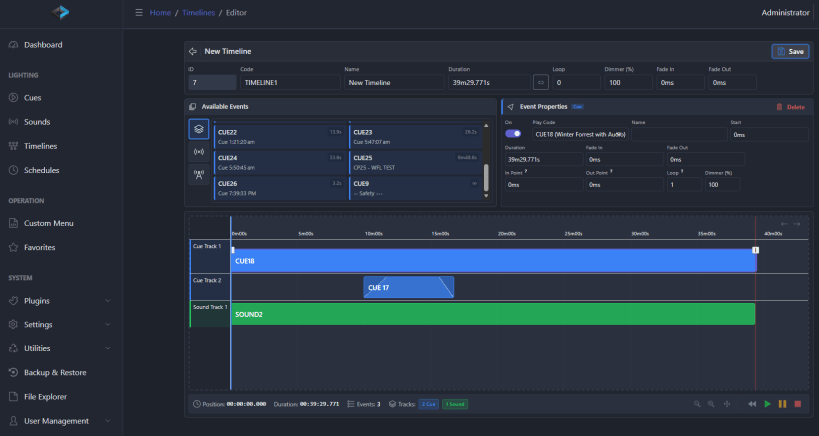
Transform any standard Linux system into a powerful lighting control platform. DMX Core 100 brings professional-grade show control and streaming capabilities to Art-Net, sACN, and KiNet lighting networks.
Key Features:
Originally Designed for Dedicated Hardware
While DMX Core 100 was originally developed for custom wall-mounted hardware controllers, this snap package brings the same powerful software to standard computing platforms. Run on your own server, industrial PC, or embedded Linux device.
Web Server and Default PIN
The local web server for the Web UI is hosted on port 8000 and 8001 for https (self-signed cert). Login with default pin 1111.
Post-Installation Configuration
Because of the high performance requirements of processing 800 universes we need to make sure the host computer is set up with larger than default network buffers. Also to get audio playback you have to connect the alsa to the snap. We have developed a simple script that handles all of that, linked in the documentation at this page: https://docs.dmxcore.com/dmx-core-100/troubleshooting/config-issues
Perfect For:
Documentation & Support
Full documentation: https://docs.dmxcore.com/dmx-core-100/
Note: This software requires compatible Art-Net/sACN lighting equipment. USB DMX output supported via Enttec Pro or DMXking USB interfaces (up to 4 universes). The current version is running in demo-mode, please contact us to purchase a commercial license.
You are about to open
Do you wish to proceed?
Thank you for your report. Information you provided will help us investigate further.
There was an error while sending your report. Please try again later.
Snaps are applications packaged with all their dependencies to run on all popular Linux distributions from a single build. They update automatically and roll back gracefully.
Snaps are discoverable and installable from the Snap Store, an app store with an audience of millions.
On Debian 9 (Stretch) and newer, snap can be installed directly from the command line:
sudo apt update
sudo apt install snapd
After this, install the snapd snap in order to get the latest snapd:
sudo snap install snapd
To install DMX Core 100, simply use the following command:
sudo snap install dmxcore100
Browse and find snaps from the convenience of your desktop using the snap store snap.

Interested to find out more about snaps? Want to publish your own application? Visit snapcraft.io now.