A Linux X11 alternative to LittleBigMouse. Independent open-source project, not affiliated with or endorsed by LittleBigMouse.
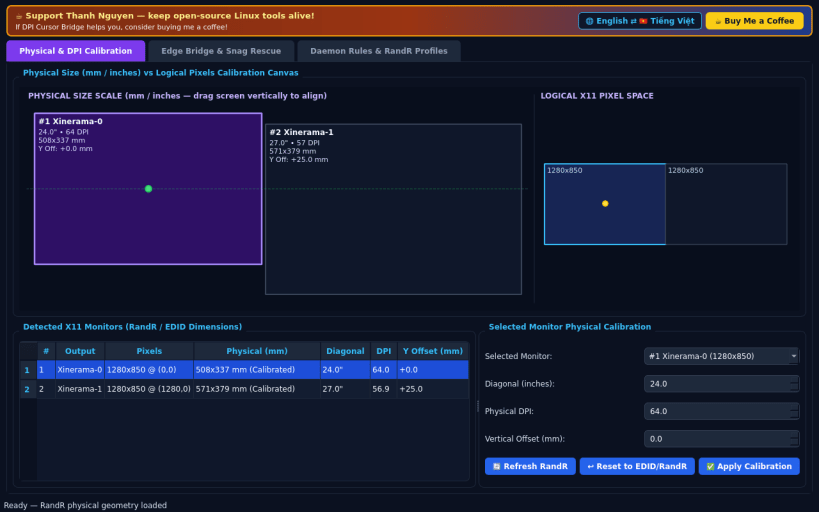
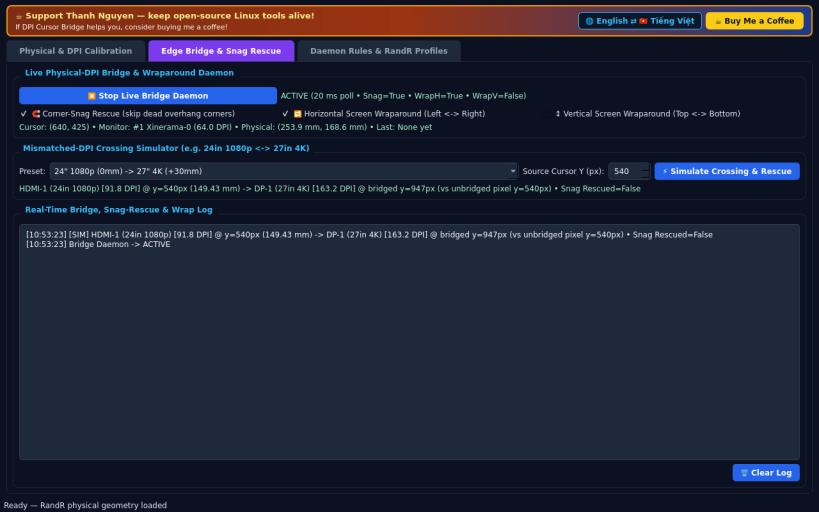
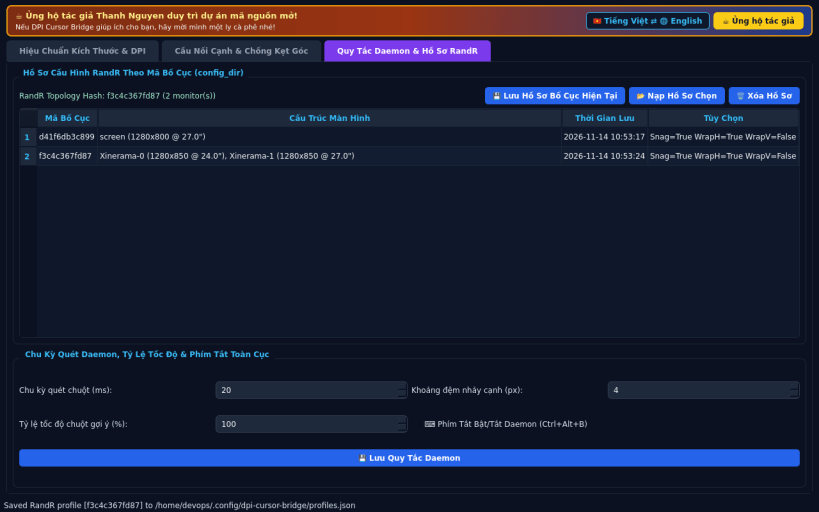
FEATURES • Physical Monitor & DPI Calibration Canvas: Reads real X11 RandR physical dimensions (mm_width, mm_height) and pixel geometries, letting you calibrate diagonal inches, DPI, and vertical physical mm offsets interactively on a scaled millimeter canvas comparing physical vs logical screen layouts. • Proportional Edge Bridge & Wrap Daemon: Real-time XQueryPointer/XWarpPointer watcher computing exact physical-millimeter crossing coordinates across mismatched-DPI displays (e.g., 4K 27" next to 1080p 24"), automatic Corner-Snag Rescue across dead-edge overhangs, optional horizontal/vertical screen wraparound, and an interactive Crossing Simulator + Bridge Log. • Daemon Rules, RandR Profiles & Global Hotkey: Automatic RandR topology hash profiles stored persistently in config_dir, configurable polling & speed scaling parameters, and a global daemon toggle hotkey (Ctrl+Alt+B via XGrabKey).
NOTES • Designed for X11 and XWayland sessions where XQueryPointer, XWarpPointer, and RandR output geometry are exposed.
SUPPORT & DONATE • Created by Thanh Nguyen — https://buymeacoffee.com/thanhnv128b
You are about to open
Do you wish to proceed?
Thank you for your report. Information you provided will help us investigate further.
There was an error while sending your report. Please try again later.
Snaps are applications packaged with all their dependencies to run on all popular Linux distributions from a single build. They update automatically and roll back gracefully.
Snaps are discoverable and installable from the Snap Store, an app store with an audience of millions.
Snap can be installed on elementary OS from the command line. Open Terminal from the Applications launcher and type the following:
sudo apt update
sudo apt install snapd
Either log out and back in again, or restart your system, to ensure snap’s paths are updated correctly.
To install DPI Cursor Bridge, simply use the following command:
sudo snap install dpi-cursor-bridge
Browse and find snaps from the convenience of your desktop using the snap store snap.
Interested to find out more about snaps? Want to publish your own application? Visit snapcraft.io now.