

DPI Cursor Bridge
Install latest/stable of DPI Cursor Bridge
Ubuntu 16.04 or later?
Make sure snap support is enabled in your Desktop store.
Install using the command line
sudo snap install dpi-cursor-bridgeDon't have snapd? Get set up for snaps.
Details for DPI Cursor Bridge
Package name
- dpi-cursor-bridge
License
- MIT
Last updated
- Today - latest/stable
Websites
Contact
External link warning
You are about to open
Do you wish to proceed?
Report a Snap Store violation
Report DPI Cursor Bridge for a Snap Store violation
Snap Store Violation Report submitted successfully
Thank you for your report. Information you provided will help us investigate further.
Error submitting report
There was an error while sending your report. Please try again later.
Share this snap
Generate an embeddable card to be shared on external websites.
Physical-size DPI monitor cursor alignment bridge & corner-snag rescue
A Linux X11 alternative to LittleBigMouse. Independent open-source project, not affiliated with or endorsed by LittleBigMouse.
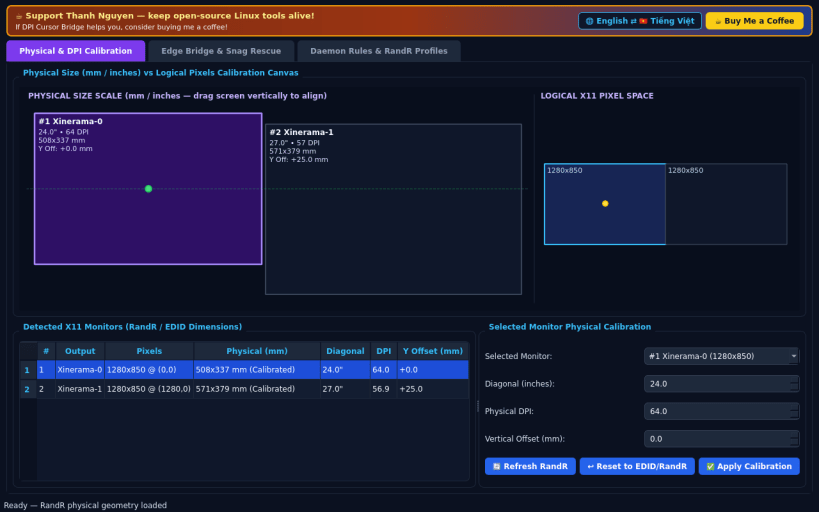
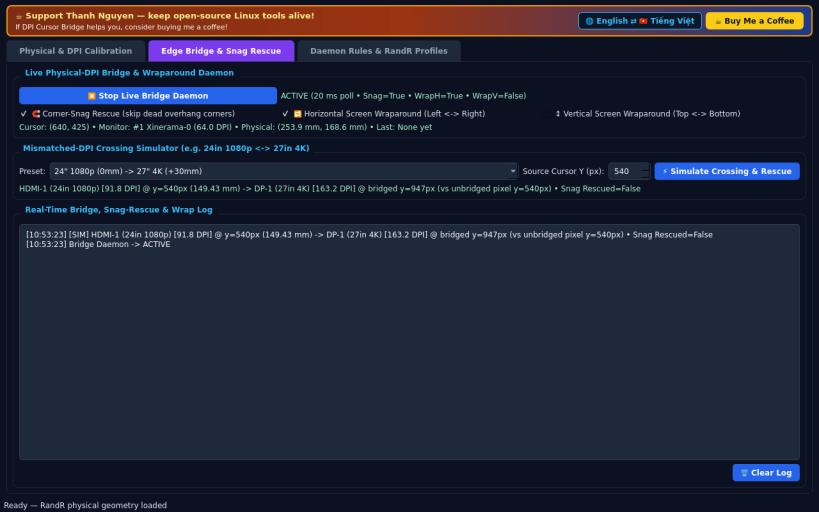
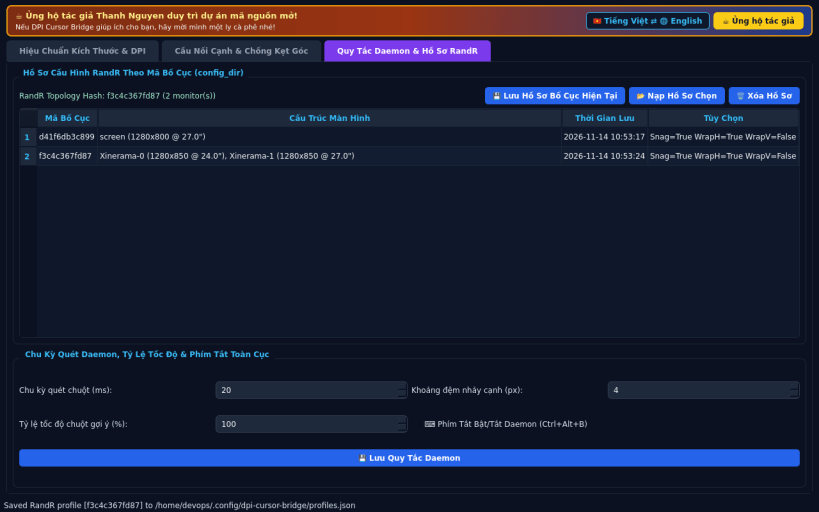
FEATURES • Physical Monitor & DPI Calibration Canvas: Reads real X11 RandR physical dimensions (mm_width, mm_height) and pixel geometries, letting you calibrate diagonal inches, DPI, and vertical physical mm offsets interactively on a scaled millimeter canvas comparing physical vs logical screen layouts. • Proportional Edge Bridge & Wrap Daemon: Real-time XQueryPointer/XWarpPointer watcher computing exact physical-millimeter crossing coordinates across mismatched-DPI displays (e.g., 4K 27" next to 1080p 24"), automatic Corner-Snag Rescue across dead-edge overhangs, optional horizontal/vertical screen wraparound, and an interactive Crossing Simulator + Bridge Log. • Daemon Rules, RandR Profiles & Global Hotkey: Automatic RandR topology hash profiles stored persistently in config_dir, configurable polling & speed scaling parameters, and a global daemon toggle hotkey (Ctrl+Alt+B via XGrabKey).
NOTES • Designed for X11 and XWayland sessions where XQueryPointer, XWarpPointer, and RandR output geometry are exposed.
SUPPORT & DONATE • Created by Thanh Nguyen — https://buymeacoffee.com/thanhnv128b
| Revision | Channel | Version | Build | Commit | Download SBOM |
|---|
The build and commit information is derived from build infrastructure records.
Install DPI Cursor Bridge on your Linux distribution
Choose your Linux distribution to get detailed installation instructions. If yours is not shown, get more details on the installing snapd documentation.


