
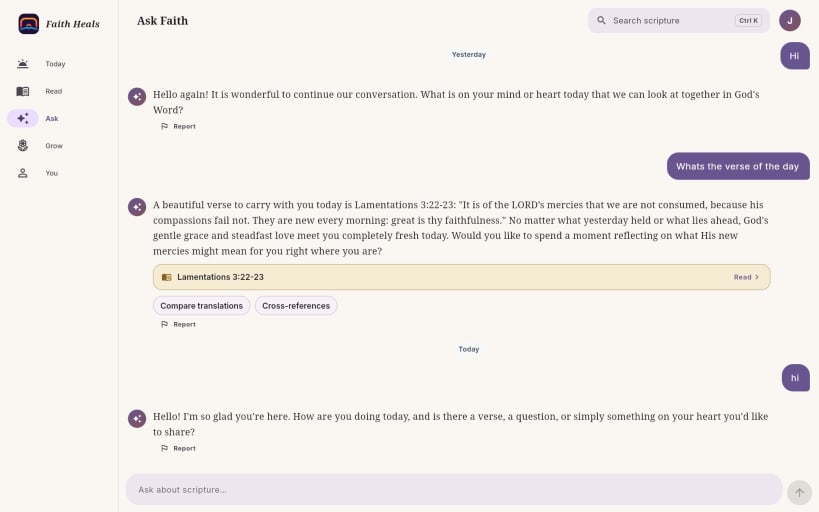
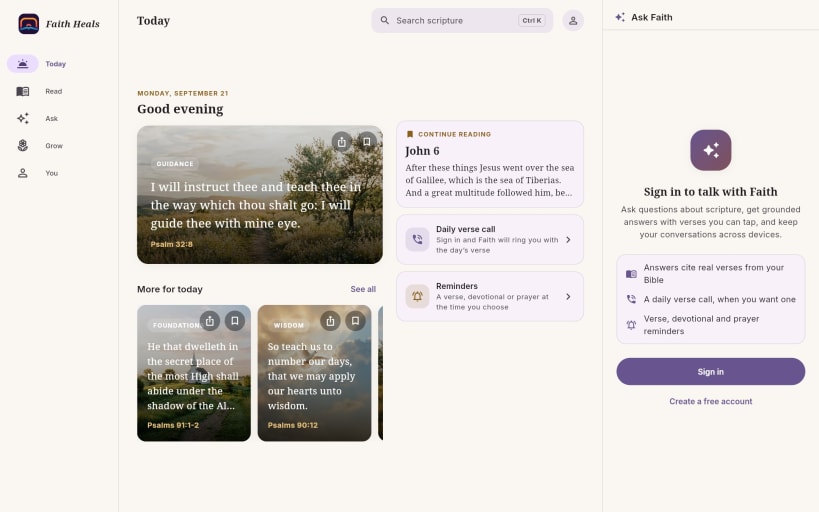
Faith Heals Bible is a free Bible for reading, listening and asking questions of Scripture. It is not a commercial product: there are no ads and no premium accounts, and there never will be.
READ
38 translations, including languages many Bible apps skip, such as Luganda, Swahili, Twi, Wolof, Shona and Somali. Book and chapter names appear in the language you choose. Words of Jesus in red, verse numbers, four highlight colours and notes. Save a translation once, then read and search it with no connection. Five reading themes (Auto, Paper, Sepia, Night and OLED) and adjustable text size. LISTEN
An audio Bible you can play chapter by chapter while you follow the text. ASK FAITH
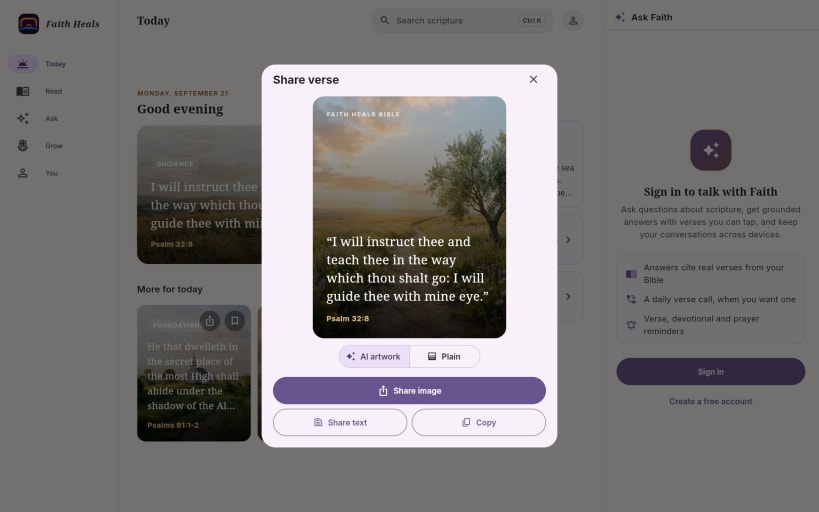
Faith is an AI study companion that looks up every passage in the Bible you are reading before it quotes it, and leaves out any reference it cannot verify. Tap a citation and the reader opens at that exact verse. Select a verse and ask about it without leaving the page. Devotionals, guided studies and quizzes, a daily verse call and reminders at the time you choose. Share any verse as a card, with AI artwork or plain. GROW
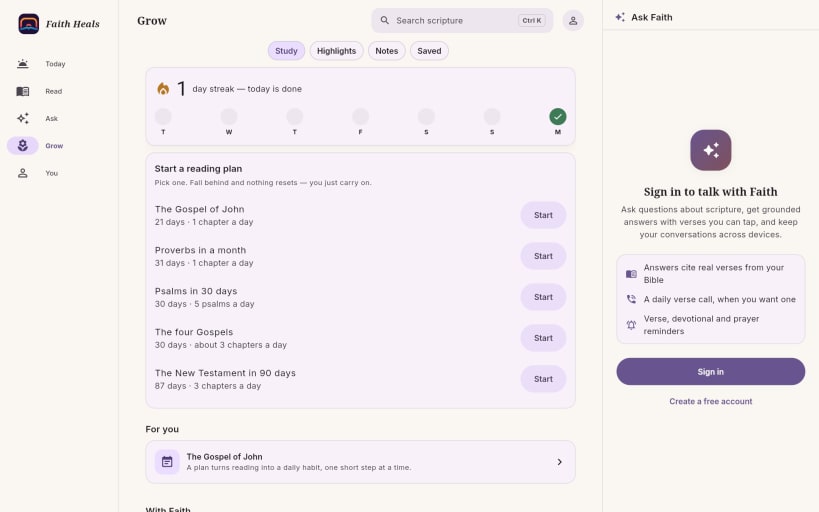
Reading plans such as the Gospel of John in 21 days, Proverbs in a month, Psalms in 30 days and the New Testament in 90 days. A gentle reading streak that never resets your plan if you fall behind. FREE, WITH FAIR USE Reading, listening, search, highlights and verse cards need no account. Faith, the daily call and reminders need only a free account. Every answer from Faith costs real money to produce, so it is shared under fair use, with limits generous enough for everyday study. If you would like to support the ongoing free work, there is a contact form at fhbible.com.
ABOUT THIS SNAP Everything it needs is included, audio playback too. It uses the network, plays audio, and keeps your sign-in in your system's secure storage.
You are about to open
Do you wish to proceed?
Thank you for your report. Information you provided will help us investigate further.
There was an error while sending your report. Please try again later.
Snaps are applications packaged with all their dependencies to run on all popular Linux distributions from a single build. They update automatically and roll back gracefully.
Snaps are discoverable and installable from the Snap Store, an app store with an audience of millions.
Snap can be installed from the command line on openSUSE Leap 15.x and Tumbleweed.
You need first add the snappy repository from the terminal. Choose the appropriate command depending on your installed openSUSE flavor.
Tumbleweed:
sudo zypper addrepo --refresh https://download.opensuse.org/repositories/system:/snappy/openSUSE_Tumbleweed snappy
Leap 15.x:
sudo zypper addrepo --refresh https://download.opensuse.org/repositories/system:/snappy/openSUSE_Leap_15.6 snappy
If needed, Swap out openSUSE_Leap_15. for, openSUSE_Leap_16.0 if you’re using a different version of openSUSE.
With the repository added, import its GPG key:
sudo zypper --gpg-auto-import-keys refresh
Finally, upgrade the package cache to include the new snappy repository:
sudo zypper dup --from snappy
Snap can now be installed with the following:
sudo zypper install snapd
You then need to either reboot, logout/login or source /etc/profile to have /snap/bin added to PATH.
Additionally, enable and start both the snapd and the snapd.apparmor services with the following commands:
sudo systemctl enable --now snapd
sudo systemctl enable --now snapd.apparmor
To install Faith Heals Bible (Audio + Offline), simply use the following command:
sudo snap install drexbible
Browse and find snaps from the convenience of your desktop using the snap store snap.

Interested to find out more about snaps? Want to publish your own application? Visit snapcraft.io now.


