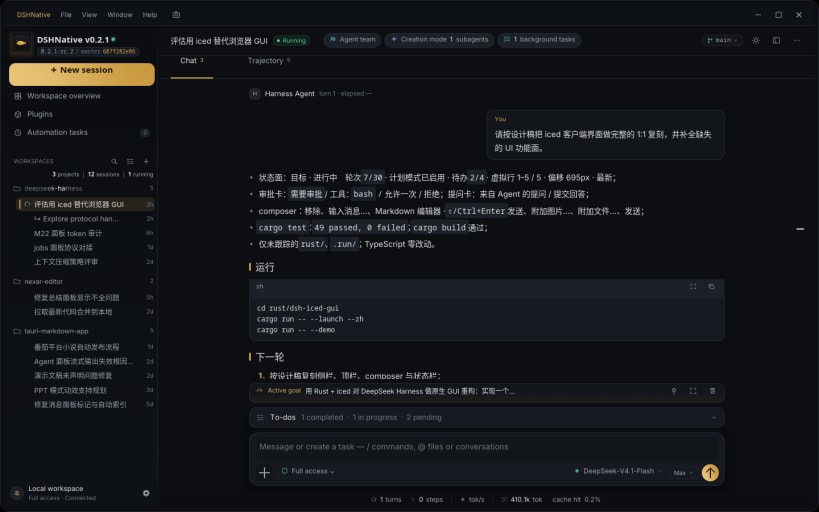
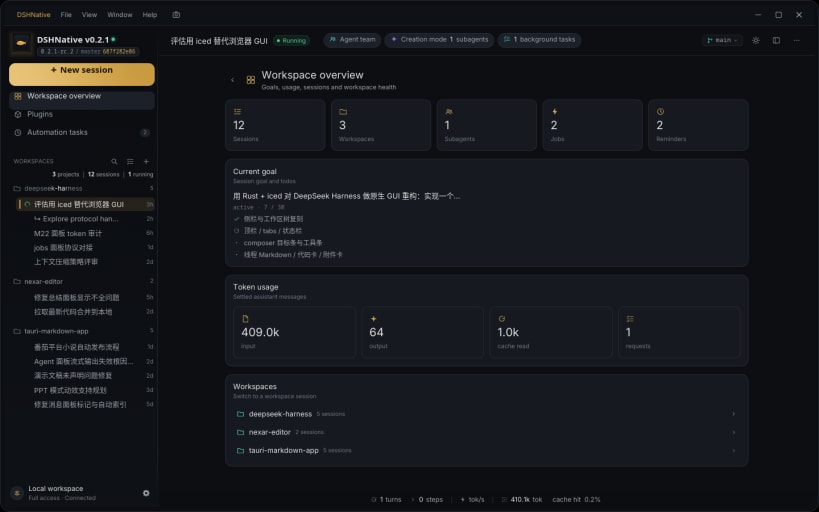
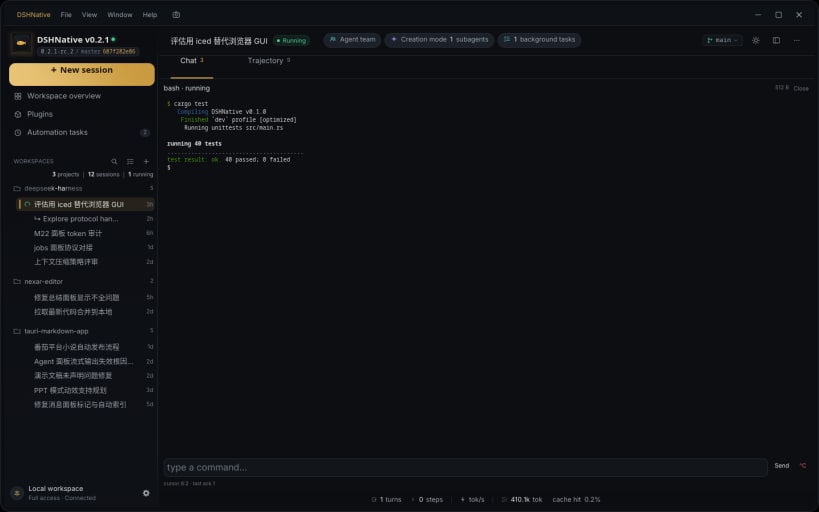
DSHNative 是 DeepSeek Harness 的原生桌面客户端,使用 Rust + iced 构建。它通过和浏览器客户端相同的 Host 协议连接,Session、Workspace、文件和设置保持同步。
## 主要功能
## 运行要求
DSHNative 只是客户端,不包含 Node.js Host。请先启动 Host:
dsh web --no-open
然后打开 DSHNative,粘贴命令打印的 URL,或设置 DSH_NATIVE_URL。Host 可以和客户端在同一台机器,也可以在客户端能访问的另一台机器上。
## 关于 DeepSeek Harness
DeepSeek Harness 是面向编码 Agent 的全插件 Agent Harness,包含 Session、工具、Workspace、终端、任务、定时任务和子代理。了解更多:https://dsh.nexar.club/。
## English
DSHNative is a native desktop client for DeepSeek Harness, built with Rust and iced. It connects to the same Host as the browser client, so Sessions, Workspaces, files and settings stay in sync.
### Highlights
### Requirements
DSHNative is a client, not the Host. Start DeepSeek Harness first:
dsh web --no-open
Then open DSHNative and paste the printed URL, or set DSH_NATIVE_URL. The Host can run on the same machine or on another machine the client can reach; the snap does not bundle Node.js or the Host.
### About DeepSeek Harness
DeepSeek Harness is an all-plugin agent harness for coding agents: sessions, tools, workspaces, terminal, jobs, schedules and subagents. Learn more at https://dsh.nexar.club/.
You are about to open
Do you wish to proceed?
Thank you for your report. Information you provided will help us investigate further.
There was an error while sending your report. Please try again later.
Snaps are applications packaged with all their dependencies to run on all popular Linux distributions from a single build. They update automatically and roll back gracefully.
Snaps are discoverable and installable from the Snap Store, an app store with an audience of millions.
Snap is available for CentOS 7.6+, and Red Hat Enterprise Linux 7.6+, from the Extra Packages for Enterprise Linux (EPEL) repository. The EPEL repository can be added to your system with the following command:
sudo yum install epel-release
Snap can now be installed as follows:
sudo yum install snapd
Once installed, the systemd unit that manages the main snap communication socket needs to be enabled:
sudo systemctl enable --now snapd.socket
To enable classic snap support, enter the following to create a symbolic link between /var/lib/snapd/snap and /snap:
sudo ln -s /var/lib/snapd/snap /snap
Either log out and back in again, or restart your system, to ensure snap’s paths are updated correctly.
To install DSHNative, simply use the following command:
sudo snap install dshnative
Browse and find snaps from the convenience of your desktop using the snap store snap.
Interested to find out more about snaps? Want to publish your own application? Visit snapcraft.io now.