

DSHNative
Install latest/stable of DSHNative
Ubuntu 16.04 or later?
Make sure snap support is enabled in your Desktop store.
Details for DSHNative
Package name
- dshnative
License
- MIT
Last updated
- Today - latest/stable
- Today - latest/beta
Websites
Contact
Report a bug
External link warning
You are about to open
Do you wish to proceed?
Report a Snap Store violation
Report DSHNative for a Snap Store violation
Snap Store Violation Report submitted successfully
Thank you for your report. Information you provided will help us investigate further.
Error submitting report
There was an error while sending your report. Please try again later.
Share this snap
Generate an embeddable card to be shared on external websites.
Native desktop client for DeepSeek Harness — DeepSeek Harness 原生桌面客户端
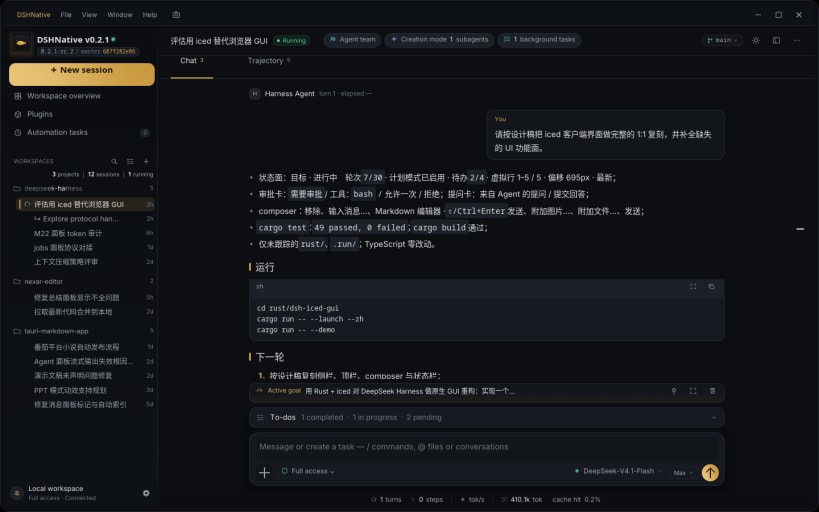
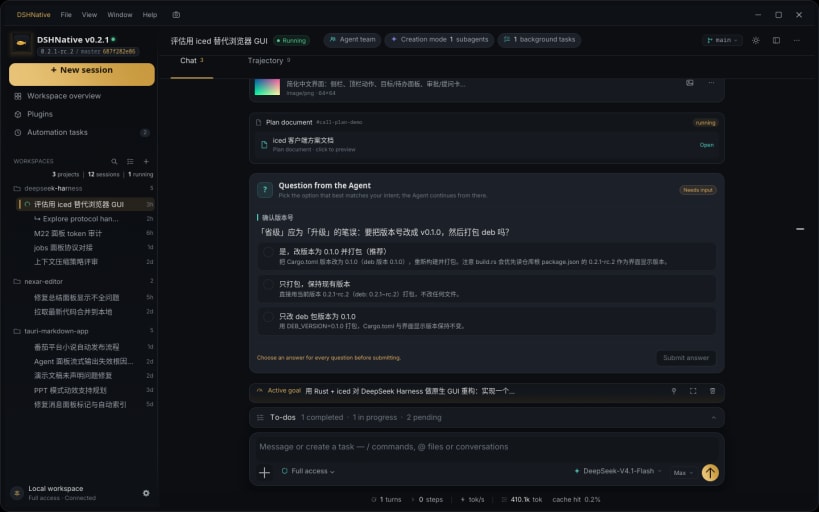
DSHNative 是 DeepSeek Harness 的原生桌面客户端,使用 Rust + iced 构建。它通过和浏览器客户端相同的 Host 协议连接,Session、Workspace、文件和设置保持同步。
## 主要功能
- 实时 Session:流式输出、推理过程、工具调用与 Markdown/代码渲染
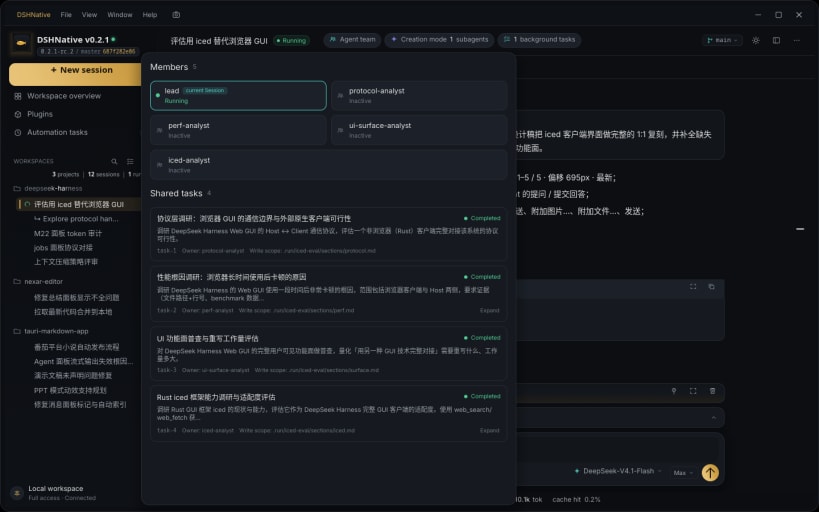
- Agent 团队与子代理、后台任务、定时跟进
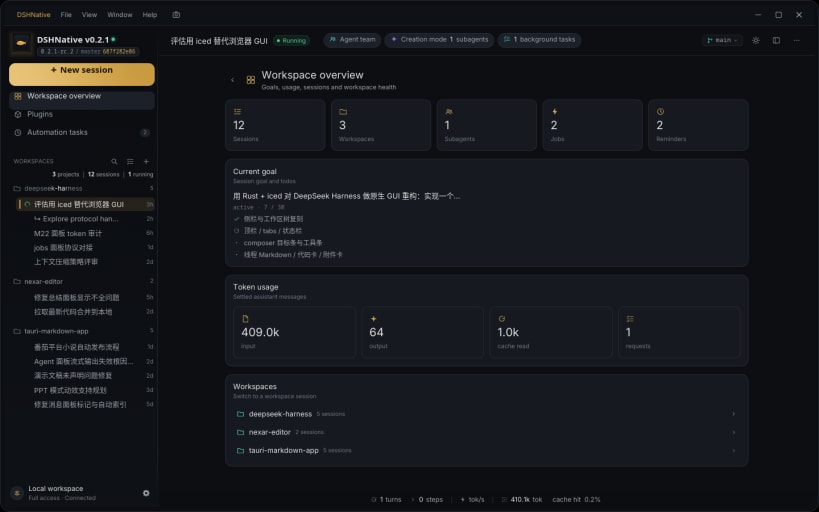
- Workspace 总览:目标、用量、会话与运行状态
- 文件浏览,以及聊天中的图片/Markdown 预览
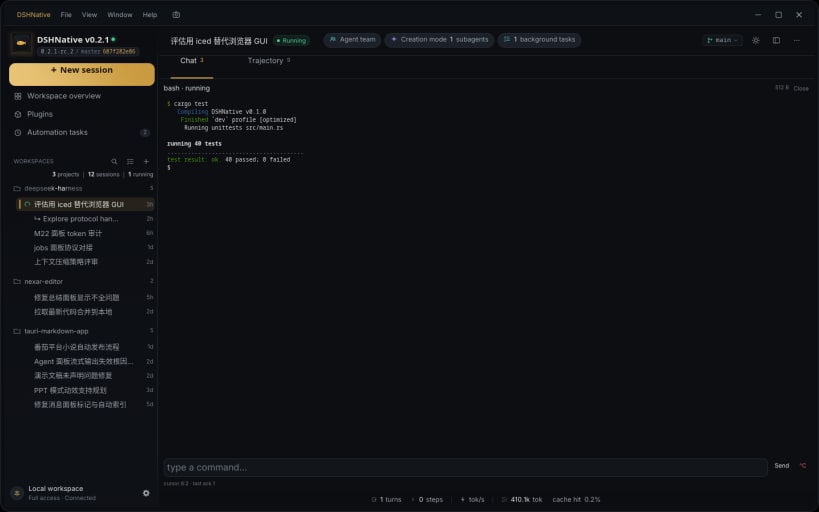
- 内置终端、审批卡与 Agent 提问
- 原生窗口控制、快捷键、明暗主题、中英文界面
## 运行要求
DSHNative 只是客户端,不包含 Node.js Host。请先启动 Host:
dsh web --no-open
然后打开 DSHNative,粘贴命令打印的 URL,或设置 DSH_NATIVE_URL。Host 可以和客户端在同一台机器,也可以在客户端能访问的另一台机器上。
## 关于 DeepSeek Harness
DeepSeek Harness 是面向编码 Agent 的全插件 Agent Harness,包含 Session、工具、Workspace、终端、任务、定时任务和子代理。了解更多:https://dsh.nexar.club/。
## English
DSHNative is a native desktop client for DeepSeek Harness, built with Rust and iced. It connects to the same Host as the browser client, so Sessions, Workspaces, files and settings stay in sync.
### Highlights
- Live Sessions with streaming transcripts, reasoning, tool calls and Markdown/code rendering
- Agent teams and subagents, background jobs and scheduled follow-ups
- Workspace overview with goals, usage, sessions and health
- File browser plus image and Markdown preview from the transcript
- Integrated terminal, approval cards and Agent questions
- Native window chrome, keyboard shortcuts, light/dark themes and English/Chinese UI
### Requirements
DSHNative is a client, not the Host. Start DeepSeek Harness first:
dsh web --no-open
Then open DSHNative and paste the printed URL, or set DSH_NATIVE_URL. The Host can run on the same machine or on another machine the client can reach; the snap does not bundle Node.js or the Host.
### About DeepSeek Harness
DeepSeek Harness is an all-plugin agent harness for coding agents: sessions, tools, workspaces, terminal, jobs, schedules and subagents. Learn more at https://dsh.nexar.club/.
| Revision | Channel | Version | Build | Commit | Download SBOM |
|---|
The build and commit information is derived from build infrastructure records.
Install DSHNative on your Linux distribution
Choose your Linux distribution to get detailed installation instructions. If yours is not shown, get more details on the installing snapd documentation.


