

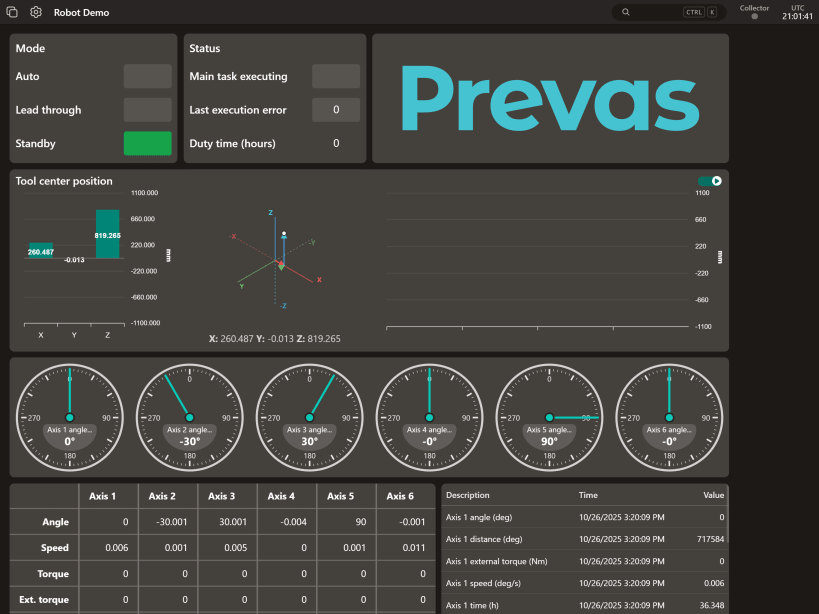
The Prevas Collector (enmac-collector) is the official snap package for the Prevas Cloud data acquisition agent. It functions as a secure and reliable data pipeline, designed to connect industrial operational technology (OT) environments to the Prevas Cloud platform.
This snap is a key component of the Prevas Digital Suite for Industrial Internet of Things (IIoT). Its primary role is to gather data from various industrial protocols, such as Modbus TCP and OPC UA, and transmit it to the Prevas Cloud platform. This enables near real-time monitoring, data analysis, and visualization of process trends, hardware conditions, and alarms.
The snap is designed for high reliability, running as a persistent background service (daemon) that restarts automatically on failure. It supports both amd64 (standard servers) and arm64 (IoT gateways, Raspberry Pi) architectures, making it suitable for a wide range of industrial hardware.
Initial Configuration
A Prevas Cloud subscription is required to use the collector.
To function, the collector needs a setup configuration file generated by the Prevas Cloud platform. This file can be provided to the snap in two ways:
enmac-collector.setup command.Detailed guidance on generating the configuration file and using both setup methods is available in your Prevas Cloud portal at https://prevascloud.com.
Service Management
The collector runs as a background service. You can manage it using standard snap commands:
snap <start|stop|restart> enmac-collectorsnap logs enmac-collectorsnap logs enmac-collector -fAvailable Commands
This package includes several utility commands. Run enmac-collector --help for a full list.
enmac-collector.setup
   Updates the collector's setup configuration.
   (Run `enmac-collector.setup --help` for details)

enmac-collector.version
   Print the currently installed version of the snap.

enmac-collector.license
   Print the software license.

enmac-collector.third-party-notices
   Print third-party software notices and licenses.
You are about to open
Do you wish to proceed?
Thank you for your report. Information you provided will help us investigate further.
There was an error while sending your report. Please try again later.
Snaps are applications packaged with all their dependencies to run on all popular Linux distributions from a single build. They update automatically and roll back gracefully.
Snaps are discoverable and installable from the Snap Store, an app store with an audience of millions.
Snap is available for Red Hat Enterprise Linux (RHEL) 8 and RHEL 7, from the 7.6 release onward.
The packages for RHEL 7, RHEL 8, and RHEL 9 are in each distribution’s respective Extra Packages for Enterprise Linux (EPEL) repository. The instructions for adding this repository diverge slightly between RHEL 7, RHEL 8 and RHEL 9, which is why they’re listed separately below.
The EPEL repository can be added to RHEL 9 with the following command:
sudo dnf install https://dl.fedoraproject.org/pub/epel/epel-release-latest-9.noarch.rpm
sudo dnf upgrade
The EPEL repository can be added to RHEL 8 with the following command:
sudo dnf install https://dl.fedoraproject.org/pub/epel/epel-release-latest-8.noarch.rpm
sudo dnf upgrade
The EPEL repository can be added to RHEL 7 with the following command:
sudo rpm -ivh https://dl.fedoraproject.org/pub/epel/epel-release-latest-7.noarch.rpm
Adding the optional and extras repositories is also recommended:
sudo subscription-manager repos --enable "rhel-*-optional-rpms" --enable "rhel-*-extras-rpms"
sudo yum update
Snap can now be installed as follows:
sudo yum install snapd
Once installed, the systemd unit that manages the main snap communication socket needs to be enabled:
sudo systemctl enable --now snapd.socket
To enable classic snap support, enter the following to create a symbolic link between /var/lib/snapd/snap and /snap:
sudo ln -s /var/lib/snapd/snap /snap
Either log out and back in again or restart your system to ensure snap’s paths are updated correctly.
To install Prevas Collector, simply use the following command:
sudo snap install enmac-collector
Browse and find snaps from the convenience of your desktop using the snap store snap.

Interested to find out more about snaps? Want to publish your own application? Visit snapcraft.io now.