

Prevas Collector (enmac-collector)

Contact us about Snaps and IoT ›
Install latest/stable of Prevas Collector
Ubuntu 16.04 or later?
Make sure snap support is enabled in your Desktop store.
Install using the command line
sudo snap install enmac-collectorDon't have snapd? Get set up for snaps.

Details for Prevas Collector
Package name
- enmac-collector
License
- Proprietary
Last updated
- 31 August 2026 - latest/stable
- 31 August 2026 - latest/edge
Websites
External link warning
You are about to open
Do you wish to proceed?
Report a Snap Store violation
Report Prevas Collector for a Snap Store violation
Snap Store Violation Report submitted successfully
Thank you for your report. Information you provided will help us investigate further.
Error submitting report
There was an error while sending your report. Please try again later.
Share this snap
Generate an embeddable card to be shared on external websites.
Data collector for Prevas Cloud
The Prevas Collector (enmac-collector) is the official snap package for the Prevas Cloud data acquisition agent. It functions as a secure and reliable data pipeline, designed to connect industrial operational technology (OT) environments to the Prevas Cloud platform.
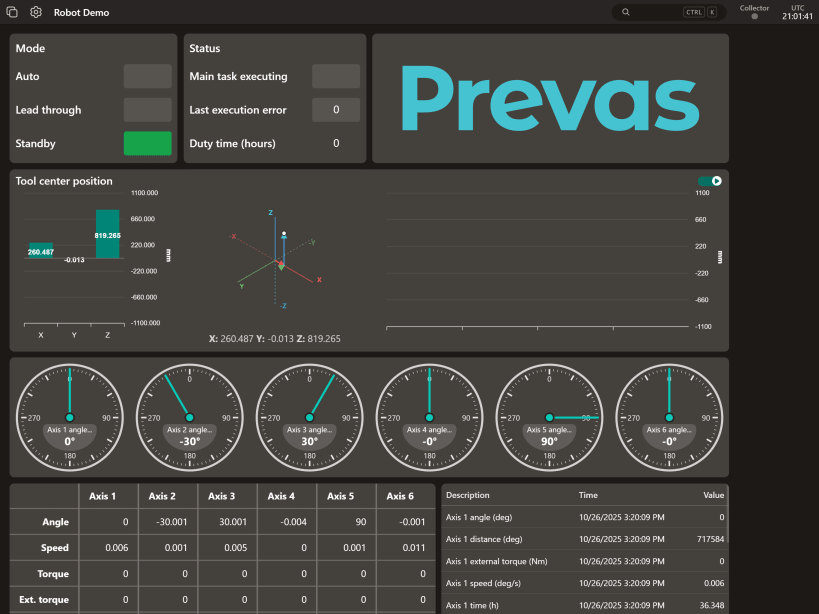
This snap is a key component of the Prevas Digital Suite for Industrial Internet of Things (IIoT). Its primary role is to gather data from various industrial protocols, such as Modbus TCP and OPC UA, and transmit it to the Prevas Cloud platform. This enables near real-time monitoring, data analysis, and visualization of process trends, hardware conditions, and alarms.
The snap is designed for high reliability, running as a persistent background service (daemon) that restarts automatically on failure. It supports both amd64 (standard servers) and arm64 (IoT gateways, Raspberry Pi) architectures, making it suitable for a wide range of industrial hardware.
Initial Configuration
A Prevas Cloud subscription is required to use the collector.
To function, the collector needs a setup configuration file generated by the Prevas Cloud platform. This file can be provided to the snap in two ways:
- Manual transfer: Using the
enmac-collector.setupcommand. - Automated injection (coming soon): Using a specially prepared USB stick for automated configuration.
Detailed guidance on generating the configuration file and using both setup methods is available in your Prevas Cloud portal at https://prevascloud.com.
Service Management
The collector runs as a background service. You can manage it using standard snap commands:
- Start, stop or restart the service:
snap <start|stop|restart> enmac-collector - View service logs:
snap logs enmac-collector - Follow logs in real-time:
snap logs enmac-collector -f
Available Commands
This package includes several utility commands. Run enmac-collector --help for a full list.
enmac-collector.setup
   Updates the collector's setup configuration.
   (Run `enmac-collector.setup --help` for details)

enmac-collector.version
   Print the currently installed version of the snap.

enmac-collector.license
   Print the software license.

enmac-collector.third-party-notices
   Print third-party software notices and licenses.
| Revision | Channel | Version | Build | Commit | Download SBOM |
|---|
The build and commit information is derived from build infrastructure records.
Install Prevas Collector on your Linux distribution
Choose your Linux distribution to get detailed installation instructions. If yours is not shown, get more details on the installing snapd documentation.












