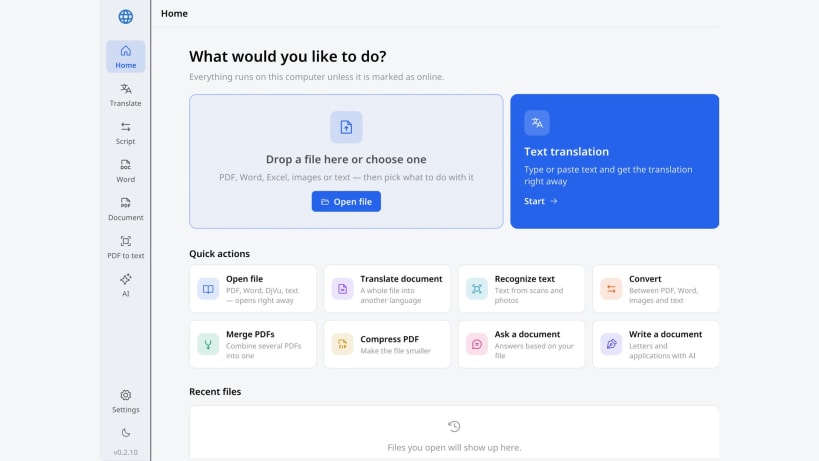
FromTo Desktop brings translation and everyday document work into one app, with full support for Uzbek, Karakalpak, Russian and English.
TRANSLATION
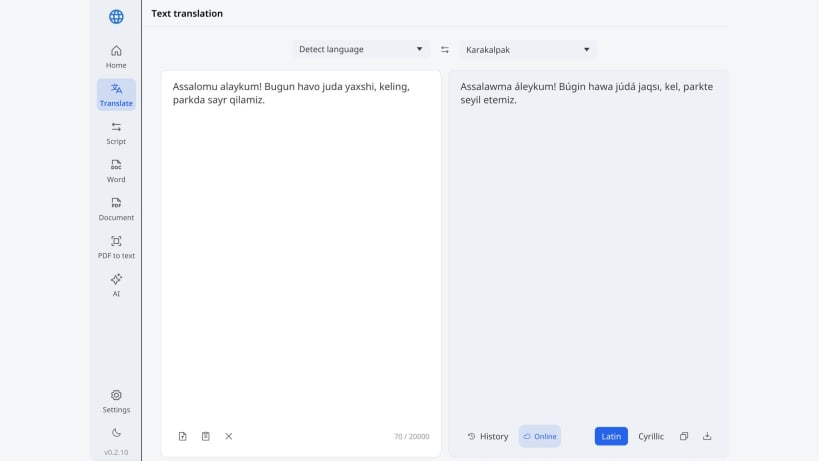
• Text translation with automatic language detection, history and saving to a file.
• Online translation in many languages. For offline use, the model and language packs are downloaded once and then work without internet: Karakalpak, Uzbek, Russian, English, Kazakh, Kyrgyz, Tajik, Turkmen, Turkish, Chinese and more.
• Every language shows whether it works without internet.
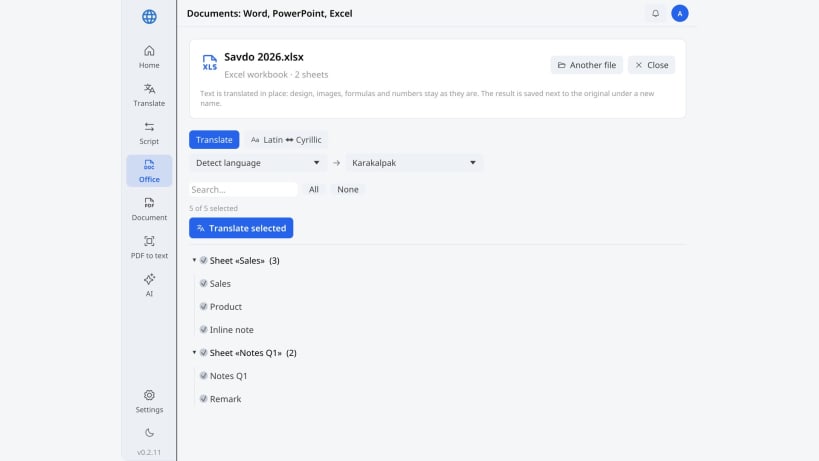
• Whole-document translation: Word, Excel and PowerPoint files are translated in place — layout, images, formulas and numbers stay as they are. You choose which paragraphs, slides or sheets to translate.
• Drop a PDF, image or text file into the translator to translate its full text.
OFFICE: WORD, EXCEL, POWERPOINT
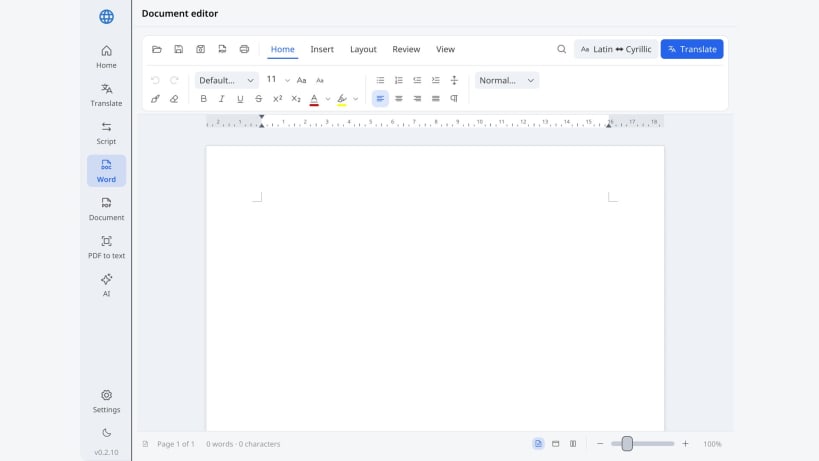
• Word editor: formatting, find and replace, word count, spell checking, printing, saving as PDF.
• Excel workbooks: multiple sheets, CSV import and export, PDF export.
• PowerPoint presentations: add, duplicate and reorder slides, speaker notes.
• Ready-made templates: formal letter, report, budget, contact list.
• Opens Word, PowerPoint, Excel, OpenDocument, RTF, HTML, Markdown and text files. Charts, macros and objects that cannot be edited here are kept unchanged on save.
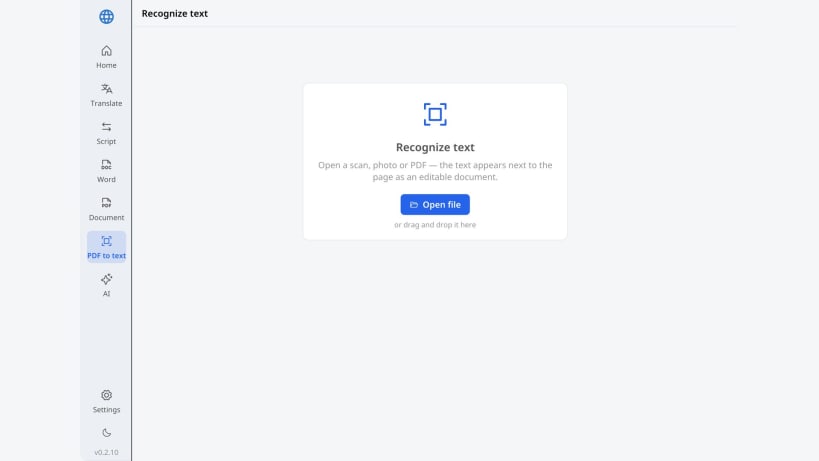
TEXT RECOGNITION (OCR)
• Turn scans, photos and PDFs into editable, searchable text.
• Uzbek (Latin and Cyrillic), Karakalpak, Russian, English and other languages. Recognition languages are downloaded once and run on your computer.
• Open the result as a Word document in the editor.
LATIN ↔ CYRILLIC
• Convert Uzbek text between Latin and Cyrillic instantly — in plain text and in Word, Excel and PowerPoint files.
DOCUMENTS AND PDF
• View PDF, DjVu, images, spreadsheets and presentations: search, zoom, copy page text.
• PDF tools: merge, split, rotate, delete and reorder pages, watermark, compress, images to PDF.
• Convert PDF to Word, text or images, and office files to PDF.
AI
• Papers and slides: a 4–20 page referat, a 10-slide presentation, a 20–35 page business plan or an 80–150 page dissertation draft — in Uzbek, Russian or English, as DOCX/PPTX and PDF. Generated on the FromTo server: requires sign-in and internet; the number of documents depends on your account.
• Ask questions about a document and write documents from templates using the AI you choose in Settings: a local model on your computer or your own cloud AI key.
Interface in Uzbek, Karakalpak, Russian and English, with light and dark themes.
ACCOUNT
Sign in with your from-to.uz account — the plan on your account applies on this computer automatically. The app may show ads.
REQUIREMENTS
In this version, features that rely on LibreOffice are not available: opening legacy .doc, .xls and .ppt files, converting office files to PDF, and exporting or printing PowerPoint presentations.