

FromTo — Translator & Office (fromto)
Install latest/stable of FromTo — Translator & Office
Ubuntu 16.04 or later?
Make sure snap support is enabled in your Desktop store.
Details for FromTo — Translator & Office
Package name
- fromto
License
- Proprietary
Last updated
- 25 November 2026 - latest/stable
- 23 November 2026 - latest/edge
Websites
Contact
Report a bug
External link warning
You are about to open
Do you wish to proceed?
Report a Snap Store violation
Report FromTo — Translator & Office for a Snap Store violation
Snap Store Violation Report submitted successfully
Thank you for your report. Information you provided will help us investigate further.
Error submitting report
There was an error while sending your report. Please try again later.
Share this snap
Generate an embeddable card to be shared on external websites.
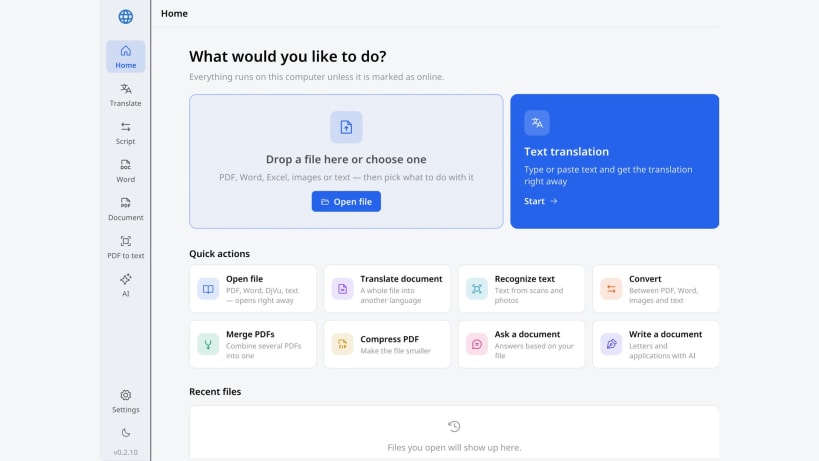
Offline translator, OCR and Office editor for Uzbek and Karakalpak
FromTo Desktop brings translation and everyday document work into one app, with full support for Uzbek, Karakalpak, Russian and English.
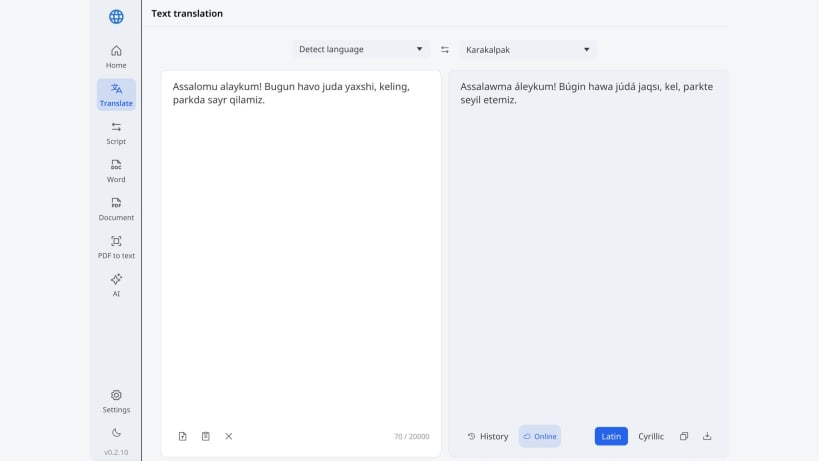
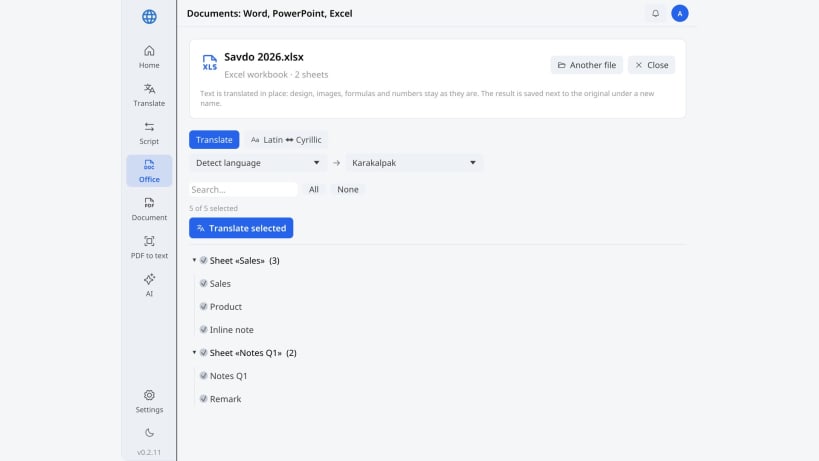
TRANSLATION • Text translation with automatic language detection, history and saving to a file. • Online translation in many languages. For offline use, the model and language packs are downloaded once and then work without internet: Karakalpak, Uzbek, Russian, English, Kazakh, Kyrgyz, Tajik, Turkmen, Turkish, Chinese and more. • Every language shows whether it works without internet. • Whole-document translation: Word, Excel and PowerPoint files are translated in place — layout, images, formulas and numbers stay as they are. You choose which paragraphs, slides or sheets to translate. • Drop a PDF, image or text file into the translator to translate its full text.
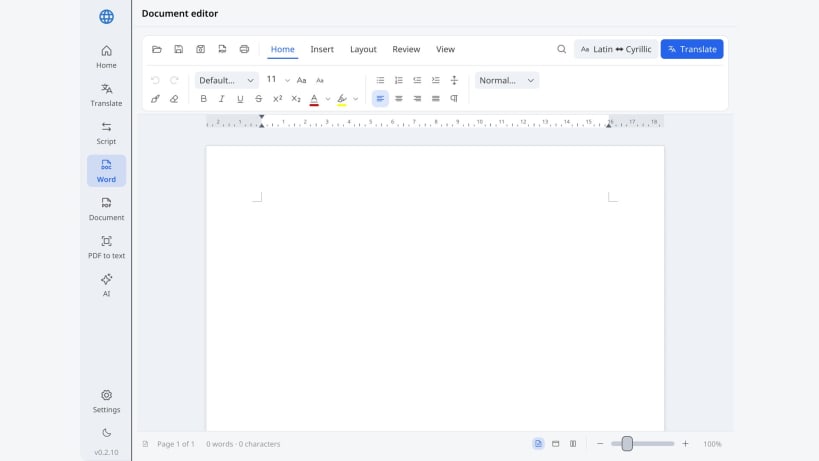
OFFICE: WORD, EXCEL, POWERPOINT • Word editor: formatting, find and replace, word count, spell checking, printing, saving as PDF. • Excel workbooks: multiple sheets, CSV import and export, PDF export. • PowerPoint presentations: add, duplicate and reorder slides, speaker notes. • Ready-made templates: formal letter, report, budget, contact list. • Opens Word, PowerPoint, Excel, OpenDocument, RTF, HTML, Markdown and text files. Charts, macros and objects that cannot be edited here are kept unchanged on save.
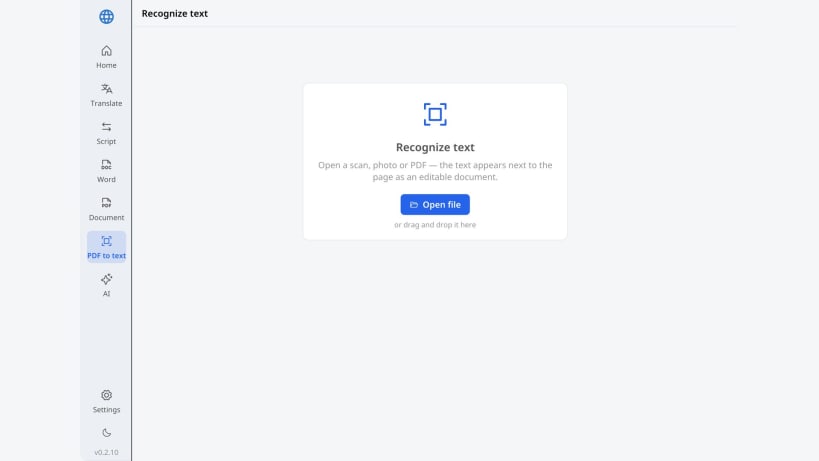
TEXT RECOGNITION (OCR) • Turn scans, photos and PDFs into editable, searchable text. • Uzbek (Latin and Cyrillic), Karakalpak, Russian, English and other languages. Recognition languages are downloaded once and run on your computer. • Open the result as a Word document in the editor.
LATIN ↔ CYRILLIC • Convert Uzbek text between Latin and Cyrillic instantly — in plain text and in Word, Excel and PowerPoint files.
DOCUMENTS AND PDF • View PDF, DjVu, images, spreadsheets and presentations: search, zoom, copy page text. • PDF tools: merge, split, rotate, delete and reorder pages, watermark, compress, images to PDF. • Convert PDF to Word, text or images, and office files to PDF.
AI • Papers and slides: a 4–20 page referat, a 10-slide presentation, a 20–35 page business plan or an 80–150 page dissertation draft — in Uzbek, Russian or English, as DOCX/PPTX and PDF. Generated on the FromTo server: requires sign-in and internet; the number of documents depends on your account. • Ask questions about a document and write documents from templates using the AI you choose in Settings: a local model on your computer or your own cloud AI key.
Interface in Uzbek, Karakalpak, Russian and English, with light and dark themes.
ACCOUNT Sign in with your from-to.uz account — the plan on your account applies on this computer automatically. The app may show ads.
REQUIREMENTS In this version, features that rely on LibreOffice are not available: opening legacy .doc, .xls and .ppt files, converting office files to PDF, and exporting or printing PowerPoint presentations.
| Revision | Channel | Version | Build | Commit | Download SBOM |
|---|
The build and commit information is derived from build infrastructure records.
Install FromTo — Translator & Office on your Linux distribution
Choose your Linux distribution to get detailed installation instructions. If yours is not shown, get more details on the installing snapd documentation.











