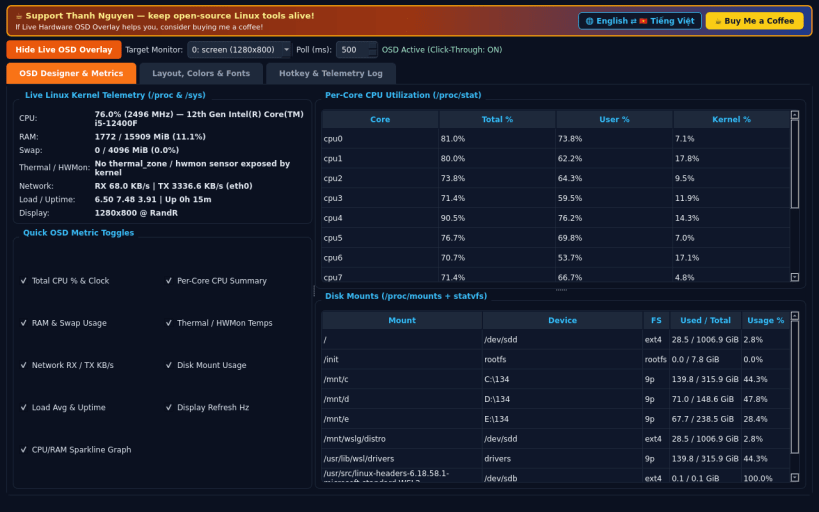
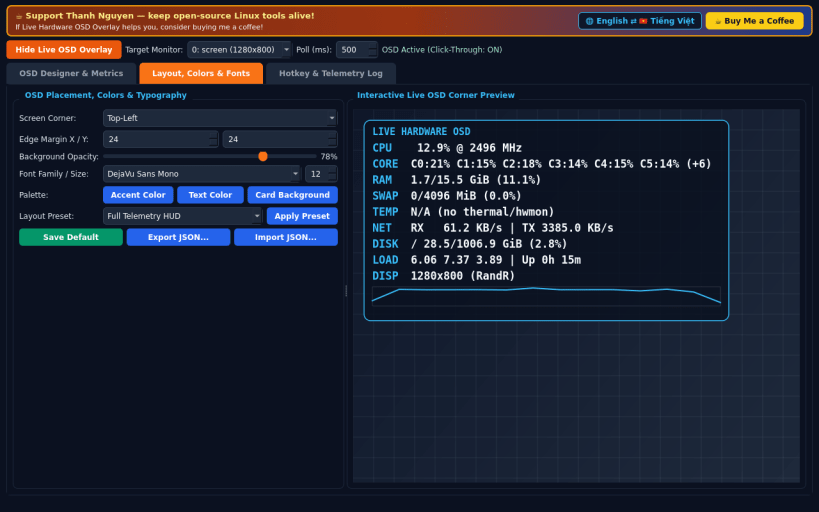
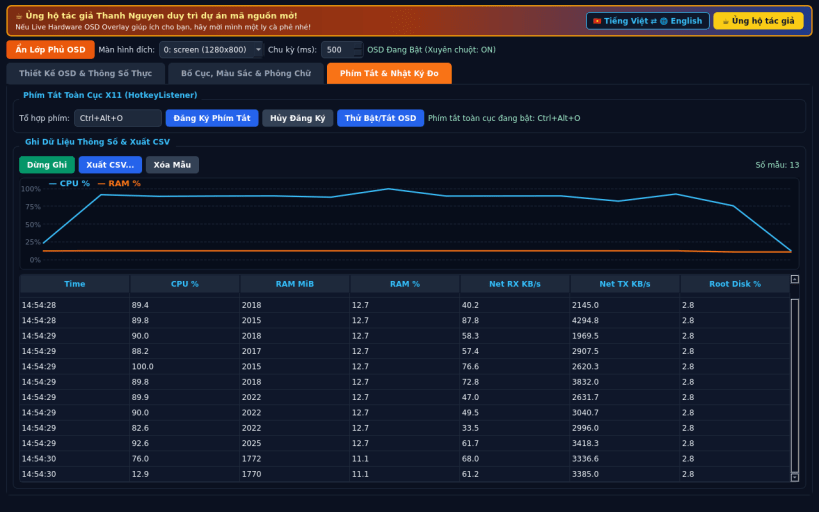
An independent open-source Linux hardware monitoring overlay and OSD layout designer, alternative to classic OSD layout editors. Not affiliated with or endorsed by any third-party GPU or benchmark vendor.
FEATURES • Live Always-on-Top Click-Through X11 OSD: inspect real CPU, per-core usage, RAM and swap, thermal and hwmon sensors, network RX/TX rates, disk mounts, and monitor refresh rates every 500ms without blocking mouse clicks. • Layout, Colors & Typography Designer: choose screen corner placement, margins, RGBA opacity, fonts, metric visibility toggles, sparkline graphs, and import or export JSON layout presets. • Global X11 Hotkey & Telemetry CSV Recorder: toggle the overlay with a global X11 shortcut inside fullscreen apps and record real telemetry samples to CSV. • Bilingual Interface: defaults to English with instant Vietnamese toggle.
SUPPORT & DONATE • Created by Thanh Nguyen — https://buymeacoffee.com/thanhnv128b
You are about to open
Do you wish to proceed?
Thank you for your report. Information you provided will help us investigate further.
There was an error while sending your report. Please try again later.
Snaps are applications packaged with all their dependencies to run on all popular Linux distributions from a single build. They update automatically and roll back gracefully.
Snaps are discoverable and installable from the Snap Store, an app store with an audience of millions.
On Debian 9 (Stretch) and newer, snap can be installed directly from the command line:
sudo apt update
sudo apt install snapd
After this, install the snapd snap in order to get the latest snapd:
sudo snap install snapd
To install Live Hardware OSD Overlay, simply use the following command:
sudo snap install hardware-hud-designer
Browse and find snaps from the convenience of your desktop using the snap store snap.
Interested to find out more about snaps? Want to publish your own application? Visit snapcraft.io now.