

Live Hardware OSD Overlay (hardware-hud-designer)
Install latest/stable of Live Hardware OSD Overlay
Ubuntu 16.04 or later?
Make sure snap support is enabled in your Desktop store.
Install using the command line
sudo snap install hardware-hud-designerDon't have snapd? Get set up for snaps.
Details for Live Hardware OSD Overlay
Package name
- hardware-hud-designer
License
- MIT
Last updated
- Yesterday - latest/stable
Websites
Contact
External link warning
You are about to open
Do you wish to proceed?
Report a Snap Store violation
Report Live Hardware OSD Overlay for a Snap Store violation
Snap Store Violation Report submitted successfully
Thank you for your report. Information you provided will help us investigate further.
Error submitting report
There was an error while sending your report. Please try again later.
Share this snap
Generate an embeddable card to be shared on external websites.
Click-through X11 hardware OSD overlay, layout editor & telemetry logger
An independent open-source Linux hardware monitoring overlay and OSD layout designer, alternative to classic OSD layout editors. Not affiliated with or endorsed by any third-party GPU or benchmark vendor.
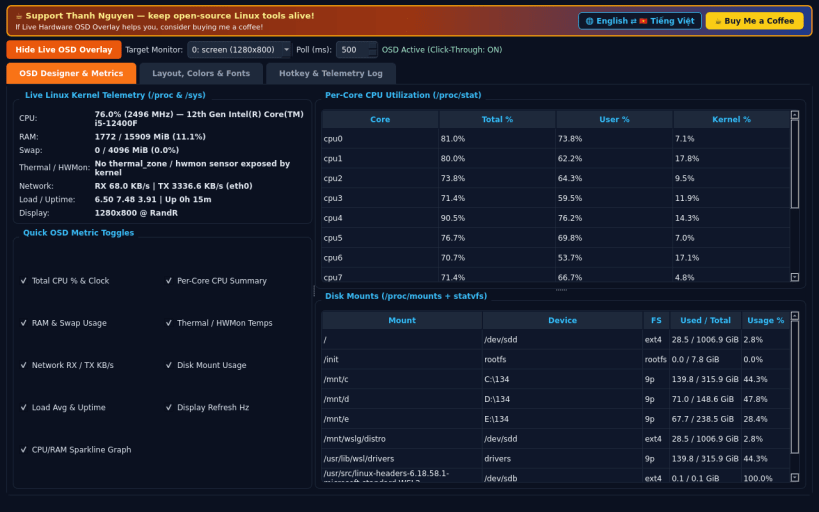
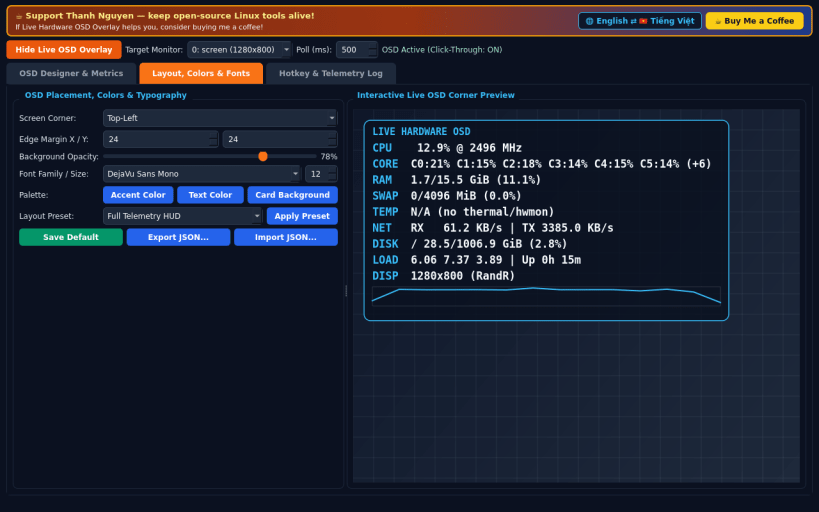
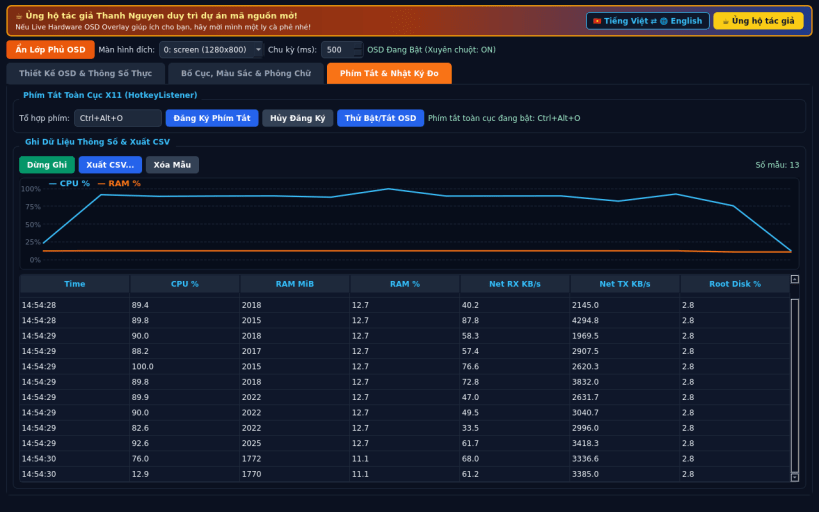
FEATURES • Live Always-on-Top Click-Through X11 OSD: inspect real CPU, per-core usage, RAM and swap, thermal and hwmon sensors, network RX/TX rates, disk mounts, and monitor refresh rates every 500ms without blocking mouse clicks. • Layout, Colors & Typography Designer: choose screen corner placement, margins, RGBA opacity, fonts, metric visibility toggles, sparkline graphs, and import or export JSON layout presets. • Global X11 Hotkey & Telemetry CSV Recorder: toggle the overlay with a global X11 shortcut inside fullscreen apps and record real telemetry samples to CSV. • Bilingual Interface: defaults to English with instant Vietnamese toggle.
SUPPORT & DONATE • Created by Thanh Nguyen — https://buymeacoffee.com/thanhnv128b
| Revision | Channel | Version | Build | Commit | Download SBOM |
|---|
The build and commit information is derived from build infrastructure records.
Install Live Hardware OSD Overlay on your Linux distribution
Choose your Linux distribution to get detailed installation instructions. If yours is not shown, get more details on the installing snapd documentation.


