
This package provides tools and utilities for working with the ifm O3D3XX and O3X families of 3D time of flight depth cameras.
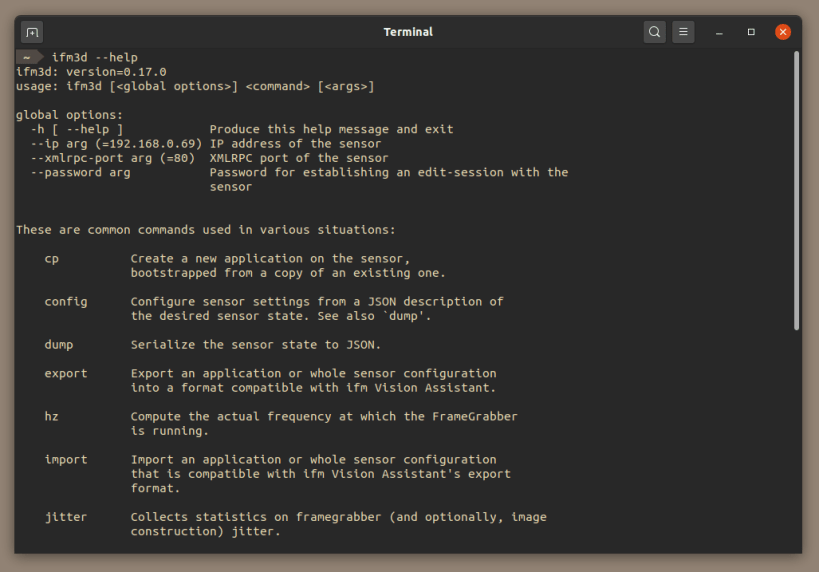
ifm3d
The ifm3d application is a command line utility for manipulating the state of the cameras. It is distributed as part of the open source ifm3d library hosted at https://github.com/ifm/ifm3d.
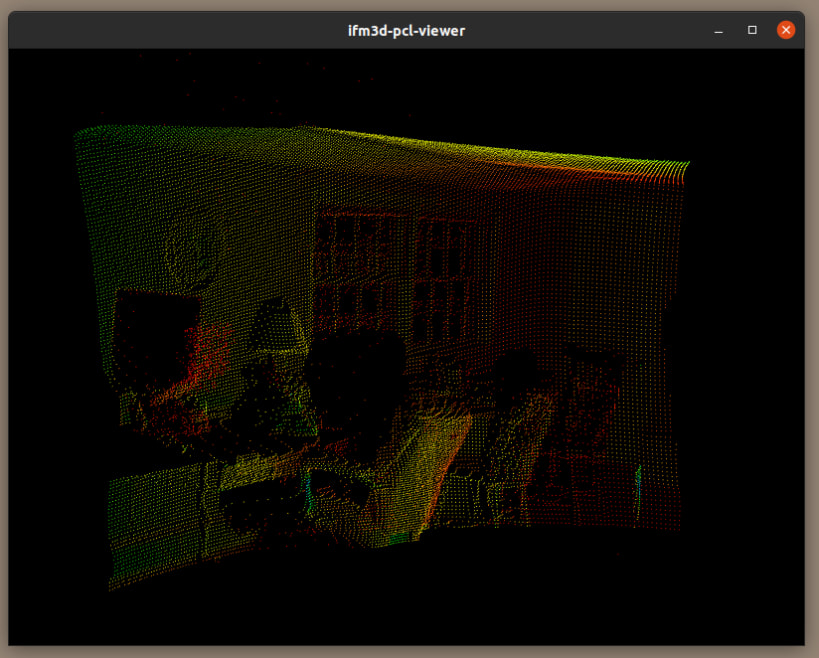
ifm3d.viewer
The ifm3d.viewer application is a simple GUI for viewing colorized depth information from the camera. Source code available in the open source project hosted at https://github.com/ifm/ifm3d-pcl-viewer.
You are about to open
Do you wish to proceed?
Thank you for your report. Information you provided will help us investigate further.
There was an error while sending your report. Please try again later.
Snaps are applications packaged with all their dependencies to run on all popular Linux distributions from a single build. They update automatically and roll back gracefully.
Snaps are discoverable and installable from the Snap Store, an app store with an audience of millions.
Snap is available for CentOS 7.6+, and Red Hat Enterprise Linux 7.6+, from the Extra Packages for Enterprise Linux (EPEL) repository. The EPEL repository can be added to your system with the following command:
sudo yum install epel-release
Snap can now be installed as follows:
sudo yum install snapd
Once installed, the systemd unit that manages the main snap communication socket needs to be enabled:
sudo systemctl enable --now snapd.socket
To enable classic snap support, enter the following to create a symbolic link between /var/lib/snapd/snap and /snap:
sudo ln -s /var/lib/snapd/snap /snap
Either log out and back in again, or restart your system, to ensure snap’s paths are updated correctly.
To install ifm3d, simply use the following command:
sudo snap install ifm3d
Browse and find snaps from the convenience of your desktop using the snap store snap.

Interested to find out more about snaps? Want to publish your own application? Visit snapcraft.io now.